
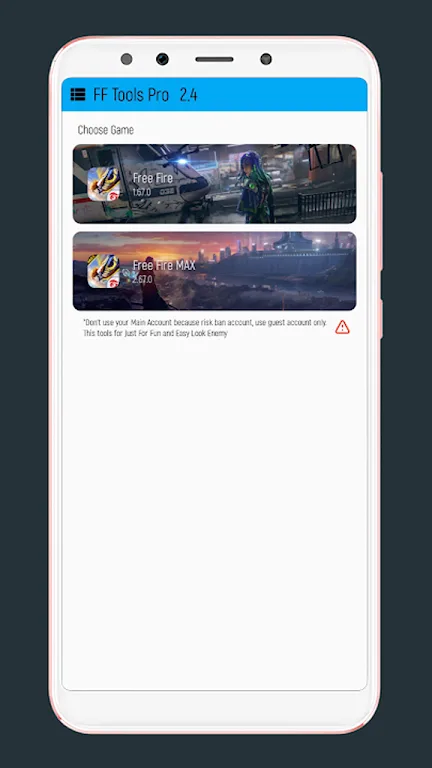
FF Tools Pro Max is an excellent game modification tool. This application boasts a wealth of fun features, focusing on clear aiming and real-time performance monitoring. It delivers a unique gaming experience without requiring modification to game files. With FF Tools Pro Max, you can achieve faster aiming in close-quarters combat and when peeking, thanks to its powerful features and centered crosshair overlay. A real-time FPS counter detects frame rate drops in busy areas and during rotations. Furthermore, this application offers cheat codes and hacking features to help players gain an advantage in the game.
Highlights:
Enhanced Gameplay: With its customization options and performance optimization features, FF Tools Pro Max enhances the overall gaming experience for players.
Time-Saving: The auto-scripting capabilities help automate repetitive tasks, saving users time and effort.
Competitive Edge: By offering cheat codes and hacks, the software gives users a competitive edge in the game.
User-Friendly: Despite its advanced features, FF Tools Pro Max is user-friendly and easy to navigate.
Features:
Clear crosshair overlay
FF Tools ProMax adds a centered crosshair on screen so you can align shots quickly during close fights. The crosshair stays visible as you move. This helps with quick tracking and consistent aim placement under pressure.
Live FPS counter
FF Tools ProMax shows frame rates in real time while you play. You can spot dips the moment they happen, including during landing, rotating, or driving. This makes it easier to decide when to lower graphics or reduce background tasks.
Performance insights while you play
FF Tools ProMax helps you recognize stutter or frame drops that can affect fights. You can monitor stability in busy zones and team fights. Therefore you can adjust settings between matches to get smoother results next time.
Overlay approach without file changes
FF Tools ProMax runs on top of the game and does not modify files or require mods. It focuses on visibility rather than altering gameplay. This approach keeps your attention on information that supports decision making during a match.
Quick setup and easy toggles
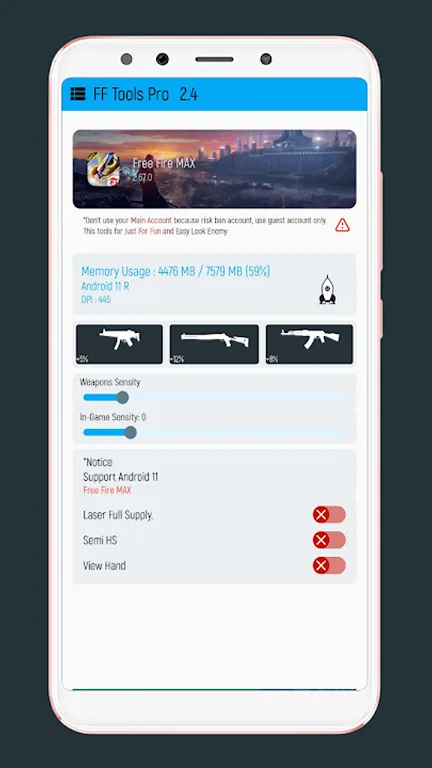
You can grant overlay permission and start the tools in a few taps. The layout is straightforward so you can switch the crosshair and FPS counter on or off quickly. This keeps the focus on the match instead of menu navigation.
Made for Free Fire and FF MAX
FF Tools ProMax is tuned for the Battle Royale flow in Garena Free Fire and Free Fire MAX. The overlays remain useful from the lobby to the last circle. You get aim support and a clear view of device performance all the way through.
Pros & Cons:
Pros
Covers all gameplay aspects
Intuitive visual icons
Small file size
Cons
Only available in Portuguese
FAQs:
What is FF Tools Pro Max FF max?
It is a mobile utility app designed to improve performance and customization in shooting games on Android devices.
Is FF Tools Pro Max FF max safe to use?
It generally runs without harmful permissions, but as a third-party tool, users should stay cautious and download from trusted sources.
Who should use FF Tools Pro Max FF max?
It is suitable for mobile gamers who want smoother gameplay or more control over graphics and in-game settings.
Conclusion:
Overall, FF Tools Pro Max FF max offers a range of features that can benefit players looking to enhance their gaming experience in the Battle Royale game. It provides tools to improve aim accuracy and monitor device performance, which can give players an edge in their gameplay.








