

Auto USB Tethering is an application for managing USB networks on Android. With it, you can easily set up USB network sharing—connect the USB, the network automatically connects; disconnect the USB, the network automatically disconnects, freeing you from worrying about network connectivity and allowing you to focus more on network usage. The application also provides notifications and haptic feedback, allowing you to understand the connection status without checking the device, achieving the best network experience, and better managing connections in any environment.
Usage
- When you manually activate USB network sharing from system settings (although drivers may need to be installed on your computer), the USB connection will succeed.
- Your USB network sharing function must be restored to normal. AUT will automatically activate USB network sharing when connected to your computer/Mac via a data cable.
- Your device has root access;
- AUT has been granted root access.
- AUT does not alert you that it cannot automatically detect certain parameters.
- You have enabled the automatic USB sharing function in AUT.
Features
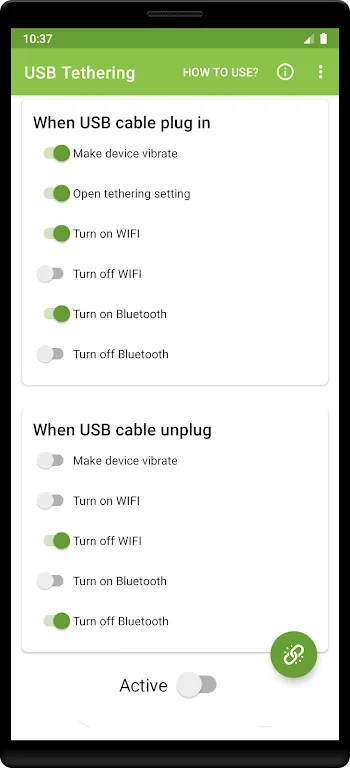
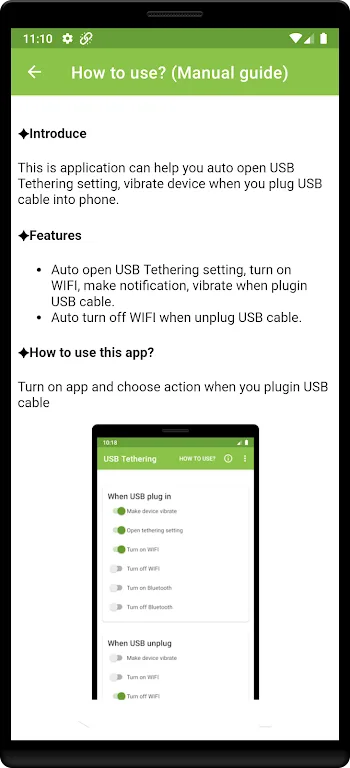
Automatically enables USB tethering, turns on Wi-Fi, sends notifications, and vibrates the device when a USB cable is plugged in.
Automatically turns off Wi-Fi when the USB cable is unplugged.
Highlights
When considering installing Auto USB Tethering, users should notice the app's clean and intuitive interface, which simplifies the management of mobile network connections. The app's user-friendly design allows users to easily use all its functions. This ease of use makes it ideal for users who frequently rely on USB tethering for internet access.
The automatic USB tethering feature is highly practical for users who frequently share their network using mobile devices. The app automates the connection and disconnection process, saving time and effort, allowing users to focus on their work without frequent settings adjustments. This convenience is especially important for professionals who need stable internet access anytime, anywhere.
The notification and haptic feedback features add extra usability to the application. Users can check the connection status at any time without constantly checking the device. This feature enhances the overall user experience, making connection management more convenient in various environments.
Conclusion
This app is easy to use and requires no special configuration. It can automatically detect whether a USB cable is plugged in and perform the corresponding operation. However, users should note that due to the security mechanisms of Android 10 and higher, some functions may not be available.








