

Dolby Atmos is an outstanding audio service utility that helps users easily achieve panoramic sound processing effects, allowing you to enjoy an immersive surround sound experience in your daily movie and entertainment, and focus more on the current activity. The application presents a powerful, easy-to-use, and lightweight audio program for a wide range of users, allowing them to experience a more vivid and natural listening experience and capture rich sound details. The application offers excellent device optimization compatibility options and modes, more flexibly meeting your dynamic audio experience needs, allowing you to focus on exciting entertainment music, games, and video activities.
Click to load YouTube / 点击加载视频
YouTube ↗Excellent Features of Dolby Atmos
Movies: Clear dialogue, stunning background sound effects, as if you were in a movie theater; the surround sound effect is like getting an A5 seat in a CGV cinema, rushing past your ears.
Music: Popular vocals, full-bodied instrument timbre. The bass is deep and smooth, never muddy, perfect for electronic dance music or ballads.
Games: Top-notch sound positioning. In Call of Duty or PUBG, footsteps are located precisely to the left and right sides like radar.
Voice: Designed for podcast and audiobook enthusiasts. Voices are clear and prominent, free from background noise, so there's no need to turn up the volume.
Dynamics: Well-rounded and balanced, ideal for users who prefer a relaxed listening experience or enjoy mixing music and video.
Wonderful Performance of Dolby Atmos
Immersive 3D Sound Positioning
Dolby Atmos renders sound sources around you with height and width, making scenes feel more natural. This spatial layout enhances the sense of space in movies and games. Furthermore, it maintains a stable sound field as you move.
Clear Dialogue and Subtle Detail
Even in complex scenes, voices remain clearly audible, allowing you to follow the story. Subtle sound effects and instruments are clearly audible without needing to turn up the volume. Moreover, quiet moments retain their original texture.
Optimized for Mobile Listening
Dolby Atmos adapts to the built-in speakers and headphones of supported phones and tablets. It balances the loudness and spatiality of small drivers, so everyday streaming and mobile gaming will immediately benefit you.
Precise Audio Location for an Enhanced Gaming Experience
Atmos helps you locate footsteps, vehicles, and various cues with 3D precision. Knowing the source of a sound allows for faster reaction times. Furthermore, the scene remains fluid even as the camera or character moves.
Easily Set Up Your Home Environment with Dolby Access
On Windows, simply open Dolby Access to enable Dolby Atmos headset functionality or configure HDMI devices such as TVs, soundbars, or receivers. The guided process displays compatible options and modes. You can also run the built-in demo to confirm your setup.
Music and Spatial Audio Blends
Albums mastered with Dolby Atmos create layered, surround sound. Harmonies, percussion, and ambient sounds each occupy their own space, allowing you to discover new details in familiar tracks.
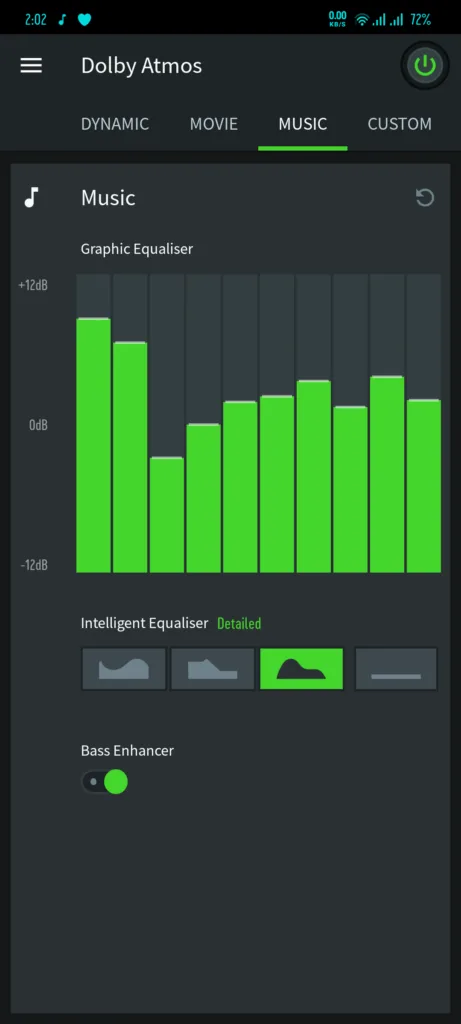
Fantastic Highlights of Dolby Atmos
You can adjust the equalization of your music as needed.
Enjoy High-Quality Voice Calls on Your Android Device.
The best app with a clean and user-friendly interface.
Free.
Helpful Tips of Dolby Atmos
Please check if your device has a Dolby Atmos option in its sound settings, or if your device comes pre-installed with the Dolby app, open the app to confirm Dolby Atmos support.
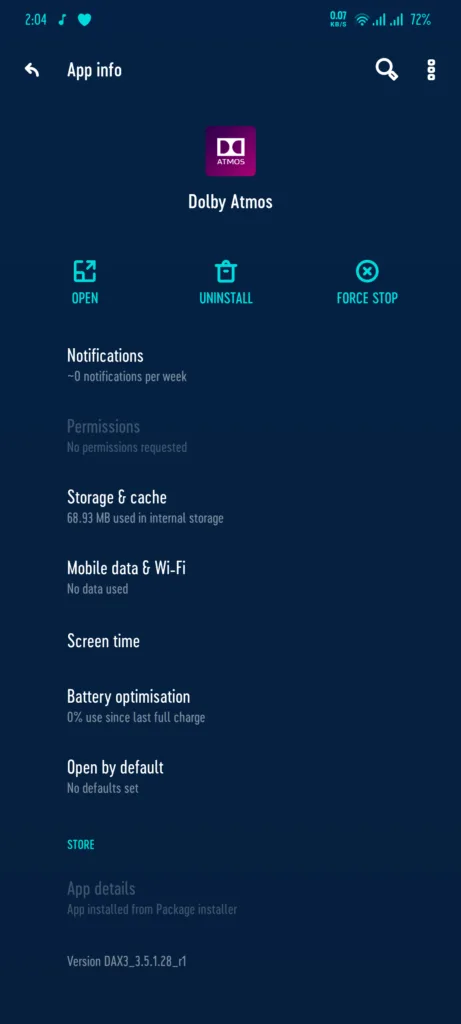
Download the latest version of the Dolby Atmos APK on a supported Android phone using the button below, then install and open it, or find it in your settings.
Connect headphones or use the built-in speakers. Then, on Windows, launch Dolby Access to enable Dolby Atmos for Headphones or select your HDMI device.
If available, select a profile such as a movie, music, or game. Then turn on Dolby Atmos and adjust any sliders or smart equalizer options.
Play the official Atmos demo video or a movie labeled Dolby Atmos to verify spatial positioning and dialogue clarity. Then repeat this process with different content and fine-tune your preferences.
Final Verdict
Dolby Atmos is designed for users who demand the ultimate sound experience. Whether it's movies, music, podcasts, or games, it elevates the entire experience. In short: if your phone supports Dolby Atmos and you haven't used it, you're missing out on a major life experience. Turn it on now and let your ears enjoy the ultimate experience!








