

Auto Redials is a user-friendly dialer software that supports dual SIM cards. Users simply enter the phone number to schedule calls on specific dates, at specific times each week, or even at specific times each day, helping them quickly reach the people they want to contact, saving time and effort. The software supports long-distance and international calls and does not collect user chat data or private information, ensuring safe use. The software is continuously updated, with more new features and constantly optimized security technologies to guarantee a superior communication experience.
Click to load YouTube / 点击加载视频
YouTube ↗Features of Auto Redial:
Number Types Supported: Making automatic calls helps users to schedule clear and specific calls. Calls can be made to any local, long-distance, or international number. The application also supports calls to SIP and IP phone numbers.
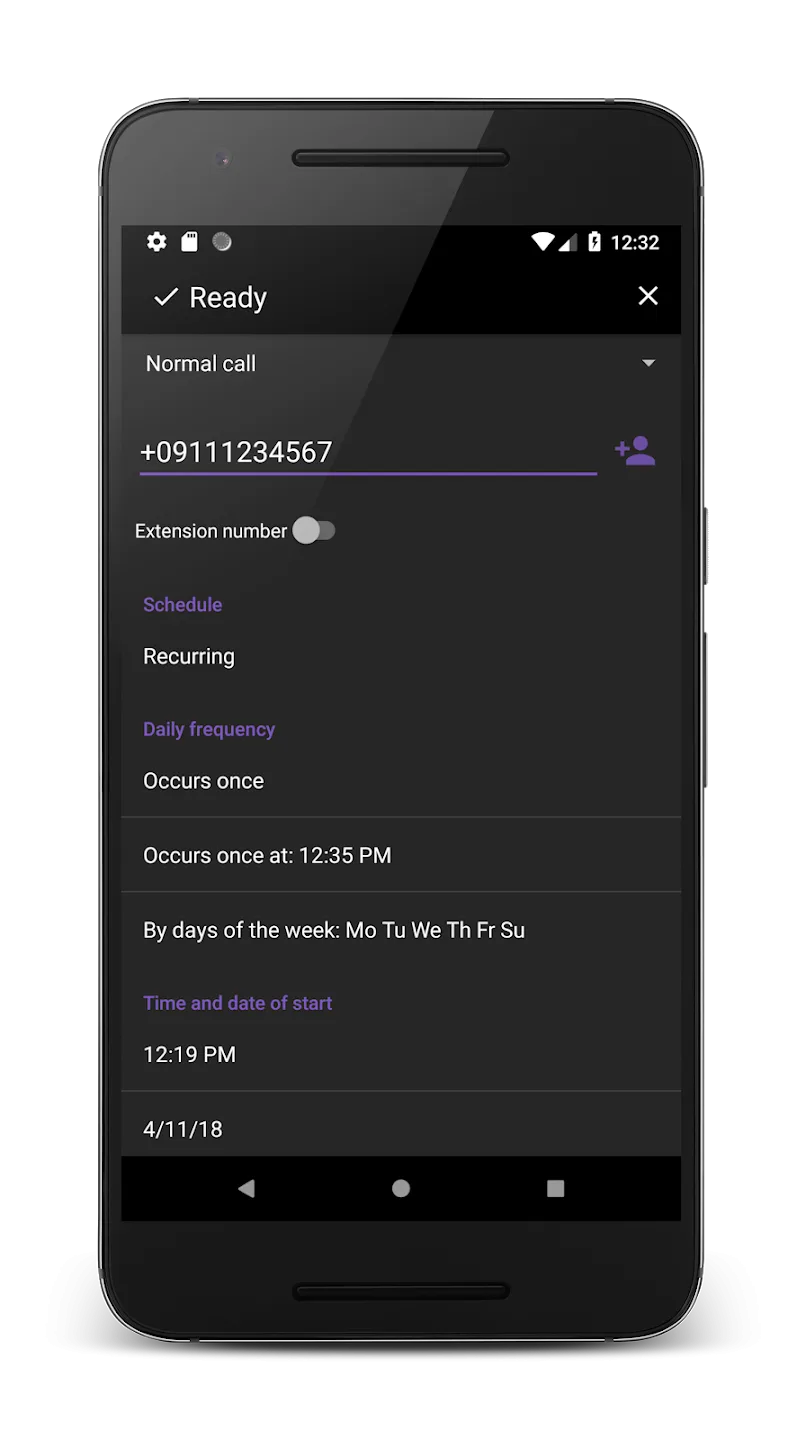
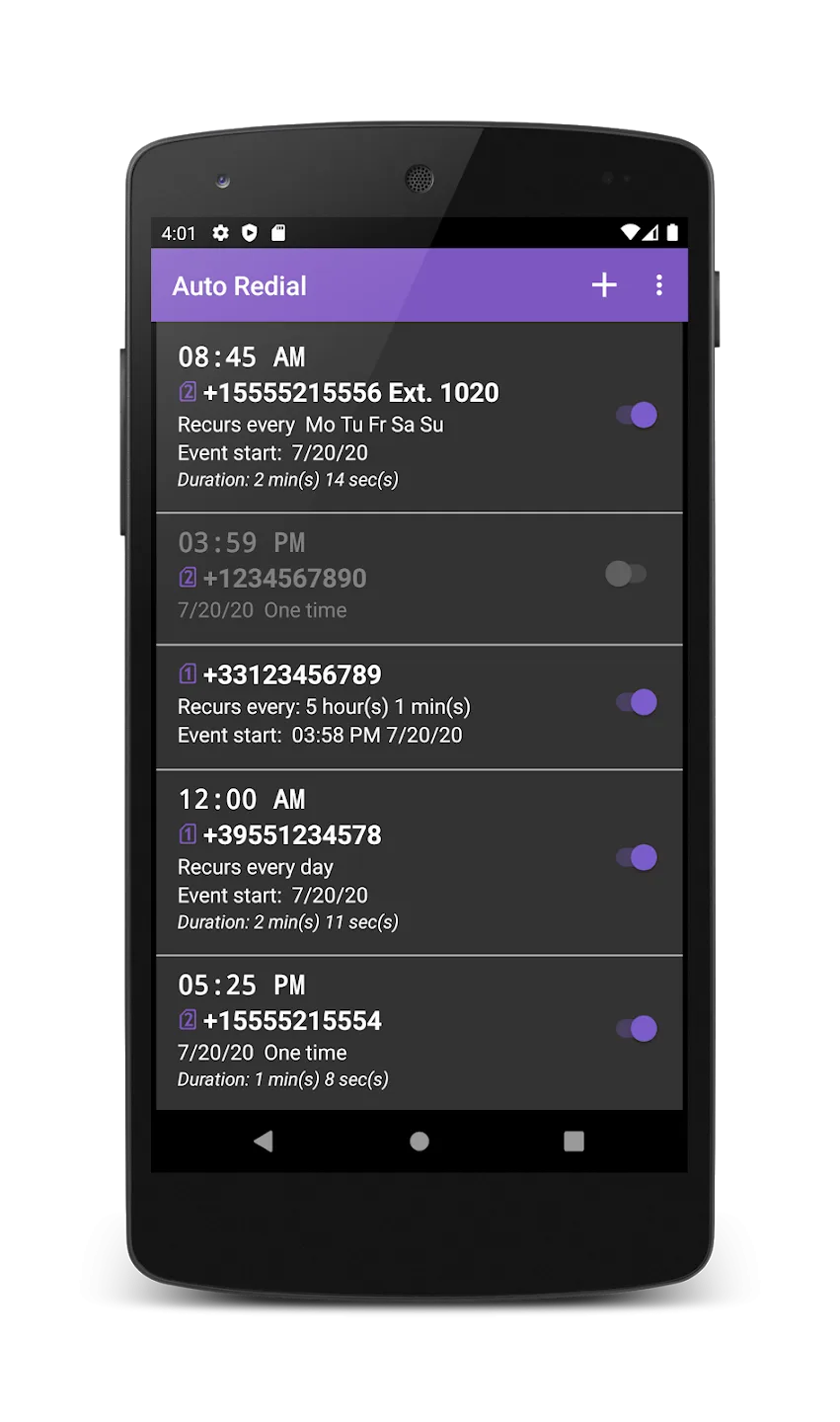
Schedule Flexibility Provided: The application helps users design a dedicated schedule for calls. Their work will be solved in a planned and easy-to-manage manner. Work progress is also enhanced if users can schedule all outgoing calls.
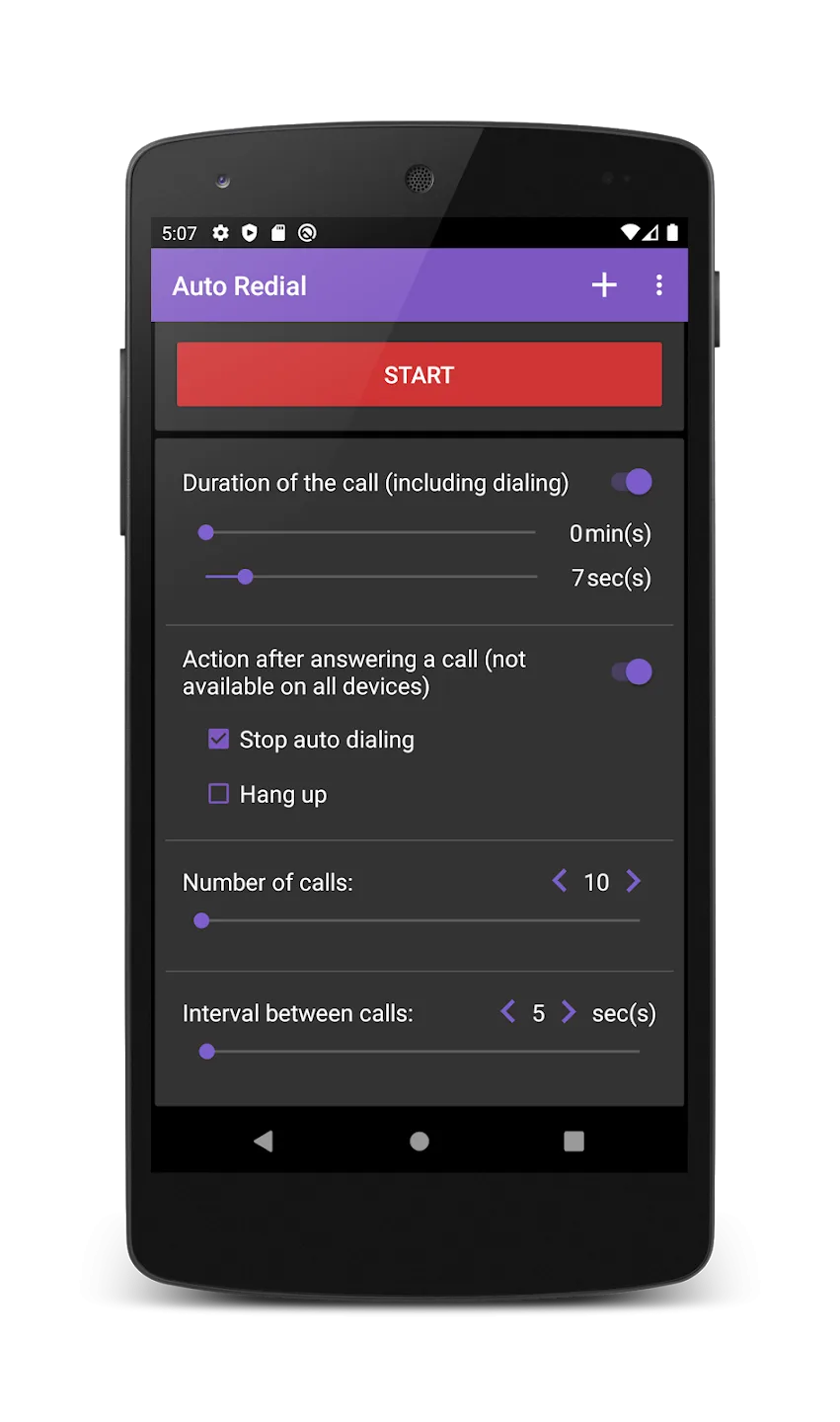
Automatic Redial Options: This auto dialer allows users to automatically call back any phone number. Users can set up call schedules for phone numbers in the contact list or recently contacted numbers. The application provides many options that allow users to manage this activity well.
Speakerphone Alert Control: The application opens the speakerphone for all calls made automatically. Speakerphone mode is set by default for all versions. Users can turn this mode on or off depending on their preferences and usage needs.
Data Privacy Ensured: In order to perform auto dialing, the application will ask the user to provide access permission. This will not affect the security of personal information and calls made. The application will not collect or process call information to ensure privacy.
Strengths of Auto Redial:
Dual SIM Support: Need to choose which SIM to use? If your phone has two cards, you can pick the one you prefer for each call, making it neat for both personal and work numbers.
Speakerphone Toggle: Love hands-free calls? Turn the speakerphone on or off for auto-dialed calls—just tweak it in the settings. The default is on, but you can always change your mind.
Pre-Call Sound Alert: Want a little heads-up before the app calls someone? Enable a quick sound before each scheduled call gets placed. That way, you won’t be caught off-guard.
Supports SIP and IP Calls: Not just for regular numbers—Auto Redial works with city, long-distance, international numbers, plus SIP and IP telephone services.
Flexible Scheduling Options: Planning calls ahead? You can schedule one-time calls for a specific date and time, set up daily reminders, pick your own days of the week, or even set the app to make repeat calls at custom intervals.
User Reviews of Auto Redial:
Very nice user experience! Have all the necessary features like controlling Mic and Speaker for every redial. Moreover, less ads and nice UI. Its just do what it is supposed to do.
excellent program to get back at those pesky silent call centre's that cold call you up when you answer then they hang up, easy to set up call back every 2 seconds hang up after 20 seconds mic on silent....... woo hoo.
Give the app dialing permissions. You don't have to do contact permissions if you don't want to. Type in the # you want to call. Set the # of times to call. Set the interval to 1 second. Click start. The app doesn't detect busy signal, but it does detect a hang up. So if you do nothing, it will redial the number once every minute. If you want faster redials, you will have to manually hang up. This app works as advertised. It auto redials after it detects a hang up.
It's exactly as it should Be. 1)I love that it automatically enables load speaker after the first call ends. What's even better is you can disable this if you want. 2)Being able to set an unlimited number of redails is just awesome. 3)The ads aren't bothersome at all. They're all at the bottom of the screen I just wish I didn't have to go to the app to use it. It would be great if a small icon/bubble could pop up whenever I make a call so I can set the redail from there.
Final Verdict:
Auto Redial is designed to be intuitive and straightforward, appealing to users seeking a hassle-free calling solution. Its comprehensive feature set combined with simple controls makes it a practical choice for anyone looking to automate their calling needs efficiently. Embrace the ease of automatic dialing with Auto Redial.








