

Vegas Pro is a video editor. It offers users a wide range of effects and audio to meet the creation and editing needs of various video projects, and all work can be done on your mobile phone. It also boasts numerous video editing features; whether you need to merge videos, add text, or add overlay effects, you can complete all video operations here. Furthermore, all tools are under your control; you can freely access different tool usage methods for the most flexible video editing experience.
Using
Vegas Pro video editor is compatible with multiple video formats and provides rich effects, audio, and core tools to meet the needs of video projects of various lengths. Download Vegas Pro video editor to experience its powerful file handling capabilities. Set up a simple workflow on your mobile phone, and export when finished.
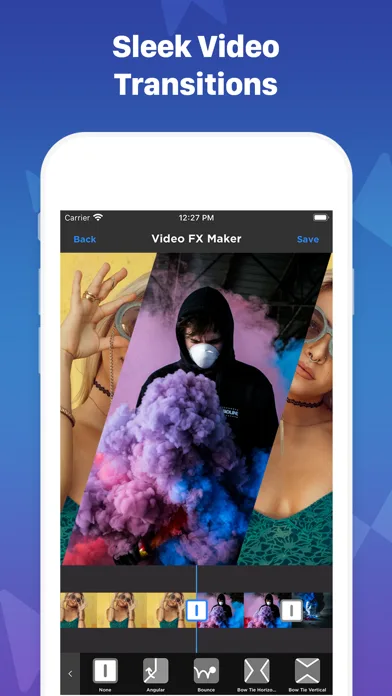
Features
Video Effects
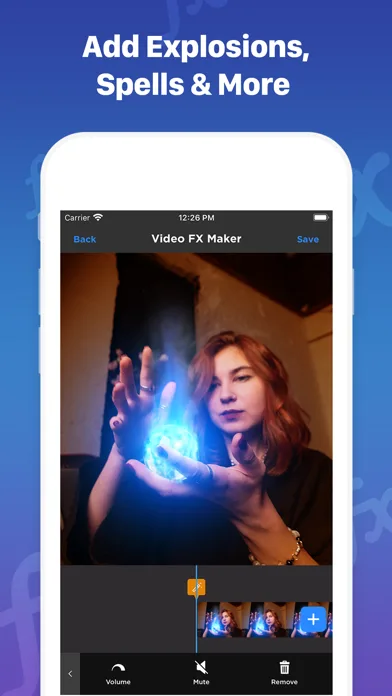
Choose from over 10 meticulously crafted video effects, including:
- Cherry Blossoms: Instantly create a romantic atmosphere
- Party Time: Add 3D confetti to your party videos
- Dandelions: Add a refreshing and natural feel to your videos
- Film Damage: Instantly create an old film effect
- TV Glitch: Transform your videos into digital art masterpieces with the TV glitch effect
- Colored Borders: Simple and beautiful dynamic borders
- And many more amazing effects!
Music Effects
- Add music to your videos, whether it's lip-syncing, adding background music, or creating AMVs
- Enhance your videos with sound effects
Video Editing
- Merge multiple video clips
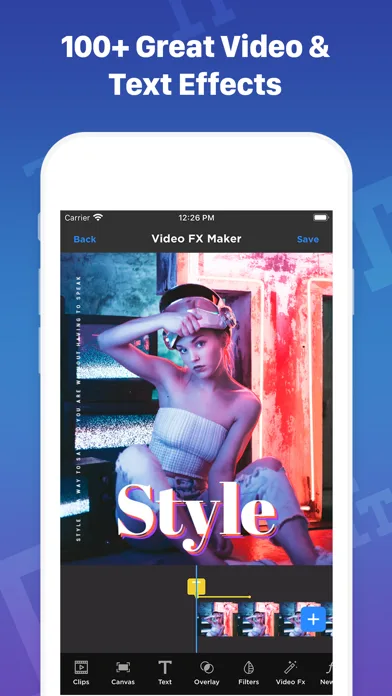
- Add text to videos
- Add overlay effects
Highlights
Vegas Pro boasts powerful video editing tools that simplify a variety of common editing tasks for both casual and professional users. Some noteworthy tools include automatic scene detection, unlimited audio tracks, nested timelines, and even multi-camera editing. You can further enhance your workflow efficiency through keyboard shortcuts and layout customization. With the built-in visual effects library, you can quickly add visual editing effects such as color correction, filters, and special effects with just a few clicks.
Each tool is fully customizable, giving users unique control over the entire editing process—a rarity in consumer-grade editing software. Vegas Pro is compatible with the OpenFX plugin, providing access to a rich library of effects, editing, and other tools. This is especially beneficial for novice editors or users seeking to optimize their workflow.
Advantages and Disadvantages
Advantages: Intuitive timeline editing improves workflow efficiency. Support for OpenFX plugins and LUTs provides creative flexibility. Hardware acceleration enables faster rendering speeds. A rich toolset for professional-level editing.
Disadvantages: A very steep learning curve for inexperienced users. Large or complex projects have high hardware requirements.
Conclusion
In conclusion, VEGAS Pro provides a comprehensive, high-performance editing environment that fully utilizes professional skills and patience. Its flexible interface and rich toolset make it ideal for experienced editors, while beginners may need more time to adapt.








