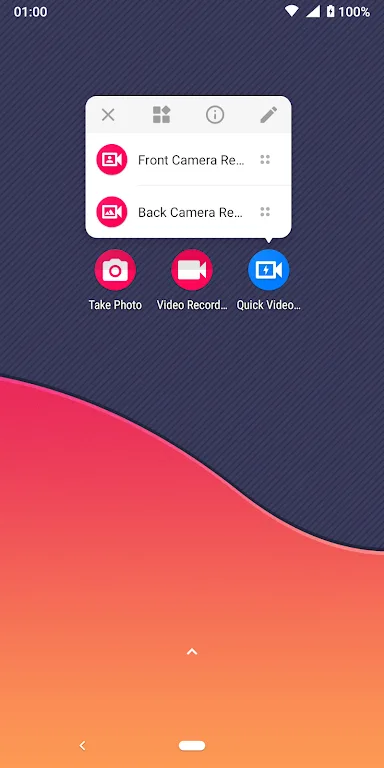
Quick Video Recorder is a fun and engaging screen recording tool. This powerful application offers a variety of customization options, allowing users to record videos with just a tap of the screen. With Quick Video Recorder, you can start recording directly from the home screen and customize the recording process with a wealth of options. You can choose parameters such as recording date, time, duration, and whether to use the front or rear camera. Furthermore, the application provides various video quality options and special modes, allowing you to choose the resolution based on your device's storage space.
Click to load YouTube / 点击加载视频
YouTube ↗Highlights:
Continue recording while the screen is off.
Schedule recordings to start at specific times.
Set a maximum duration and repeat automatically.
Auto stop when device storage is low.
Choose resolutions like HD 720p, Full HD 1080p, or 480p.
Switch between back and front cameras.
Use night mode and advanced auto white balance options.
Enable Dash Camera mode for driving.
Trim videos after recording and choose a storage location.
Multiple language support with a clean, material design interface.
Features:
Background Video Recorder offers seamless recording while the app runs in the background, along with a camera preview. This functionality ensures you won't miss any important moments, whether you're recording a special event or simply capturing memories. However, it's worth noting that some users have reported issues with the app not initiating recording immediately, and occasionally encountering a loop of permission requests.
With an array of options at your fingertips, you can customize your recording experience according to your preferences. You have the freedom to choose whether to record with or without a preview, save your videos on external SD cards, and even trim recorded videos directly within the app. The flexibility to enable or disable preview views and shutter sounds offers greater control over your recording process.
What's more, this app doesn't stop at the basics. It also includes advanced features like Night mode and auto white balancing, which contribute to higher-quality recordings regardless of lighting conditions. The app's scheduler function lets you set specific times for video recording, making it an excellent tool for capturing events or moments that are important to you. Its user-friendly interface is enhanced by its material design to ensure smooth navigation.
Pros & Cons:
Pros
It allows for background video filming without disrupting regular phone usage.
The user interface is straightforward and beginner-friendly.
The recorded videos are of high quality as the resolution can be selected up to 4K.
The Quick Video Recorder apk is only 7 MB, occupying a small amount of storage space.
Secure your recordings with password protection and hide videos.
Cons
The Quick Video Recorder app is not available for iOS. It cannot be used on computers either.
The images on Google Play for this app are misleading in that it does not have a screen recording function.
Lack of feedback channels.
Changelog:
+ Updated the Spanish (Latin America) language
+ App performance improvement
Final Words:
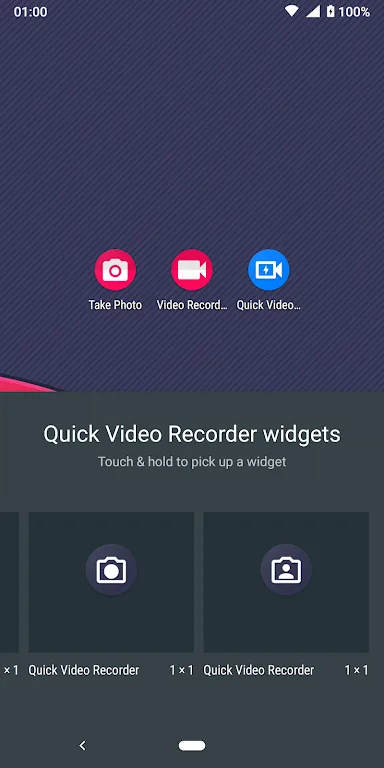
You can also choose whether the shutter makes a sound and which camera to use by default, and you can activate flash, video stabilizer, autofocus mode, noise reduction, and more. Suffice to say, there are plenty of ways to customize your experience. Quick Video Recorder is an excellent tool for recording videos with ease. This app also has several widgets to give you quick access to both cameras, as well as an in-app editor for ultimate convenience.