

Shizuku is an outstanding system management utility that helps users easily enable and stop system services, enjoy precise and flexible control, and provide reliable system service access. The application presents a lightweight, powerful, and easy-to-use system management program for a wide user base, helping users fully utilize their device's potential. Users can experience rich customization settings, enjoy excellent security and compatibility, unlock restricted system permissions, enjoy a personalized mobile experience, and simplify their daily tasks through simple operation steps.
Click to load YouTube / 点击加载视频
YouTube ↗Amazing Features of Shizuku
Binder-Based API Access
The Shizuku APK uses Binder calls, enabling supported applications to interact directly with the system API. This method is faster and more reliable than running shell commands because it avoids parsing issues and command length limitations. Therefore, this tool, designed for advanced users, maintains consistency across different devices and Android versions.
Flexible Server Startup Methods
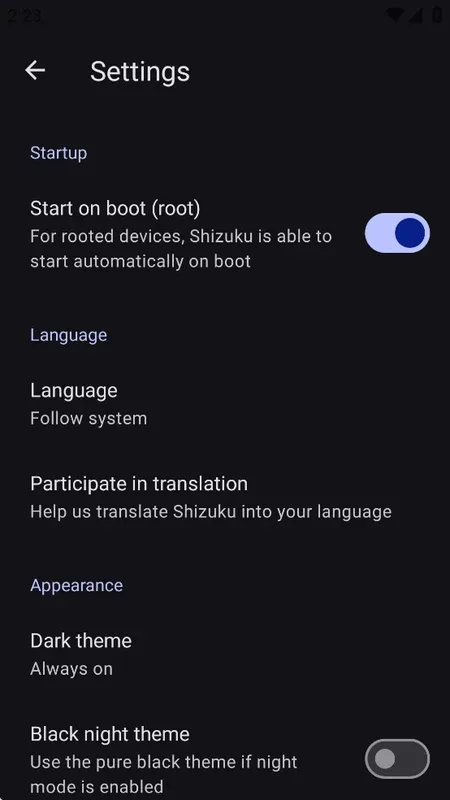
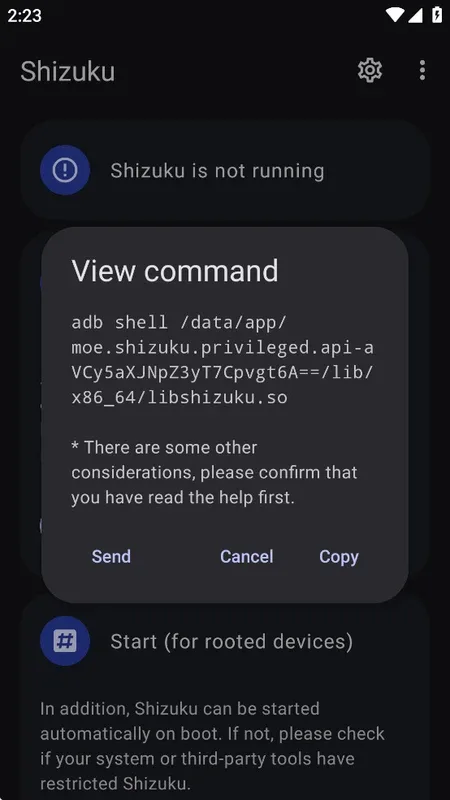
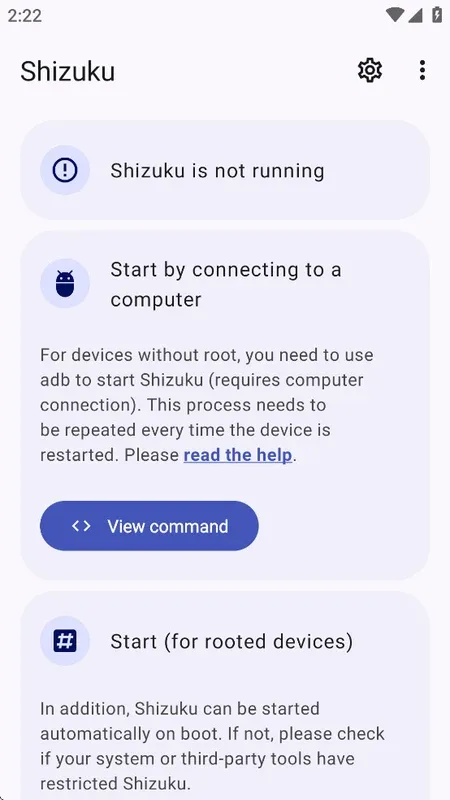
You can start Shizuku via ADB without root privileges; if your device already has root privileges, you can also use them. ADB mode requires restarting the server after each reboot, while root mode simplifies the reboot process. This flexibility allows you to choose the appropriate settings based on your device and usage habits.
Centralized Access Control
The Shizuku app displays which client apps are requesting access permissions and allows you to review, approve, or deny each request. The manager also displays service status and runs utility checks to ensure all configurations are correct. This makes advanced operations clear and always under your control.
Guided Setup and Troubleshooting
Shizuku provides clear guidance to help you start your server, verify permissions, and handle common issues. In-app steps explain what to do next and where to check if a problem occurs. This makes setup and recovery very simple for users who want a reliable workflow.
Open Source Ecosystem and Developer Support
Shizuku apkpure provides a fully documented API and SDK, along with examples and migration instructions to help developers integrate quickly. A growing ecosystem of compatible apps, including tools like App Ops, makes real-world use cases readily available. Many users are looking for the latest version of Shizuku to enjoy its improved support for these clients.
Wonderful Highlights of Shizuku
Elegant Use of System APIs
Forget root shell; you can directly use APIs that require high privileges. Furthermore, Shizuku is significantly faster than a shell.
ADB Support
If your root-required programs only need adb privileges, you can easily expand your user base using Shizuku.
Time Saving
Shizuku has detailed documentation to guide users; you simply need to have users install Shizuku.
User's Comments of Shizuku
For someone, like me...who has a phone that is Maxwest Nitro A65 and, has, the whole issue with, my phone being a Android Google Go.., it's honestly amazing go have Shizuku to be able to get games or even apps, that aren't compatible with my phone or are but the permissions are able to be accessed. So this app, App Ops Permission Manager and also the Install With Options..has been an absolute lifesaver. I thank you for making this.
forgot to put review, but this is the best thing that happened to phone enthusiast like me, I'm still advancing so am no pro but this is good for advancing in phone knowledge people. If you ever need an app that can act like a rooting device, this is it. just find other apps connected to this on YouTube. I use Canta for deleting Built-in apps, apps basically I don't use can be forced delete with Canta sunder Shizuks.
This app is a lifesaver. It provides a way to access app files that Google Prohibits users from opening. When I got a new phone, I wanted to transfer my game files from my old device. However, due to an annoying restriction, the system wouldn't allow it. I was desperate, as I didn't want to start over. I was about to give up until I saw this app. It was a fleeting moment of relief that saved me from countless hours of grinding in my favorite game.
Pros and Cons of Shizuku
Pros
The process is simple and straightforward.
Provides a seamless experience.
Maintains compatibility with the Android security framework.
Cons
Using ADB may hinder users with lower technical skills.
Final Thoughts
Downloading the Shizuku APK enables supported apps to call system APIs via Binder and provides user-controlled access permissions and flexible launch options. If you plan to use advanced user tools, download the latest version of the Shizuku APK from APKPure to manage advanced operations without permanently obtaining root privileges.








