
Jasi Patcher is an automated patching tool for Android devices. Users can purchase patches to enjoy paid in-app purchases for free. It supports patching various apps and games, unlocking premium and high-end features that would normally require payment. Furthermore, it includes various auxiliary tools such as app cleanup, device reboot, app management, offline environment simulation, information spoofing, and hook debugging to meet the debugging needs of developers and advanced users.
Click to load YouTube / 点击加载视频
YouTube ↗How to use Jasi Patcher in Non-Rooted Device?
You must have VirtualXposed on your android device when you want to use Jasi in a non-rooted device.
Step 1. Download and Install latest VirtualXposed at first – Full Guide here
Step 2. Open it and now navigate to the Settings >> Advanced Settings to install Google Play Services in it.
Step 3. Time has come to install the Jasi Patcher in the virtual environment. Along with this, you have to install whatever the apps you want to modify or patch.
Step 4. Once you add all the apps that you want, now Reboot and activate Jasi Patcher in the Xposed Installer. Do reboot again.
All done, you can hack license and billing in many of the apps.
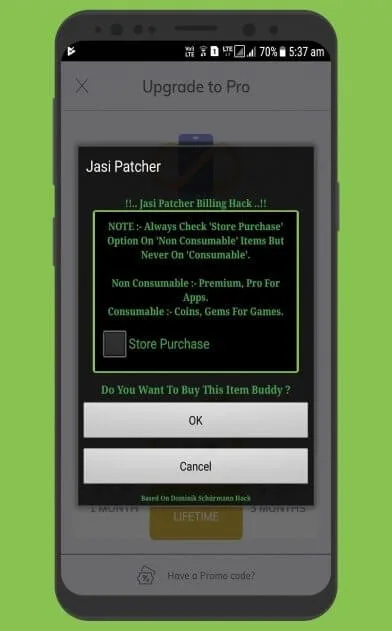
Functions:
Emulation of offline servers for in-app purchases.
Generation of patches to avoid app and video game restrictions.
App debugger.
Ad blocker.
Built-in application manager.
Several reset modes.
Customization.
Android cleaner and optimizer.
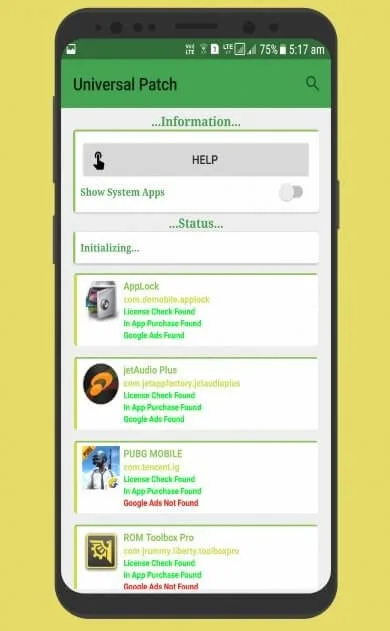
Highlights:
Custom Patch Per App Based Available For Hard And Popular Apps Including Apps Protected With Different Types Of Obfuscators.
All inclusive Patch To Patch License Check Of Any Android App.
Imitations To License Apps To Work Same As Google Servers.
Expel Google Ads Of Any Android App.
0In App Purchase Hacking Emulation.
Application Manager Features Like Clear Data, Kill App, Uninstall, Backup Apk/Data And Restore Apk/Data.
Rebooter For Soft Reboot,Reboot,Power Off And Reboot To Recovery,Reboot Download, Reboot Safe Mode,Restart SystemUI With One Click.
Cleaner To Clean The Cache Partition,Cache Of All Apps,Wipe Dalvik Cache And Wipe Unused Dalvik Odex With One Click.
Farce To Mask IMEI,WiFi Mac Address,Bluetooth Mac Address,Hardware Serial,Manufacturer Serial,Brand,Manufacturer,Model,Device,Product,Hardware,Board.
Snare To Make All Apps Debuggable, Disable Debugger Connect Check, Disable Android Version Check On Install,Allow Downgrade Apps,Disable Signature Check,Disable Signature Of APK,Disable Overlay Detection.
Dump Logs Can Dump Logs Of All Apps And Can Be Helpful For Other Apps Troubleshooting.0
Advertisement Blocker To Block And Unblock Ads.
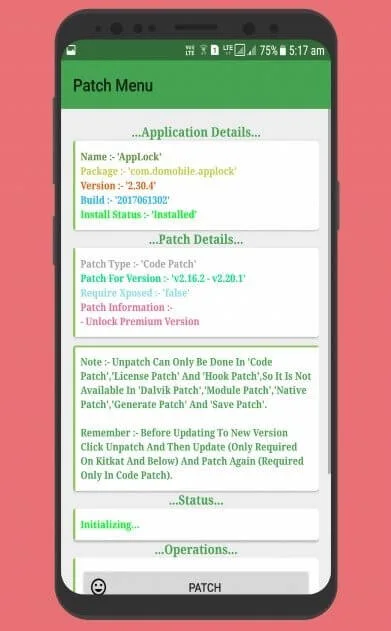
Frequently Asked Questions
1 – Does this app require root access?
Yes. This app requires root access to operate normally. Without root access, you won’t be able to patch the apps.
2 – Is this app paid or free?
This app is completely free for a lifetime and you don’t have to pay for any subscription or anything else.
3 – Is this app safe to use?
This app is completely safe to use but has some risks associated with it. Make sure to use it cautiously.
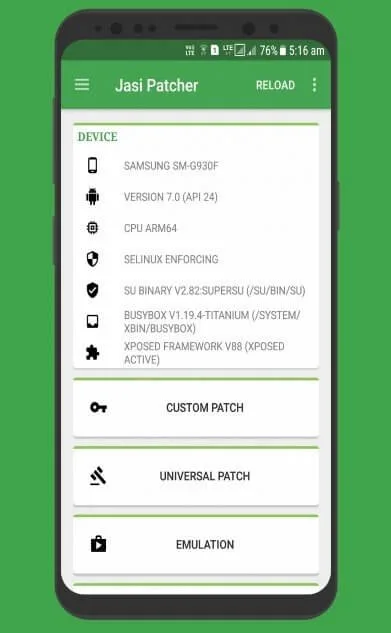
##
Final Words:
Jasi patcher provides more than dozens of features for worldwide users. By means of which users can customize it apart from the normal installation process, and by using it, you can eliminate irritating ads and create and customize patches as you wish. In addition, you can back up the app’s data. And you can delete it permanently. If you want to download this wonderful tool, do it now because you are getting it for free. Share it with your friends so that they can also benefit from it.