
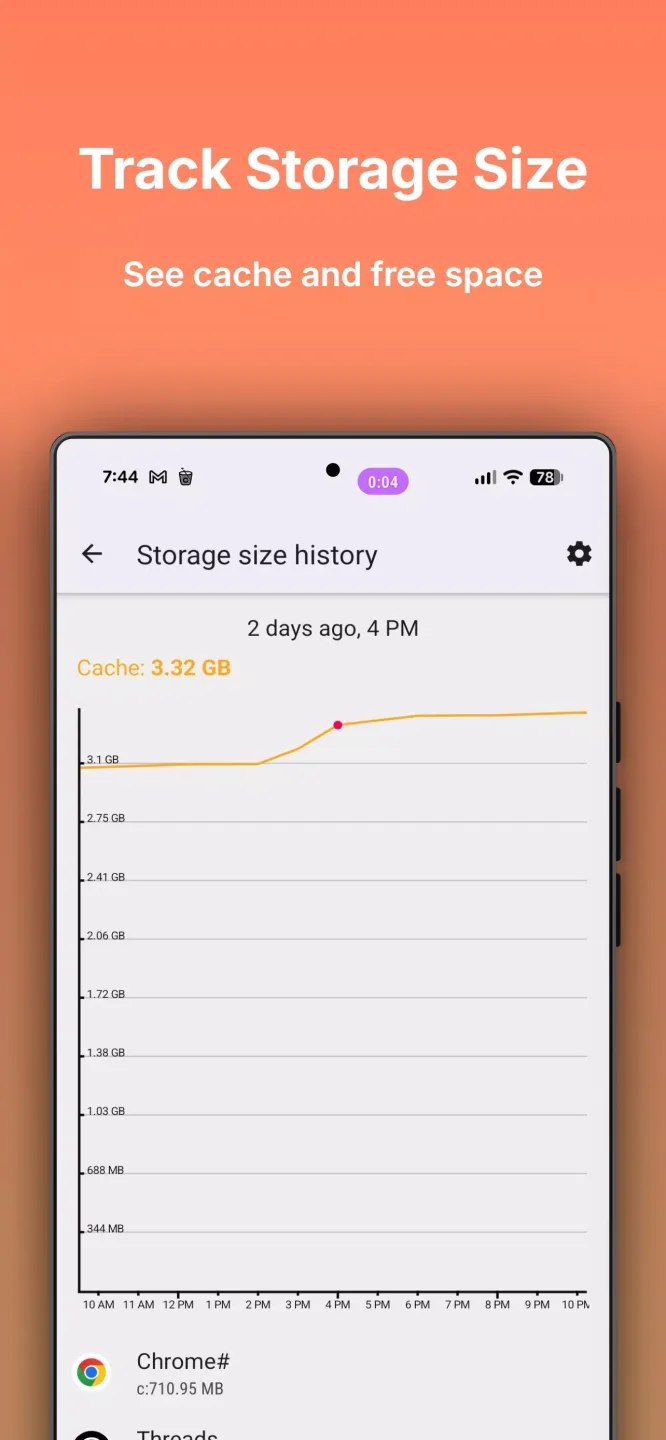
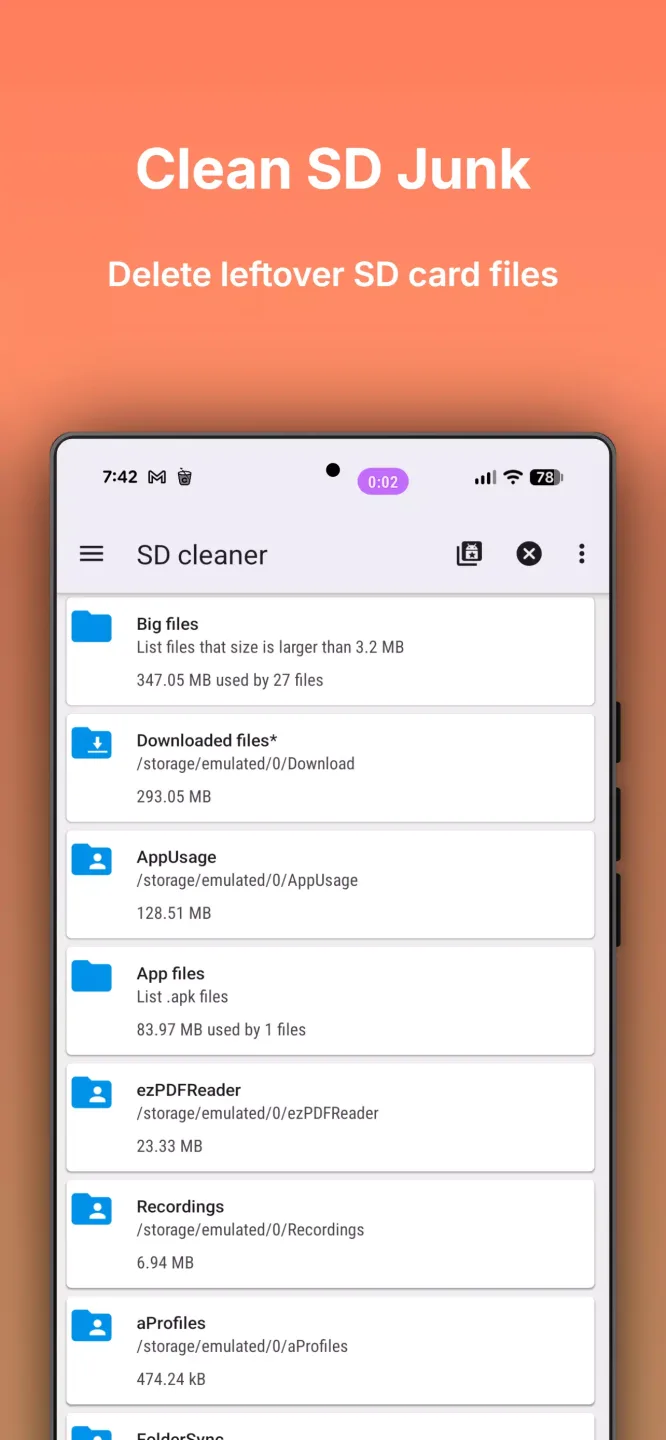
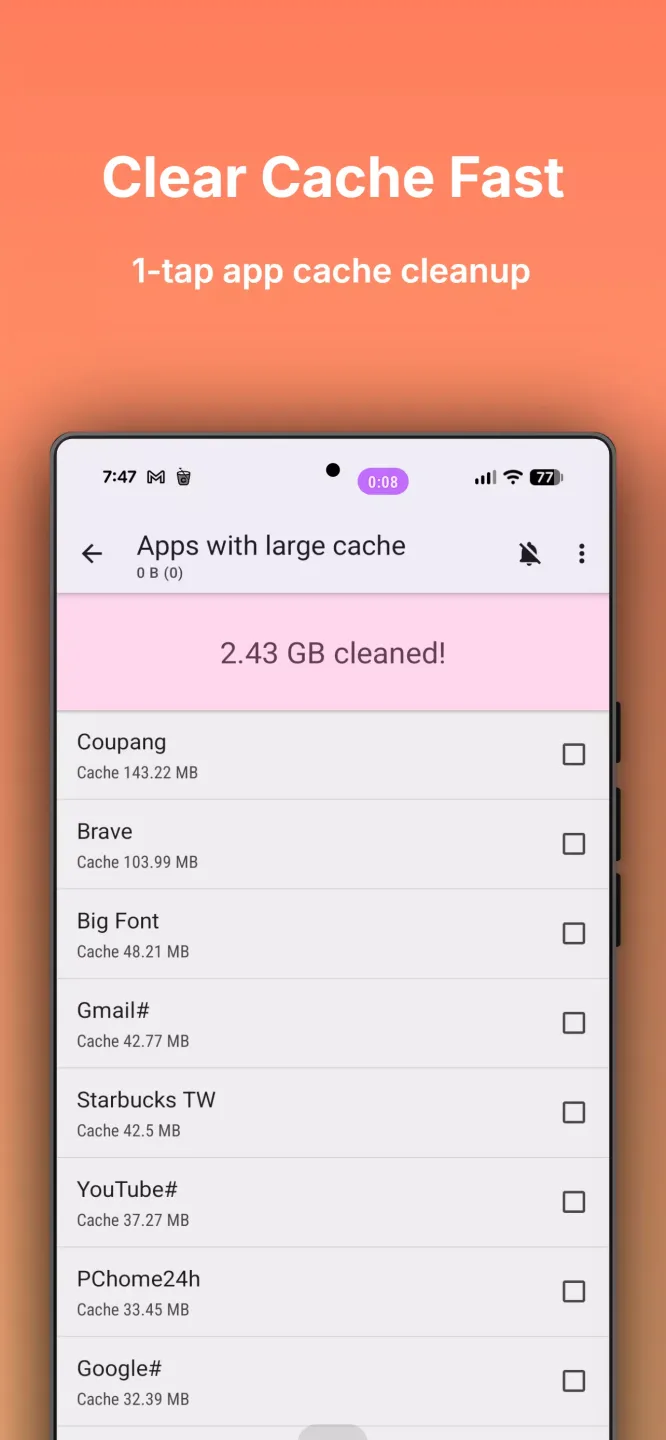
1Tap Cleaner Pro is a feature-rich professional system cleaning tool, emphasizing one-click deep cleaning. It supports one-click deletion of all application files, complete removal of browser search and browsing history, and batch cleaning of call and SMS logs, quickly freeing up storage space and improving device performance. It also features an automatic cleaning function, allowing you to schedule cleaning sessions. When your phone's storage is low, the software automatically cleans up useless junk files and unwanted items, eliminating the need for manual intervention.
Click to load YouTube / 点击加载视频
YouTube ↗Features:
Automatically cleans the cache at specified time intervals
Automatically clear the cache when there is not enough free memory
Uninstalling Applications
Detailed application information
Clearing the cache or history for specific applications
Opening applications
Displays the list of applications by cache size, date, size, name
View the application on the Market
One-click removal of all cached files
One-click removal of the browser’s search history
Pros and Cons:
Pros
Effectively clears cache and junk files, freeing up storage space on the device.
User-friendly interface makes it easy for users to navigate and use the app.
Offers options for scheduling automatic cleaning, enhancing convenience.
Helps improve device performance by reducing lag and optimizing memory usage.
Supports batch cleaning for multiple apps at once, saving time and effort.
Cons
May inadvertently delete important files or data if not used carefully.
Some users report that it can be too aggressive in cleaning, impacting app performance.
Contains ads that can detract from the user experience unless purchasing a premium version.
Relies on user input for optimal performance; beginners may find it confusing.
May not be compatible with all devices or versions of Android, limiting usability.
FAQs:
What does 1Tap Cleaner Pro do on Android?
1Tap Cleaner Pro helps users free storage space by clearing cached files, resetting default app settings, and removing junk files from internal storage and SD cards.
Is clearing cache with 1Tap Cleaner Pro safe?
Yes, clearing cache is generally safe. Cached files are temporary data created by apps and will be regenerated when needed. The app focuses on removing unnecessary files without affecting core functionality.
Can 1Tap Cleaner Pro clean individual apps?
Yes, users can choose specific applications and clear their cache or history instead of performing a system-wide cleanup.
Does 1Tap Cleaner Pro improve phone performance?
By freeing storage space and reducing excessive cache buildup, the app can help maintain smoother performance, especially on devices with limited memory.
Does the app support home screen widgets?
Yes, 1Tap Cleaner Pro includes a home screen widget that displays cache size and available storage for quick monitoring.
Conclusion:
1Tap Cleaner is a really useful tool, even if you might use four taps to get results. One tap to clean up cached files, one tap to clean up your search history, another for your browsing history, and finally one more to erase your call logs.