
Simple Auto Clicker It is an automatic clicker. Free for Android users. No root permissions are required and it works on any device, as long as you have this need. Its interface is simple and clear. Applicable to any group. Its most important function is the floating control panel. Allows users to easily and conveniently start and stop the automatic clicking function. It can automatically maintain a specific position, allowing users to quickly locate commonly performed tasks. Although this software is very simple, it requires accessibility services. All in all, it is an efficient tool.
Click to load YouTube / 点击加载视频
YouTube ↗Highlights
Simple Auto Clicker is an application designed for the Android platform that automates clicking and tapping on your phone screen. This tool is particularly useful for users who need to perform repetitive tasks, allowing them to set specific points on their screen for the app to click automatically. With a simple interface, the app aims to streamline various activities without requiring root access, making it accessible to a wide range of Android users.
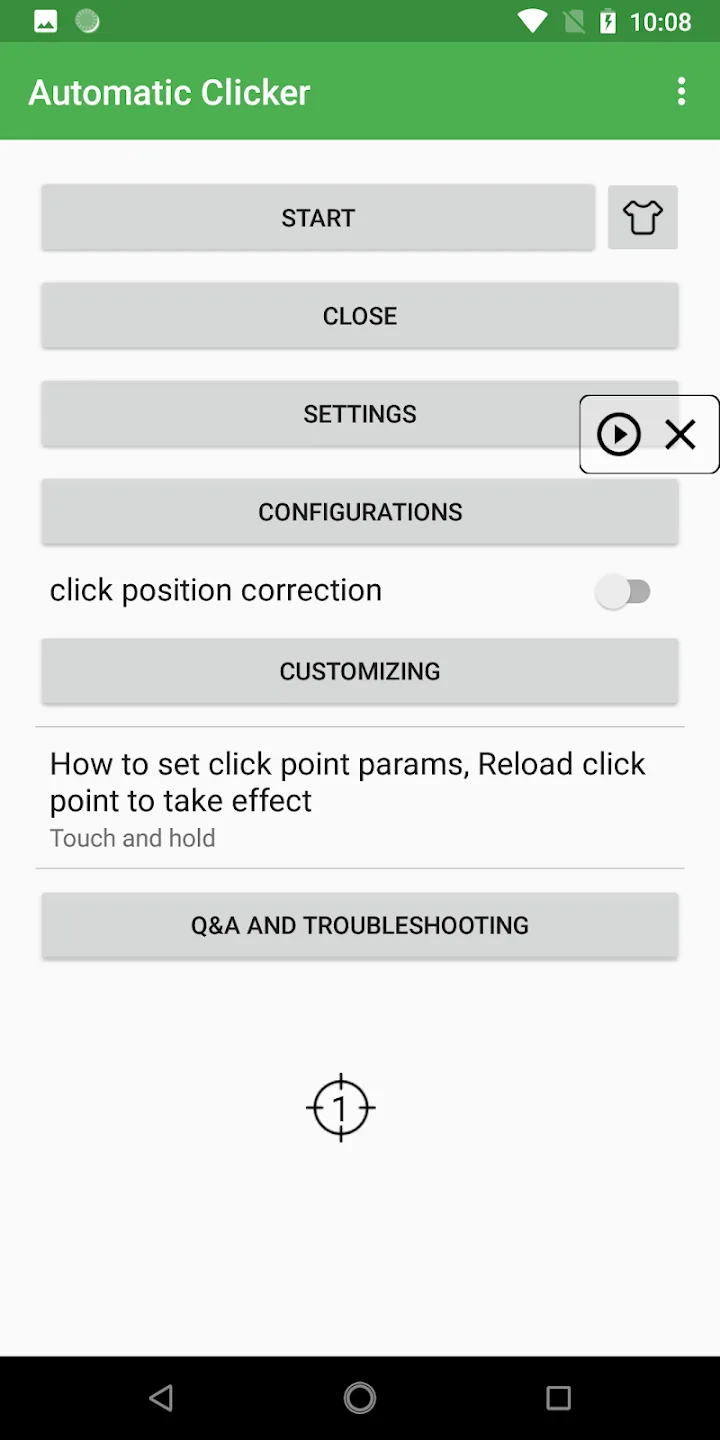
The app features a floating control panel that enables users to easily start and stop the automatic clicking process. This control panel allows for the addition of click points anywhere on the screen, giving you the flexibility to customize your automation according to your needs. Whether you're engaged in gaming, filling out forms, or conducting any task that demands multiple taps in a short period, Simple Auto Clicker provides a solution to help manage these actions efficiently.
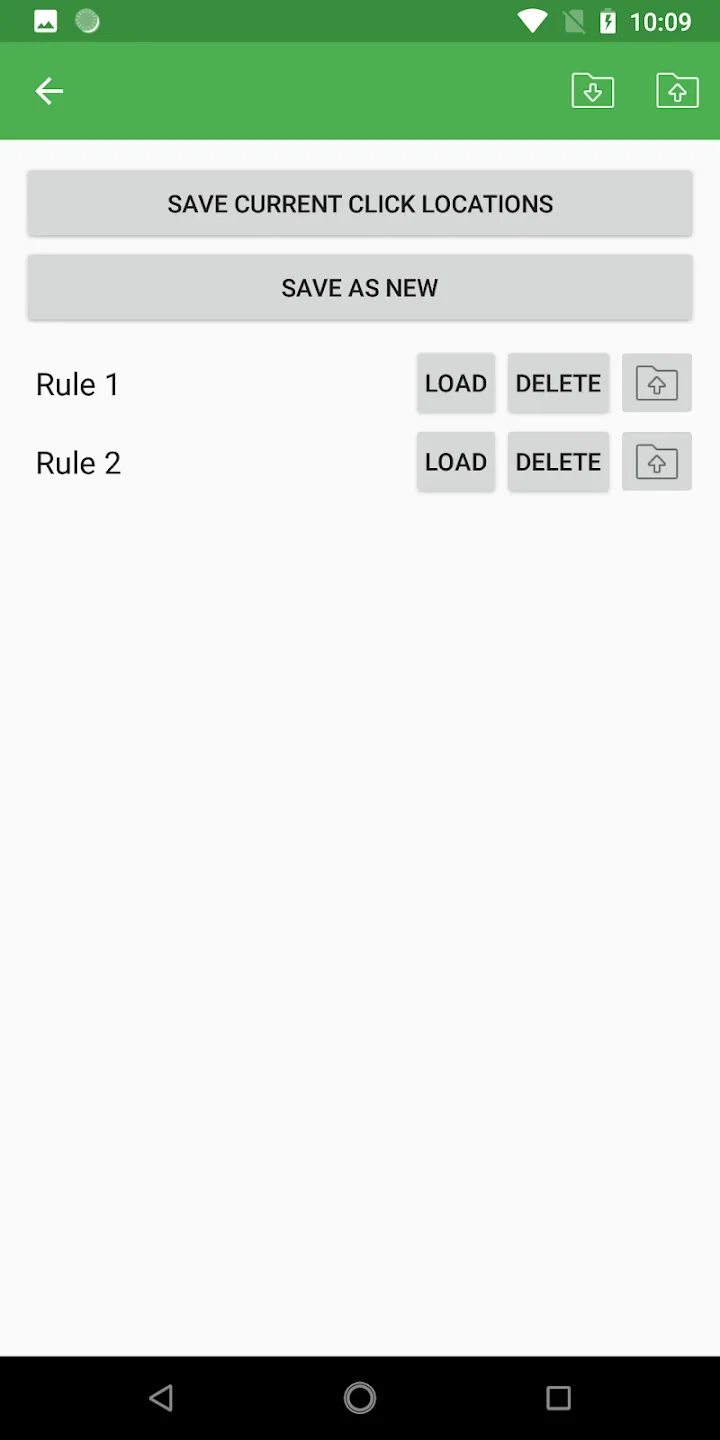
Users benefit from the convenience of saving their click locations through the App Activities feature. This capability allows for quick access to frequently used click points, enhancing the overall user experience. By saving these locations, you can minimize setup time for repetitive tasks and maximize productivity. The app's design focuses on speed, ensuring that clicks are executed rapidly and accurately.
Accessibility services are a critical component of Simple Auto Clicker's functionality. By utilizing the AccessibilityService API, the app can perform clicks and swipes based on user commands. This feature is essential for the app to operate effectively, and users have the option to disable it at any time if they choose. The app does not collect any personal data through this permission, providing users with peace of mind regarding their privacy.
Features
Floating control panel
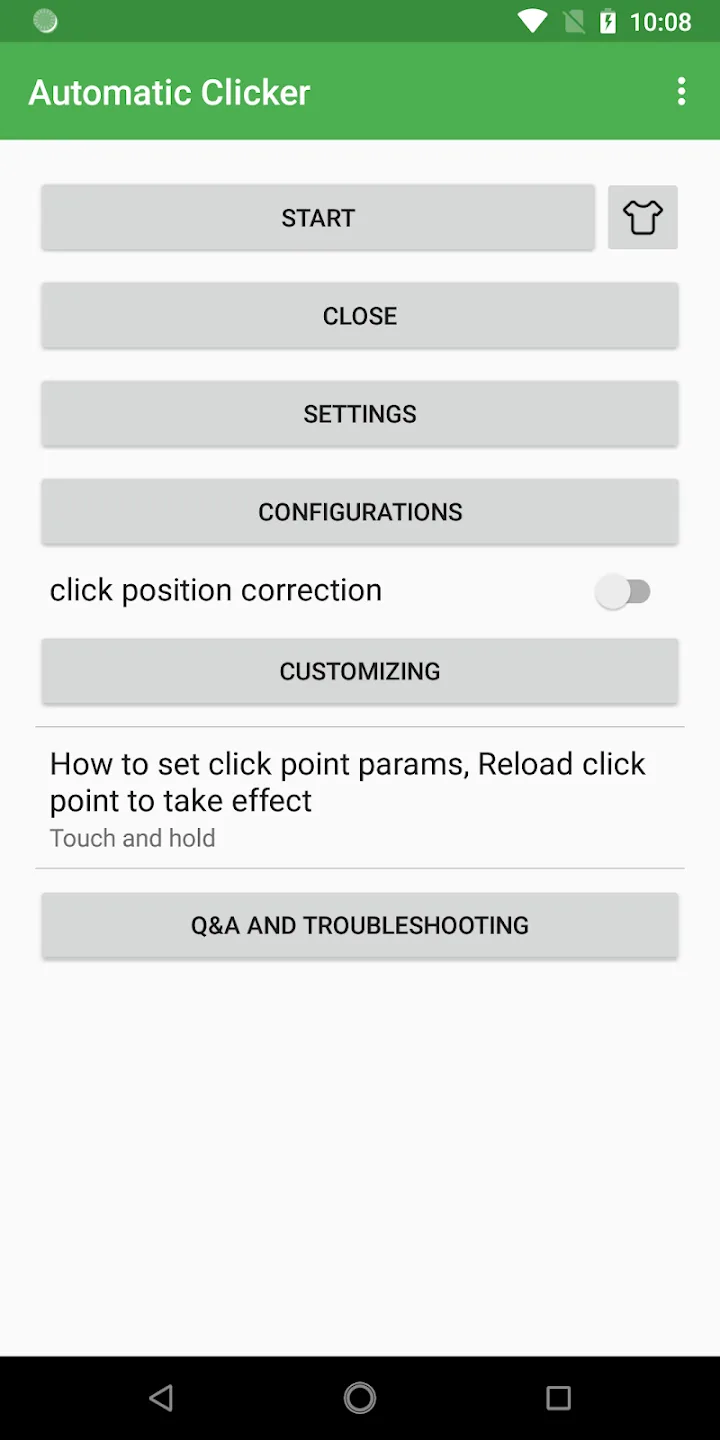
After installing the Simple Auto Clicker APK, a movable control panel appears over your screen. Use it to start or end automatic tapping. You can add tap points anywhere you need and let the app repeat them.
Save click locations
Once your points are set, Simple Auto Clicker can save your tap positions through App Activities. This helps you reuse the same layout for repeated tasks without setting points each time.
Accessibility and privacy
Requires Accessibility services to operate.
Uses the AccessibilityService API to perform clicks and swipes on your command.
You can disable this permission anytime.
No private data is collected through this permission.
Compatibility and quick fix
Supports Android 7.0 and above.
Root access is not required.
If a crash or update stops functionality, restarting your device usually resolves it.
Advantages and disadvantages
Pros
Straightforward to set up and use
Users can save specific click locations
Cons
The app supports the lates versions
Experiences crashes after updates
User comments
Simple to set up, easy to understand and use. I don't know if it was this one or another auto clicker but the usual issue is even with the infinite looping it stops working after so long, probably from the phone heating up from the game and the auto clicker together. I ran both for about 7 hours straight while the phone was on the charger and not only does it still work but it doesn't heat up the phone. Very nice.
Super simple auto clicker. So easy to use and figure out, all though i have 1 issue: anytime my phone dies and i turn it back on, the auto clicker automatically has a notification saying " accessibility service running" and it is really annoying. Please remove that
The ads can be annoying, but its understandable. They need to make money. Aside from that the app is good. I used it on my phone and tablet and it works well and simply.
Conclusion
Simple Auto Clicker is an efficient tool for automating repetitive tasks on your devices. Its user-friendly interface and floating control panel enhance usability, while the ability to save click locations streamlines workflows. Despite some reported issues post-update, it remains a valuable app for improving productivity and efficiency.