

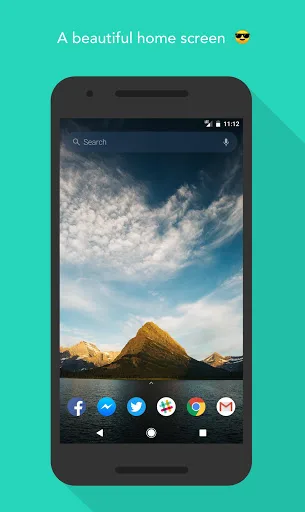
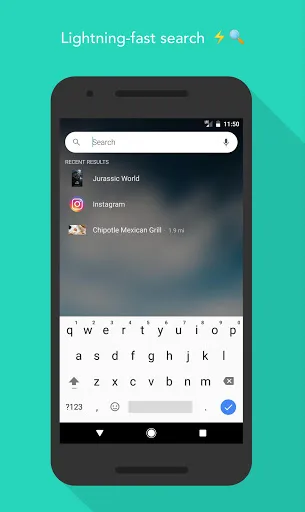
Evie Launcher This is an app designed to help you use your Android device more efficiently. It allows you to quickly access any app installed on your device. It's simple to use; just swipe the screen, search in the search bar, and it will immediately provide suggestions to complete tedious tasks. It delivers a smooth user experience and enhances your device's usability. Users can also customize their home screen, app icons, and widgets to their liking, giving their device a fresh new look. For Android users who want to improve device performance and personalize their home screen, this is a great app.
Features
Quick Navigation
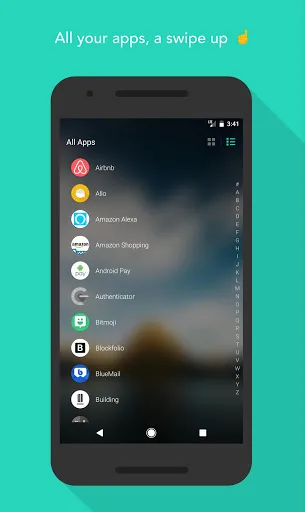
Instantly launch any app from search results or the alphabetically sorted app drawer.
Universal Search
Search all app content in one place. Find contacts, restaurants, movies, TV shows, musicians, and more.
Intuitive Design
We've redesigned every feature. From folders that clearly display folder contents to customizable grids and icon sizes.
Customizable Shortcuts
Long-press anything in search results to create a shortcut on your home screen. "Call my best friend," "Home directions," "Uber to work"—just a tap away.
Personalization
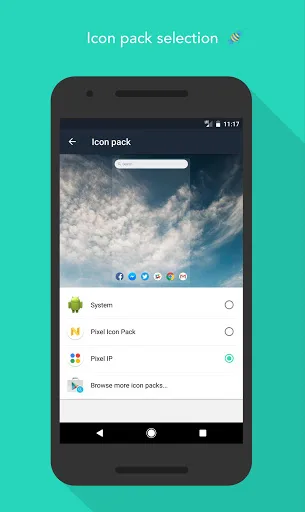
Import and customize your layout, app icons, icon sizes, and wallpapers. We give you the flexibility to create your own Evie.
Highlights
Faster, more beautifully designed app drawer with grid and list sorting support
Live Wallpapers
Home Screen Management
Dock with Custom Grid
Unread Badges
Redesigned Folders – Faster, More Unique, and Fits Your Home Screen Grid
Redesigned Widgets – Visual Previews and App-Organized
Backup and Restore – Save Your Home Screen and Restore It to Any Device
Double-Tap Lock, More Complete Custom Gesture Support Coming Soon
Removable Icon Labels
Advantages and disadvantages
Pros
Packed with cool features
Easy to get to grips with
Cons
Only compatible with Android
A bit limited in its scope
Tips:
Access Settings:
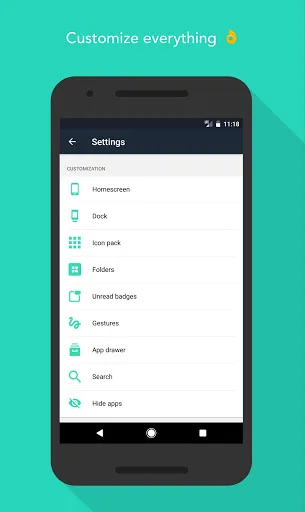
long press on an empty space on the home screen, or type “Evie Settings” into search.
Create Folders:
long press an icon and drag it over another icon.
App Options: long press on icons to access icon customization and other options.
Create Shortcuts:
long press on a search result to create a custom shortcut.
Remove apps from homescreen:
long press on an icon, drag and drop the icon over the “Remove” button at the top of the screen.
Add a homescreen:
Long press an icon and drag to the far right of the screen. Empty homescreens are not currently supported.
Uninstall:
Make sure “Double Tap to Unlock” gesture is disabled before uninstalling.
Conclusion
Evie Launcher is a special launcher that has been created for the Android platform. The software comes packed with features that can help to transform the look and user experience of the Android such as a selection of wallpapers and tabs that come in a number of different styles. The interface is also very smooth and intuitive. However, it should be noted that Evie Launcher is only compatible with Android and people who are using other types of operating systems will have to search for a similar option.








