

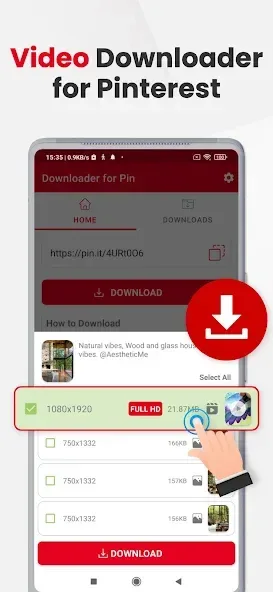
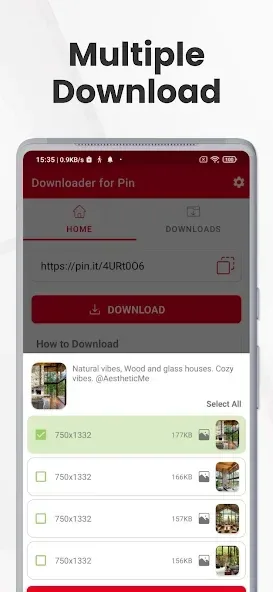
PinSave is a powerful image and video downloader. It offers a clean and intuitive interface, allowing users to easily download photos and videos from Pinterest to their devices and save their favorite content. With PinSave, users can download any number of photos and videos from the platform without restrictions. You can also download multiple videos at once, easily and efficiently saving all your favorite Pinterest videos. Furthermore, this application is easy to use without requiring an account registration.
Highlights:
Download Pinterest pins, including images, GIFs and videos in MP4 format.
Multiple options for downloading the pin in image and video format with a single URL.
Play downloaded content offline.
Tab for managing downloaded files.
Built-in video player.
Features:
High-Speed PinSaver Download
Our pinsaver download servers are extremely fast, ensuring your video is processed and ready for download in just a few seconds. No waiting time!
4K Quality Content
We do not compromise on quality. PinSaver provides the maximum quality available on the Pinterest server ( HD, Full HD, or 4K).
Completely Safe & Secure
Your privacy is our priority. We do not keep any record of videos downloaded via PinSaver, nor do we collect your personal information.
No App Installation Needed
You don't need to fill your phone storage. PinSaver is a web-based tool, so you can use it directly from your browser (Chrome, Safari, etc.).
How to save videos?
Method 1
Open the Pinterest app, click on the share icon.
Click this Pinterest downloader app icon on the opened popup.
Select quality options you want to save with this Pinterest Downloader and click the download button.
Method 2
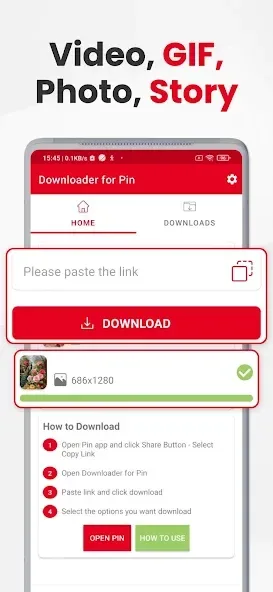
Open the Pinterest app, click on the share icon and click "Copy Link"
Open pinterest video download app and select quality options you want to save with this Pinterest Downloader and click the download button.
If you don't see download options popup then paste the link and click pinterest video download. Then Apply step 2.
FAQs:
What is PinSaver?
PinSaver is a free online Pinterest video downloader that lets you save Pinterest videos, images, and GIFs to your device in high quality (MP4/JPG) without watermarks. No login or app installation is required.
How do I download a Pinterest video using PinSaver?
To download a Pinterest video: copy the pin URL from Pinterest, paste it into the PinSaver input box at pinsaver.online, click Download, and save the file to your device. The whole process takes under 10 seconds.
Is PinSaver free to use?
Yes, PinSaver is completely free. No subscription, no account, no hidden fees — unlimited Pinterest video downloads at no cost.
Final Words:
PinSave is a free online service that provides high-quality downloads of photos, videos, and GIFs. It is important to note that the app is not affiliated with Pinterest and respects the copyright of content owners. Users are advised not to download or repost videos and media clips without the owners' permission. Any unauthorized actions or violations of intellectual property rights are the sole responsibility of the user.








