

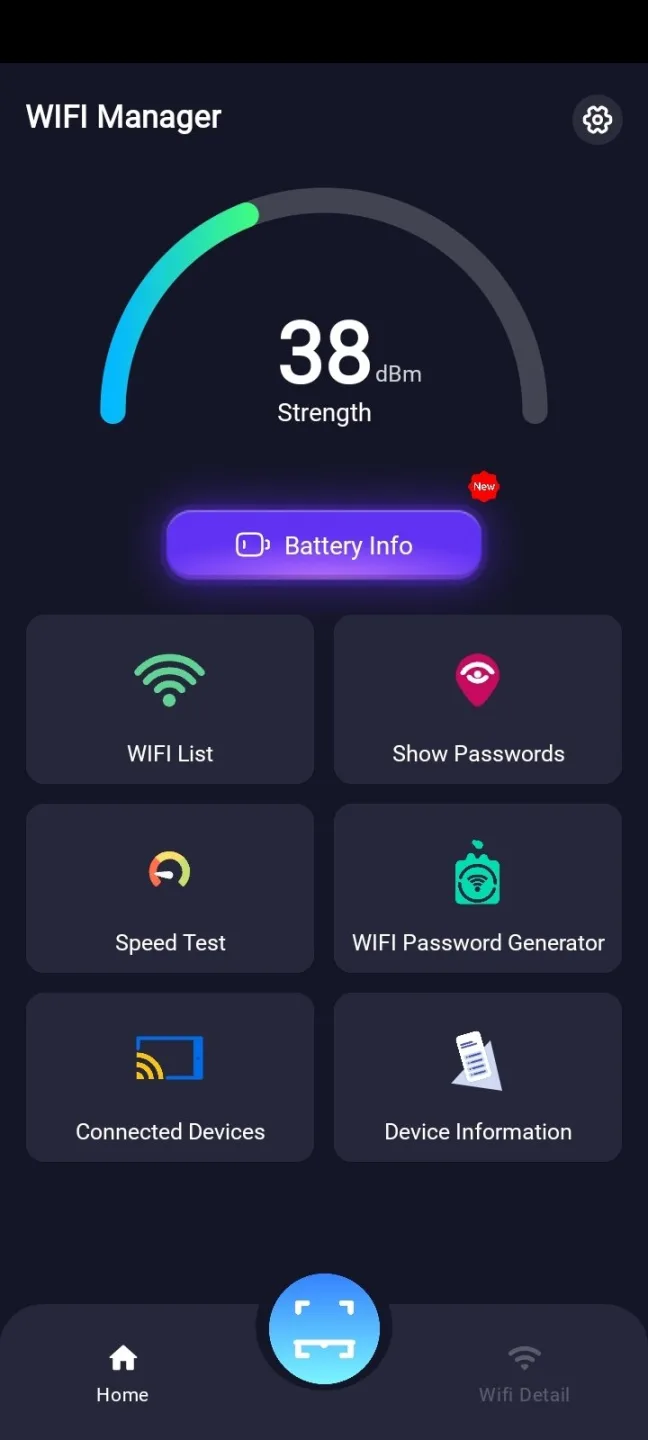
Show Wifi Password is an excellent tool for managing Wi-Fi connections. It offers powerful, practical features that display passwords for previously connected networks—eliminating the need to memorize or manually enter them—so users no longer have to worry about complex passwords. With Show Wifi Password, you can retrieve forgotten passwords, search for nearby networks, and even generate secure passwords, making password management effortless. Additionally, the app streamlines the process of finding, connecting to, and managing Wi-Fi networks, making it the ideal choice for users seeking a seamless Wi-Fi experience.
Highlights:
Shows SSID and Password of all the connections saved in a device.
Share WiFi Passwords with a single touch or Copy them to your clipboard.
Shows the currently connected network and its password.
Works with any Android Version including Oreo despite recent changes made to the system file architecture.
App serves the exact purpose it is said to serve with a minimal UI approach.
Features:
WiFi Password Display
-The wifi connection app enables users to view passwords for WiFi networks their mobile phones have connected to before. You can easily review WiFi passwords with just a few quick steps, facilitating convenient reconnection to all previously connected WiFi networks.
WiFi List
- With the wifi speed app, swiftly search for WiFi networks by selecting the WiFi list section, which displays nearby WiFi networks, making it easy to connect to the desired WiFi.
Generate WiFi Password
- Choose a password with 8 or more characters, including uppercase and lowercase letters, symbols, and numbers. The wifi password show app will generate passwords according to your preferences, eliminating the need to memorize WiFi passwords.
WiFi QR Code Connection
- With this feature, you can easily connect to WiFi through the QR code without the hassle of entering a password.
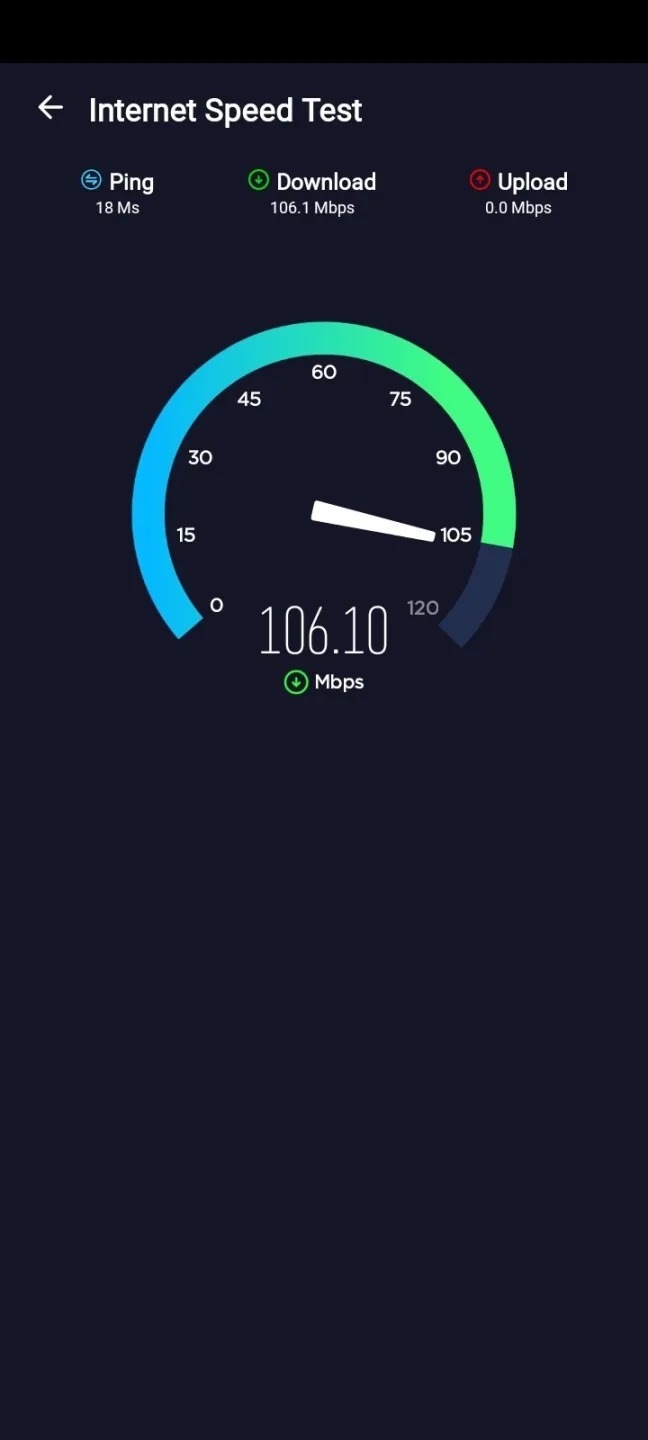
Internet Speed Test
- With just a few taps, you can check the network speed you are connected to.
- WiFi speed tester, wifi signal strength: ping rate, download, and upload speeds.
Tips and Tricks:
Use the WiFi Password Display feature to easily view and reconnect to previously connected WiFi networks.
Use the WiFi List feature to quickly search and connect to nearby WiFi networks.
Generate strong WiFi passwords with the Generate WiFi Password feature to ensure security.
Connect to WiFi effortlessly using the WiFi QR Code Connection feature.
Test your internet speed with the Internet Speed Test feature to ensure a smooth browsing experience.
Changelog:
This release includes minor bug fixes and general improvements.
Update to the latest version for the best experience.
Conclusion:
There are many reasons why you should download and install this app. First of all, it is very easy to use, so you won't have to worry about it. It is designed to work with all Android devices, even with the latest versions. You will be able to view and share the saved WiFi passwords of your device. You will be able to do this with a minimal UI approach.








