

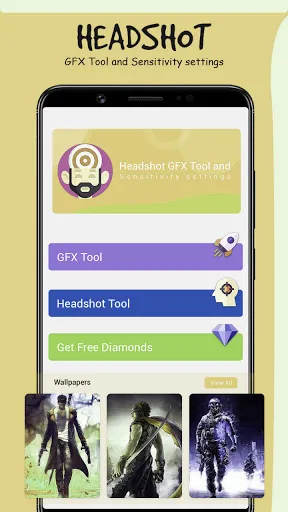
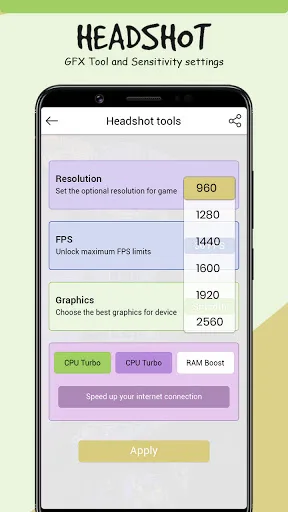
Headshot GFX Tool is a game optimization tool that can optimize game performance. It features a clean interface and simple, easy-to-understand operation, making it easy for even users unfamiliar with game settings to use. The software focuses on optimizing game graphics, resulting in faster frame rates and a cleaner screen. It also allows for customization of graphics in some game applications. If you need to make extensive adjustments to gameplay, this application can be used. However, the effects will vary depending on the device. It can improve the performance of low-end devices and provides precise location assistance.
How to Use
Customize the graphics according to your desires and device capabilities.
Open Headshot GFX Tool app.
Select Options based on your phone performance and graphics support.
Click on Apply Settings and then Run Game. That's It.
Close game if it’s currently running before starting Headshot GFX Tool.
Highlights
One of its main strengths is convenience. The layout is simple, and the controls are easy to understand, even for people who do not usually tweak game settings. That makes it useful for players who want quick adjustments before a match instead of wasting time searching for setup guides. It is the kind of tool that says, “Here, press this and go play.”
Headshot GFX Tool is most useful for players who care about performance and comfort during gaming sessions. Some users want steadier frame rates for fast reactions. Others want clearer visuals so the screen feels less messy. The app gives both groups a practical shortcut, especially when default game settings do not match the user’s phone well.
There are also a few limits to keep in mind. This app focuses on graphics customization, so its role stays within visual and performance-related settings. People looking for wider gameplay changes or advanced development tools may find it too narrow for their needs. Results can also vary from one device to another, since phone hardware plays a big part in how well any graphics setup performs.
Advantages and disadvantages
Pros
Easy sensitivity and graphics customization
Beginner friendly interface
Can improve performance on weaker devices
Quick preset adjustments
Helpful for experimenting with control settings
Cons
Results vary depending on device hardware
May cause instability if over tuned
FAQS
What is Headshot GFX Tool Headshot?
Headshot GFX Tool Headshot is a mobile graphics utility app that helps players adjust visual settings for supported games in a quick and simple way.
What is Headshot GFX Tool Headshot used for?
It is used to change graphics-related settings such as visual quality and performance options, helping users make gameplay smoother or clearer on their device.
Who should use Headshot GFX Tool Headshot?
It is a good fit for mobile gamers who want easier control over graphics settings, especially those using phones that need better performance tuning.
Does Headshot GFX Tool Headshot help with lag?
It can help reduce performance issues by letting users lower or adjust graphics settings, though the final result still depends on the phone’s hardware.
What are the limitations of Headshot GFX Tool Headshot?
Its focus is on graphics customization, so it does not cover broader gameplay changes or professional-level tools, and performance improvements may differ by device.
Summarize
Headshot Gfx Tool by Naji App Studio positions itself as a companion utility designed for competitive mobile players who want tighter aiming control and smoother gameplay performance.








