
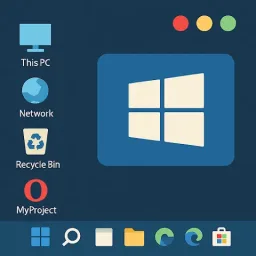
Computer Launcher 2 is a theme application that allows you to quickly switch your phone's theme. It includes a built-in ZIP decompression function, allowing you to freely extract zip files. Quickly change your phone's desktop to a Windows 10 style. The taskbar also includes a notification center. Quickly create folders on your home screen and enable Wi-Fi sharing. If you want to experience a computer theme, this application can meet your needs. Transform your phone into a computer in no time.
Function
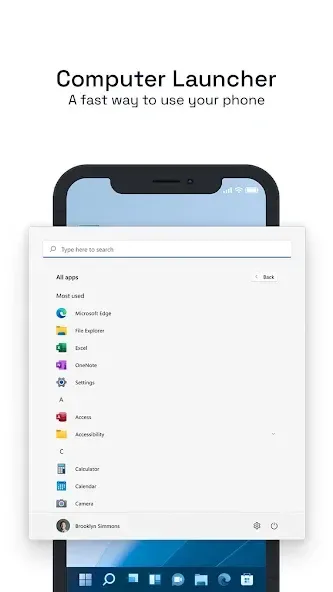
Computer Launcher 2 style Start Menu
Android application in Stylish Tiles In Start Menu
Best application are available on One Click Create Shortcuts of most used application on Desktop by press and Hold Feature.
Easy Navigation to the Apps
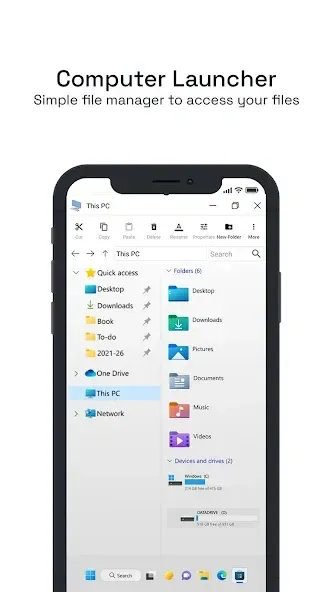
Built-In support of File Explorer in Computer Launcher 2
Create Folders, Cut, Copy, Paste, Move, Share etc.
Listing of all of your drives, SD Card, Storage, audio and video files and pictures in PC style.
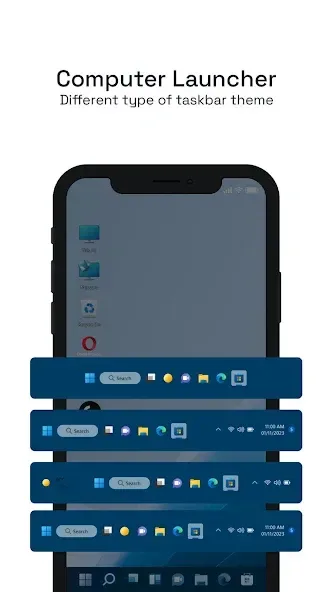
Computer Launcher 2 Taskbar
put the files to Recycle Bin and delete later in win 10 style
Built-in ZIP support allows you to decompress or extract ZIP/RAR files
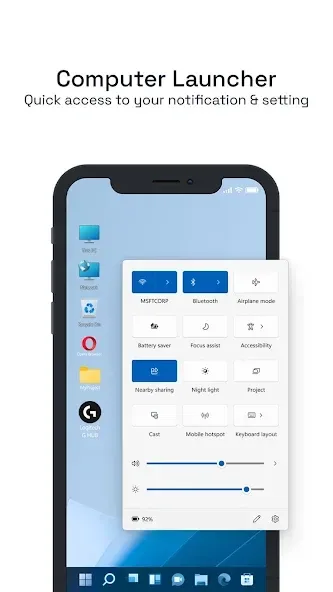
Action Center. Notifier Center: Like win 10 launcher, the computer also has a action center bar. You can check the notice of application or system with Notification Center.
Features
A desktop-like taskbar, start menu and action center modeled after modern PC launchers.
An integrated file explorer and file manager with search, copy/paste, compress/decompress, and delete functions.
Quick creation of home-screen folders — tap the screen to generate a new folder and organize shortcuts.
Local file sharing over Wi‑Fi so you can exchange files and folders with other users on the same network.
Appearance and behavior tweaks to personalize icons, themes, and layout to suit your taste.
How to Use
Install Computer Launcher 2 from this site and set it as your default launcher.
Open the application's settings, choose a theme, adjust the taskbar, and configure the Start Menu.
Use the built-in file manager to browse, move, compress, or delete items; long-press an item to perform more actions.
On the home screen, tap the background or use the launcher's organization options to create folders.
Enable Wi-Fi sharing in the application settings to transfer files with other devices running the launcher.
User comments
ah!! im so glad I found this launcher! I googled to see which was best for an Android tablet lol. definitely gives the windows and computer feel. I couldn't ask for a better free launcher. also ads aren't that intrusive as well which is just an added bonus! I absolutely recommend giving this a shot!
I am very impressed by all people try to make a app can run computer but the saddest truth is non of any app like this on Google can run computer(best choice winlator or joyplay if you can search) I give this five star because I surprise people try to push android to run window game ?
They have made a beautiful application that acts and looks just like a windows computer system. I enjoy how the drives and files are formatted as a computer system. I love it so far. Thanks to the creators for a smooth and functional app.
Summarize
Are you looking for the desktop computer style Launcher on your Android? You love the new style of win 10 launcher? Check this computer style launcher available for your Android (TM) smart phones. Surprise your friends with new look and style of your Android. Computer Launcher 2 is an excellent app for you to experience the Computer in Style UI.








