

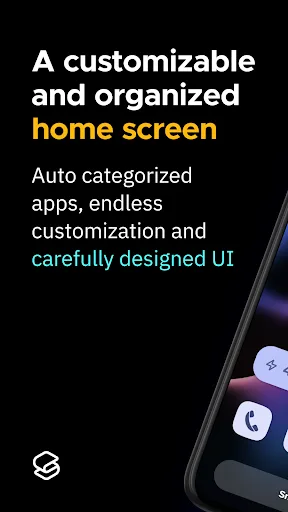
Smart Launcher 6 is an innovative launcher app that offers an intuitive interface and unique features, allowing users to completely transform their phone's look—saying goodbye to dull, monotonous screens in favor of a highly personalized experience. With Smart Launcher 6, you can streamline your apps and organize them more efficiently; features ranging from quick search to customizable layouts give your phone a fresh new feel. You can also tailor colors, icon styles, and layouts to match your personal style, turning your interface into a visually stunning showcase.
Highlights:
Change skins to bring new perspectives to your phone.
Easy to use and allows you to customize the interface.
Tools to help you streamline apps on your phone.
Customize icons with various icon packs.
Fast search functionality and organization of apps by category.
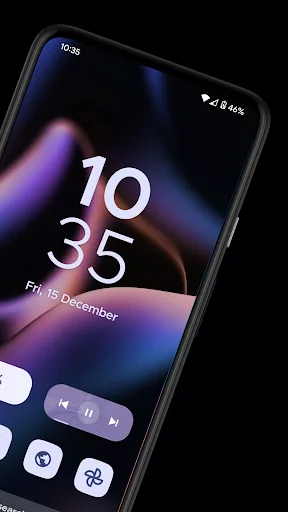
Home screen layout with app overview and customization options.
Features:
Revamp Your Home Screen with Flexible Features
Upon implementing Smart Launcher 6, users can expect a complete makeover of their home screen, including revamped layouts and designs that lend a more organized and streamlined appearance. The launcher automatically categorizes apps and offers flexibility in their placement, enabling effortless one-finger navigation and empowering users to create fun and unique arrangements.
Distinctive Icon Packs with Captivating Designs
In addition to the launcher itself, Smart Launcher 6 offers an array of distinctive and visually stunning icon packs in various styles. These packs seamlessly update app icons with popular and trending designs, while also enabling users to create custom icon packs using personal images for a unique touch.
Seamless Grid for an Immersive User Experience
The launcher's menu interface and notification bar offer fluid and seamless interactions, enriched with engaging extensions that prioritize ease of use and interactivity. The optimized, one-finger control style ensures smooth navigation and delightful user experiences throughout the device.
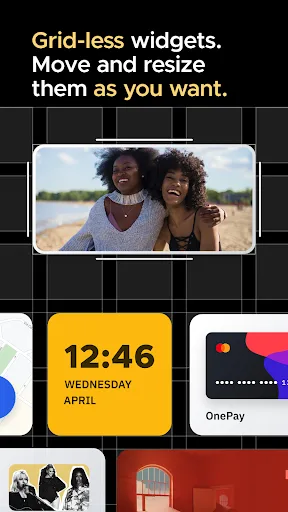
Customizable, Gridless Widgets for Enhanced Functionality
Smart Launcher 6 introduces versatile widgets that act as compact versions of native apps, delivering essential information in a clear and concise manner. These gridless widgets can be easily customized and resized, allowing users to overlay multiple widgets on the screen for a tailored experience.
Pros & Cons:
Pros
Automatic sorting of apps
Powerful search engine
Highly-customizable
Gestures and hotkeys are supported
Cons
Requires the app to update but unsuccesfully
FAQs:
Can I customize the icon packs and themes in the app?
Yes, the app offers a variety of icon packs with different shapes and sizes. You can arrange them on the screen of your device to create a personalized and animated interface.
Does Smart Launcher 6 offer app organization features?
Yes, the app allows you to sort your apps by category, making it easier to find and access the applications you need. The app also offers search functionality for quick app navigation.
Is it secure?
Yes, the app includes a security mode that allows you to set a password for accessing certain features. This ensures that your personal information and privacy are protected.
Conclusion:
Download the Smart Launcher 6 APK and start enjoying what is undoubtedly one of the most prestigious launchers on Android. The app is brimming with features and offers a beautiful and elegant design you can customize. It is an outstanding launcher that continues to improve with each new update.








