

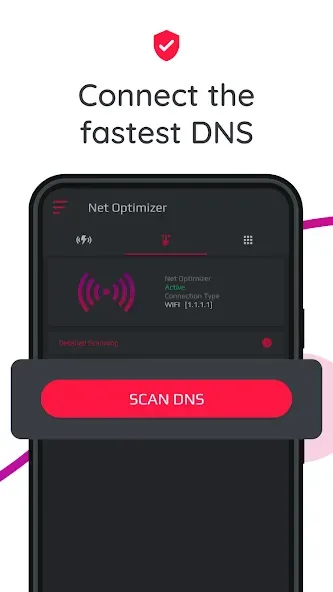
Net Optimizer is a network optimization tool designed for mobile devices. It not only automatically analyzes the device's network environment but also automatically finds the fastest nearby DNS servers, helping users achieve high-speed browsing and response times, ensuring a smooth and worry-free experience whether playing games or browsing the web. By scanning for nearby networks, users can easily access detailed information about nearby servers with a single click. Users can manually select a connection or use the software to automatically connect to high-speed servers, meeting different user needs.
Features of Net Optimizer:
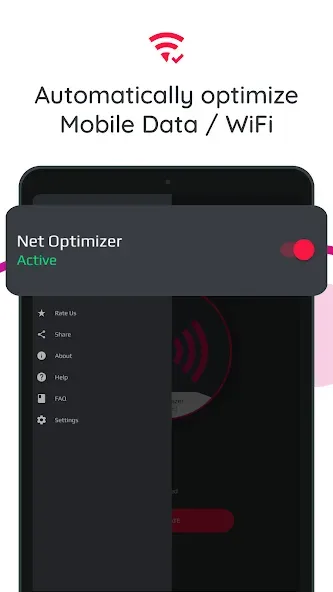
Net Optimizer works for mobile data (3G/4G/5G) and WiFi connections, so you can use it no matter how you access the internet. The app supports several DNS servers, including Cloudflare, Level3, Verisign, Google, DNS Watch, Comodo Secure, OpenDNS, SafeDNS, OpenNIC, SmartViper, Dyn, FreeDNS, Alternate DNS, Yandex DNS, UncensoredDNS, and puntCAT. Access to all these servers gives you more options to find the fastest one for your location and network.
The app optimizes your device’s DNS records, finding the fastest routes for your data packets when traveling the internet. This optimization won’t boost your download/upload speed but can significantly improve your web browsing time. Your default DNS server directly affects how fast you can connect to a website. Choosing the fastest server according to your location can help speed up browsing and enhance your gaming experience by reducing latency.
To use Net Optimizer, you must grant the app overlay permission to show the Auto Optimize pop-up. Additionally, the app uses VPNService base class to create a DNS connection. When your Android device connects to the internet from a specific network, your address on the internet (the location of your Android device in the virtual network) is called the IP address. The IP address is a code system consisting of encrypted numbers. Net Optimizer processes these numbers as site addresses by using DNS servers, and the address can be reached when searched in this way.
How Net Optimizer works?
If you have a high-speed Internet connection but notice that your web browsing speed isn’t all that it’s cracked up to be, then your problem may lie in the DNS. By optimizing your device's DNS records, you can find the fastest routes for your data packets to take when traveling the Internet. It won’t boost to your download/upload speed, but in some cases it can result in quite a noticeable improvement in web browsing time.
At times, you may experience slow hiccups while trying to use the internet from your device. Sometimes, these problems can be attributed to your provider's DNS settings because your ISP may not always have the best DNS server speeds.
Your default DNS server directly affects how fast you’ll be able to connect to a website. So choosing the fastest server according to your location will help speed up browsing.
With Net Optimizer, you can find the fastest DNS server and connect to it with just one touch!
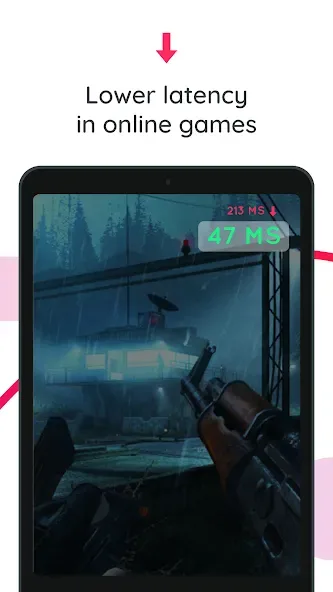
So your browsing speed and gaming experience (ping and latency) can be improved. (But you should remember that DNS settings will not affect your internet download / upload speed but response time)
User Reviews of Net Optimizer:
It is such a struggle to find a fast and reliable connection anywhere in my home. My signal is constantly fluctuating from minute to minute, and it will slow down to a crawl if even one device is connected to my hotspot. I found this Net Optimizer app and I am literally blown away. I noticed results INSTANTLY. My signal is now almost always at 2 bars or higher, and everything loads in a snap — even with the hotspot on! I tried at least 20 other VPNs and similar apps and nothing even comes close!
It seems to do what it advertises, I use the free version and the ads aren't intrusive nor very long... definitely something to appreciate with free apps these days...almost worth a 5 stars rating in itself. I do wish I was able to choose when and if I need the VPN. That may come with the purchase version, I've just looked for an on off button.
I live in a low signal area ...after work in the evening when I want to watch some reels in Instagram or other social media apps video stops now and then ....i get frustrated about this I can't find a solution...after sometime many tricks and sim changes above all of them" Net Optimizer "app simply changes DNS servers and my video watching goes smoothly..tha knu so much...
My phone has always had issues with Internet, it looks like my problems have been solved!! I went on a mission to try and find out why I have had these issues, not able to connect, no internet service, buffering, lagging, skipping, kicking me off... I am still learning all this tech stuff and I am proud to announce this was accomplished without having to ask my kids!! It has made my phone so much better that 5 stars aren't enough! Thanks for an excellent app!!
Summary:
Get ready to pick up this awesome tool from Net Optimizer and quickly optimize your Internet connection to the fullest. Enjoy comfortable gameplay of your online game, watch your lag-free live streams, or simply browse the webpages with drastically improved experiences. All of which should make Net Optimizer a lot more exciting to have.








