

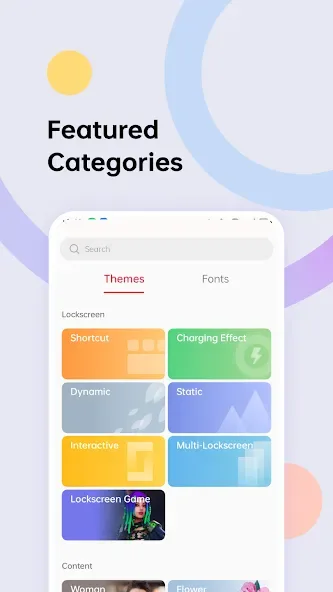
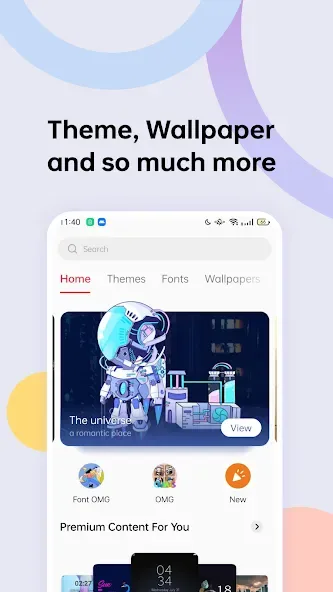
Realme Theme Store is a theme store designed for mobile devices. Users can not only set photos from their albums as their desktop wallpapers, but also find a variety of static and dynamic wallpapers, catchy ringtones, and font styles to refresh their screens. Users can customize their screens by clicking on different wallpapers, fonts, and ringtones, and also find collections of the same style to satisfy their aesthetic preferences. With a simple click, users can share their wallpaper themes with friends and garner likes. The store's wallpaper resources are constantly updated, ensuring users discover new content with every refresh, guaranteeing a fresh experience.
Features of Realme Theme Store:
Official and compatible content: Realme Theme Store offers themes, fonts, and wallpapers officially integrated with your phone. Content is made to match device features, which helps avoid display quirks and keeps a consistent look across apps. From there, you can explore a wide range of styles.
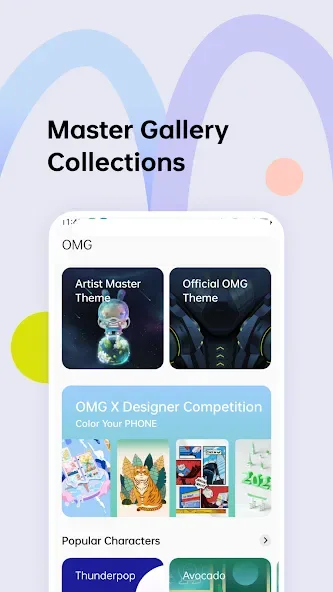
Variety of wallpapers and fonts: Over 2000 free wallpapers covering nature, animation, games, and architecture.Handwriting, color, and pixel fonts to suit different moods.Live themes and popular picks, including PUBG Mobile themes.
One click actions: You can set a theme, change fonts, or apply a wallpaper in one click. It is also easy to like items and share them with friends, which helps you keep track of favorites while exploring new options.
Personalized recommendations and regional availability: Recommendations show styles and collections based on your preferences for a more localized experience. Service is available in India, Indonesia, Philippines, Thailand, Malaysia, Algeria, Australia, New Zealand, Cambodia, Myanmar, Vietnam, Egypt, Pakistan, Bangladesh, Morocco, Singapore, Nepal, Kenya, and Sri Lanka. Use the Realme Theme Store latest version in supported regions. If an update does not work, remove the app via App Management, then Show Process, then Theme Store.
How to Use Realme Theme Store:
Step 1: Install Realme Theme Store APK on your Android device.
Step 2: Open the app and browse through the theme collection.
Step 3: Select a theme, wallpaper, icon pack, or font that you like.
Step 4: Tap “Apply” to customize your device instantly.
Step 5: Enjoy your new look and change themes whenever you want!
The app makes customizing your Realme smartphone quick and effortless.
User Reviews of Realme Theme Store:
amazing app you want to do Soo do it anything you want to do.
good performance nice application.
No longer compatible with my phone device.
Even tho I have a flagship phone, It says "This app is no longer compatible with your device. Contact the developers for more info." So I don't get why there's this showing up. I also don't know if there are any updates. But I like the app alot. And how am I supposed to contact the developers?
i like this app but i suggest that u need to categorize it which one is paid theme and which one is free theme because it is hard for me to search the free theme each theme.
FAQs of Realme Theme Store:
Where Can I Securely Download The Latest Realme Theme Store APK?
You can get the file safely from the official website or trusted third-party app repositories online.
Is The Realme Theme Store APK Free To Use?
Yes, the app is free to download, though it includes both free and premium paid items.
Why Is The Realme Theme Store APK Not Opening On My Phone?
This usually happens due to low storage or server issues. Try clearing the app cache to fix it.
How Do I Update My Realme Theme Store APK To The Newest Version?
Open the app settings to check for updates, or download the latest file manually online.
Does The Realme Theme Store APK Consume A Lot Of Mobile Battery?
Standard themes use minimal power, but heavy live wallpapers can drain your battery faster.
Final Thoughts:
Overall, Realme Theme Store stands out as a comprehensive solution for enhancing your smartphone’s appearance and functionality. With its vast selection of themes, fonts, wallpapers, and ringtones, coupled with a user-friendly interface, it offers an effortless customization process. Encountering designs that need to be purchased separately can be a bummer, though.








