

TizenTube is a powerful streaming media application. It allows for content searching. Users can quickly find their favorite content upon entering the page and can also stream media. The user interface and navigation system are optimized for ease of use. The built-in playback tools allow users to adjust playback speed, flexibly view each piece of content, and interact with the streaming media. The software is ad-free, providing a smooth viewing experience. Videos can be cast to other media devices. The software prioritizes performance and cost-effectiveness.

Guide
Content Retrieval and Streaming
TizenTube APK accesses video sources through supported online endpoints and displays available content within its interface. When a user selects a video, the app requests the stream and begins playback using an embedded player, ensuring smooth delivery based on network conditions.
User Interface and Navigation System
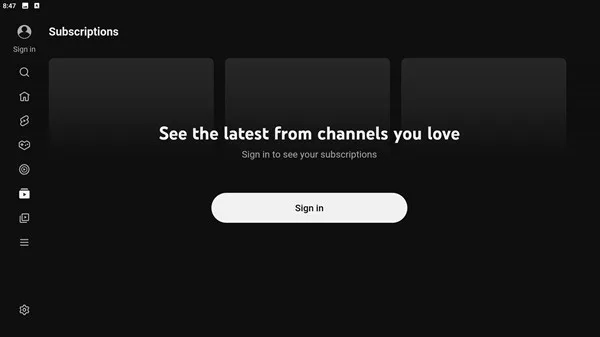
The application uses a TV-optimized interface designed for remote control navigation. Menus, categories, and playback options are arranged in a way that allows users to move easily between sections, select videos, and manage playback without needing a touchscreen or mouse.
Playback Controls and Enhancements
TizenTube APK includes built-in playback tools that let users adjust speed, skip segments, and resume videos. These controls interact directly with the video player, giving users more flexibility over how they watch content and how they interact with each stream.
Key Features That Define TizenTube APK
TizenTube APK is recognized for a variety of features that improve usability and viewing comfort. These features are designed with a focus on performance and simplicity.
FAQS
What is TizenTube APK?
TizenTube APK is a streaming app for Samsung TVs running Tizen OS. It is designed to improve YouTube viewing with features like ad blocking, SponsorBlock, playback speed control, and theme customization.
What is TizenTube used for?
TizenTube is used to make YouTube on Tizen-based Samsung TVs easier and more comfortable to watch. It helps reduce interruptions, skip sponsored segments, and gives users more control over playback.
Does TizenTube block ads on YouTube?
Yes, one of the main features of TizenTube is ad blocking. It is built to reduce ad interruptions while watching YouTube on supported Tizen devices.
Who should use TizenTube?
TizenTube is a good fit for Samsung TV users who watch YouTube often and want a cleaner viewing setup. It is especially useful for people who watch long videos, tutorials, podcasts, reviews, or livestream replays.
Does TizenTube have any drawbacks?
TizenTube is mainly useful for Samsung TVs with Tizen OS, so it is not for every device. Some users may also need extra setup effort, and certain features can change depending on platform updates.

Tips
Adjust Playback Settings
Set a preferred playback speed
Enable smoother transitions between videos
Customize controls for easier navigation
These small changes can make videos feel more natural and easier to follow.
Optimize the Interface
Choose a cleaner layout
Remove unnecessary visual elements
Focus on simplicity
A minimal interface reduces distractions and helps you stay focused on content.
Use Compatible Devices
Devices optimized for Android TV perform better
Stable hardware ensures smoother playback
Better compatibility reduces unexpected issues
If your device supports it, using a certified setup can improve overall performance.
Personalize Your Experience
Adjust themes to match your preference
Explore available customization options
Create a setup that feels comfortable for long sessions
Summarize
TizenTube APK stands out as a practical solution for users who want a more refined and comfortable way to watch video content on TV-based devices. Its clean interface, responsive navigation, and useful playback controls make it appealing for those who value simplicity combined with functionality. By focusing on user experience rather than unnecessary complexity, it delivers a streamlined environment for everyday streaming.








