

AnTuTu Benchmark is a comprehensive testing tool. It offers a complete suite of tests covering various aspects, enabling users to evaluate the performance of their mobile devices. With AnTuTu Benchmark, users can compare their results against other devices in the database to gain deep insights into their device's performance. Simply use the one-tap testing feature to conduct a thorough assessment of your Android device's performance metrics. Whether you are a professional looking to evaluate device performance or an everyday user wanting to see how your device stacks up against others, this app is the ideal choice.
Click to load YouTube / 点击加载视频
YouTube ↗Highlights:
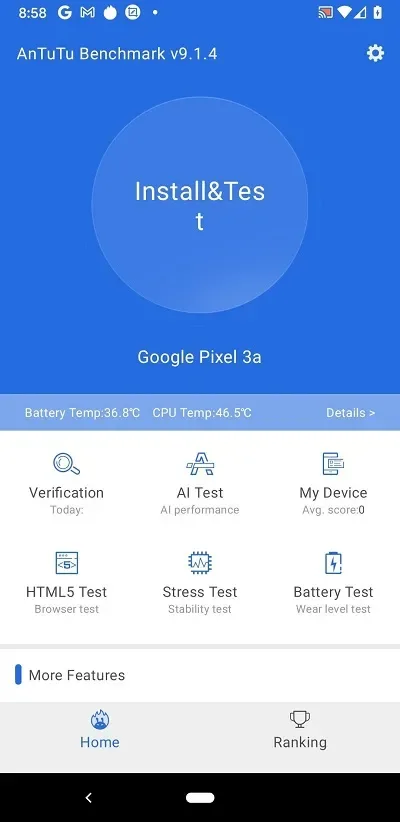
A convenient and accessible interface
Benchmarking apps often have a cumbersome interface, which can make them difficult to use. But this is not the case with AnTuTu Benchmark. From the app's main tab you can quickly access all the tests with a single tap. These include the: Storage Test, HTML5 Test, CPU Test, Battery Test, Load Test, LCD Test (screen), Touch Point Test, Grayscale Test, Color Bar Test and Controllable Area Test. Each of these tests allow you to test the performance of your Android device in a specific area.
All your device's details
AnTuTu Benchmark not only allows you to perform a whole host of tests, but it also shows you all the information you need to know about your device. You can see the model of your device, the motherboard it uses, the operating system version, the CPU model, the native resolution, the RAM memory, the amount of internal memory, the ABIs supported, the number of cores, average CPU temperature, pixel density, megapixels of the front and rear cameras, battery capacity, battery voltage, terminal sensors, and much, much more.
Constantly monitor device temperature
From the AnTuTu Benchmark options menu you can activate temperature monitoring. When you activate this tab, the app will always be running in the background, displaying CPU and battery temperatures. You can also see a more detailed graph with your Android device's temperature history at any time. This way, you can know if there is an app or element that is making your device too hot.
Features:
Click and Go performance tests
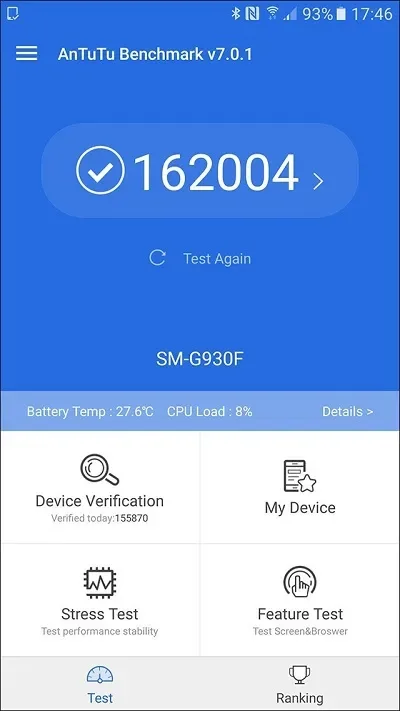
AnTuTu Benchmark uses its Click and Go test suite to check UX, CPU, GPU, RAM, and I/O performance. Each area receives its own score, and the app combines them into a total score for a quick device comparison.
CPU and graphics testing
The AnTuTu Benchmark latest version updates CPU test algorithms and supports ARM tri cluster designs. It also uses the Vulkan Terracotta Warriors scene for high stress graphics testing, while the Coastline scene checks Vulkan gaming performance under medium to high loads.
Memory and storage measurements
AnTuTu Benchmark examines hardware Direct I/O and system file system performance through updated memory tests. These results show how the device handles data movement related to storage during normal use.
Display and ranking information
You can check UX results that include higher scene loads and screen refresh rate measurements. You can also upload a score to the AnTuTu database to compare your device with other Android models. For more consistent results, close running apps and let the device return to a normal temperature before testing.
Pros & Cons:
Pros
Broad selection of component and display tests
Detailed hardware, battery, and sensor information
Temperature monitoring with historical graphs
Scores can be compared through device rankings
Cons
Not available through Google Play
Repeated full tests can cause excessive heat
Full graphics testing may require AnTuTu 3D Bench
Changelog:
Update: All core test items for CPU, memory, storage, UX, and GPU have been comprehensively upgraded.
Newly added: dedicated tests such as CPU AI computing and storage AI large model reading.
Newly added: test scenarios such as document processing and video format conversion, which are closely related to daily work and multimedia life.
New: All GPU test scenarios have been remade using the UE5.5 engine, and professional ray tracing tests have been introduced.
Final Words:
AnTuTu Benchmark is truly a household name in the world of mobile benchmarking, with its robust testing methods and features that help any people who are curious about their device’s performance. The popular ranking system is also a fun way to compare your phone to others. While issues like Play Store unavailability and heating due to excessive usage are there, it is still the app when it comes to testing.








