

Titanium Backup is a powerful and practical tool. The application boasts a clean and user-friendly interface and offers a range of new features to meet various backup needs. With Titanium Backup, users can handle everything with just a few clicks, eliminating the hassle of copying data or deleting applications. Additionally, the app includes a file transfer feature that offers fast, reliable speeds, ensuring that data backup and restoration processes are completed quickly.
Click to load YouTube / 点击加载视频
YouTube ↗Highlights:
At its core, Titanium Backup excels in its ability to perform comprehensive backups of not just your apps and data, but also system settings and files. Unlike many standard backup apps, Titanium Backup allows for scheduled backups, ensuring that your data is continuously protected without requiring manual intervention. This is particularly beneficial for users who frequently update their devices or switch between ROMs, as it simplifies the process of restoring applications and settings to a previous state.
One of the standout features of Titanium Backup is its support for batch operations. Users can select multiple apps or data sets to backup or restore simultaneously, saving considerable time and effort. This functionality is especially useful for power users who manage large numbers of applications or data-intensive files, allowing them to streamline their backup processes and maintain productivity.
Recognizing the importance of cloud storage in modern data management, Titanium Backup offers seamless integration with popular cloud services such as Google Drive and Dropbox. This allows users to store their backups securely off-device, reducing the risk of data loss due to hardware failure or theft. The ability to automate backups to cloud storage further enhances convenience, ensuring that your data is always backed up and accessible from any device with an internet connection.
Features:
Reliable app and data backups
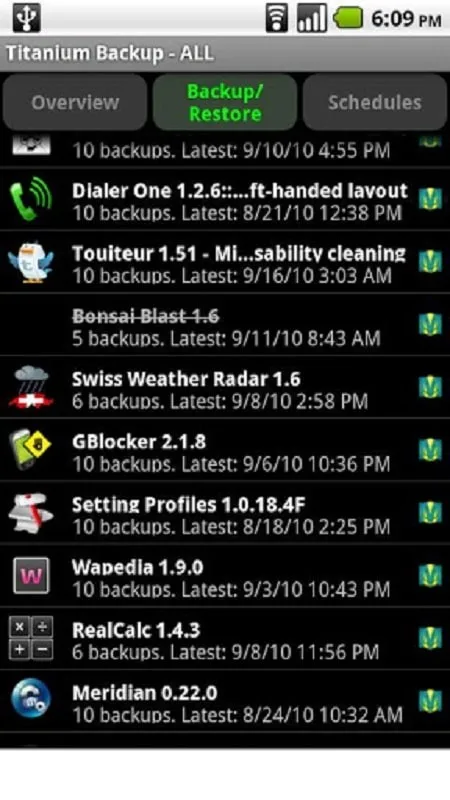
Titanium Backup creates backups of user and system apps together with their data. External app data on your SD card can be included. Batch jobs and schedules help automate routine tasks, so you spend less time managing backups. With the Titanium Backup latest version, you can run operations on rooted devices with clear status feedback.
Storage and migration tools
Beyond backup basics, these tools help you move and inspect data. You can move apps or app data to and from SD card. You can browse app data to see what is stored. You can restore individual apps and data from ADB, CWM, or TWRP backups when using Pro.
Advanced controls in Pro
For users who need more control, the Pro key adds options for maintenance and troubleshooting. You can freeze or defrost apps, keep multiple backup versions per app, and protect backups with encryption. Cloud sync options to Dropbox, Box, or Google Drive and the built in web server make sending or retrieving a ZIP backup simple.
FAQs:
How does it recover deleted data?
It allows users to restore deleted data with just one click. The app keeps multiple backups of the data, ensuring that no important information is lost.
Can I use it to back up my apps?
Yes, it allows users to back up and restore both app data and app settings. This ensures that users can easily transfer their apps to a new device or restore them after a factory reset.
Can it synchronize data between devices?
Yes, it supports data synchronization, making it easy to transfer data between devices and keep it up to date.
Changelog:
Fixed built-in MENU action not appearing on some devices (+ added GUI setting to forcibly hide it).
Updated translations.
Conclusion:
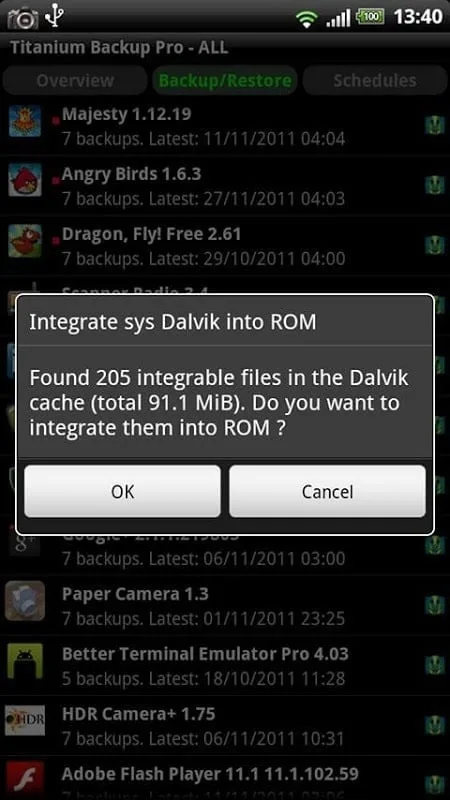
That done, Titanium Backup lets you manage the apps on your device in a much more comprehensive way than you normally can, including protected apps and system apps that you usually can't delete from the device. Titanium Backup is a very useful tool for any user of a rooted device. In fact, it's a must-have if you're one of those users.








