

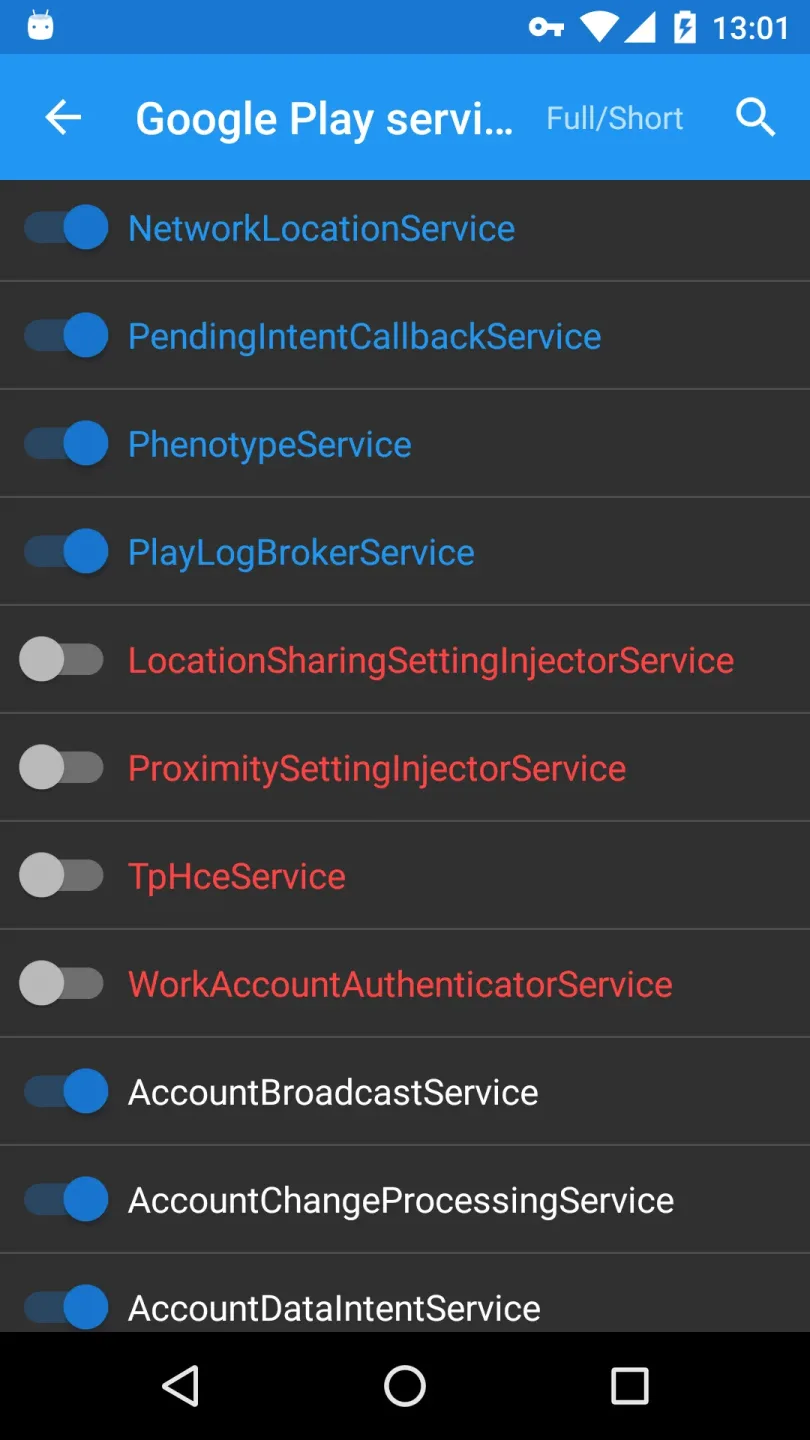
My Android Tools is an all-in-one utility for Android devices that allows you to enable or disable various system commands. It clearly displays application statuses using red and blue color-coding, and shows app processes and tasks—including PIDs and UIDs—directly on the interface. The app can display system logs and parse database contents, helping you take your Android device's capabilities to the next level. Additionally, it features a compact size and a clean, user-friendly interface, making it easy to get started right away.
Function
enable/disable components(activity,service,receiver,provider)
red:disabled.
blue:running currently (just for service)
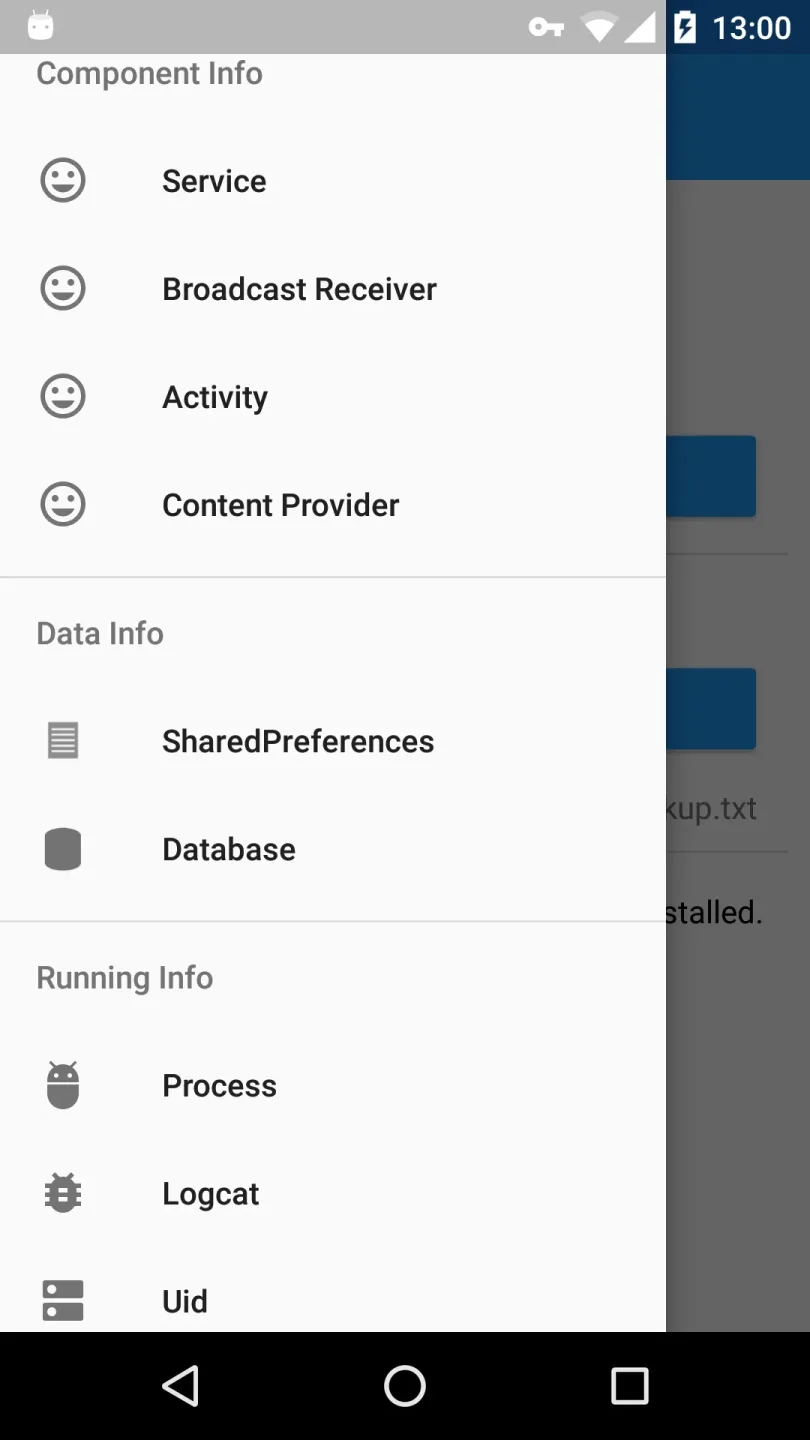
show all running tasks and processes(with pid and uid)
show the logcat
show the sharedpreferences and sqlite database of all apps
enable/disable apps
Advantages
Activity: An activity represents a single screen with a user interface.
Service: A service is a component that runs in the background to perform long-running operations or to perform work for remote processes.
Content providers: A content provider manages a shared set of app data.Through the content provider, other apps can query or even modify the data (if the content provider allows it).
Broadcast receivers: A broadcast receiver is a component that responds to system-wide broadcast announcements.
Shared Preferences: Store private primitive data in key-value pairs.
User comments
ITS ABSOLUTELY GREAT !!!!! It can show quite a lot of ℹ about your Android device . It also doesn't contains extreme amounts of ads which is great !! Tdi only problem is ... It doesn't shows my SD Card but that's not a huge problem because it would most likely be same as my settings .
This app is so awsome !! It's also can to using for upgrade android versions from oldest to latest version, it just a few simple step to changes the entire whole system on you smartphone, like my experience just now, i managed 5.1 version to 9.1 (Pai) version just for around 10 minutes. GREAT APPLICATION ! HIGHLY RECOMMENDED !
I just did 24 years in prison, so obviously I missed the inspection of the internet age. This app makes things so much easier for me. I'm no dummy,, but try to catch up with everything can be overwhelming. This app breaks things down simply. Thank you!
Summarize
My Android Tools offers comprehensive tools that enhance the efficiency and manageability of your Android device. With its advanced feature set and intuitive design, it stands out as a valuable resource for users seeking in-depth control over their devices.








