
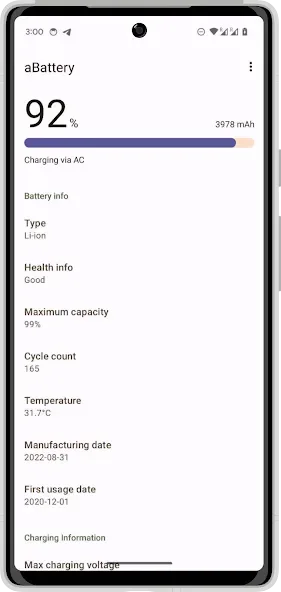
Battery Aid is a battery management tool for Android devices designed to help users extend their battery lifespan and maintain optimal charging health. It features a simple, user-friendly interface that allows for quick adoption. The app helps conserve power by managing background activity, ensuring the device lasts through the day, and provides high-temperature alerts. Upon opening, it displays a real-time dashboard where users can monitor battery health and maximum capacity. It also supports multiple languages, offering a comprehensive set of features.
Features
Extend battery life
Healthy battery charge
Simple interface, a Once click app.
Using Battery Aid once a week and improve your battery life.
24/7 Support
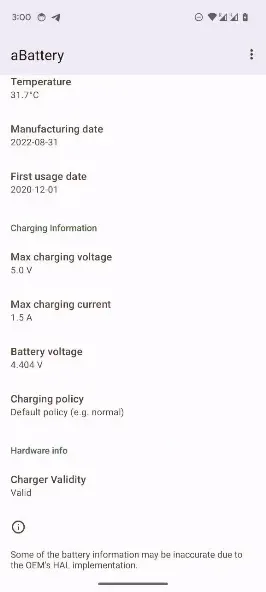
Temperature indicator, voltage indicator, Technology Indicator and much more.
Tips
Charging range: If possible, keep daily charging within moderate levels and avoid letting the battery sit at extremes for long periods.
Heat management: High temperatures accelerate wear. Avoid direct sun, heavy gaming while charging, and thick cases during fast charging.
Daily habits: Lower screen brightness, reduce high refresh rates when not needed, and turn off radios like GPS or hotspot when idle. These steps help a low percentage last longer.
Power saving: Use system power saving modes to reduce background activity. This is useful when you want 30 percent to stretch through the day.
Understanding 80 percent: A capacity around 80 percent is worn but usable. Plan for a battery replacement if capacity falls further and daily runtime becomes too short.
How to Use
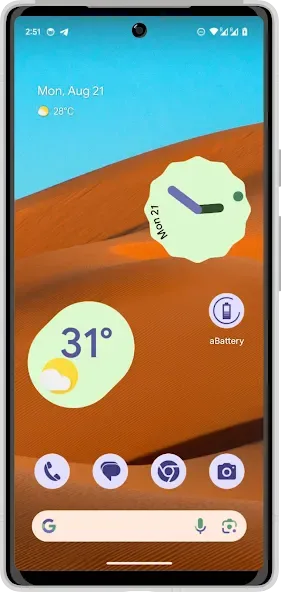
Open Battery Aid on your phone to load the dashboard with real time battery information.
Wait briefly while the app reads device metrics. If your device permits, the data appears automatically without extra steps.
Review health, maximum capacity in mAh, production date, and status details. Use the terms explained above to interpret each value.
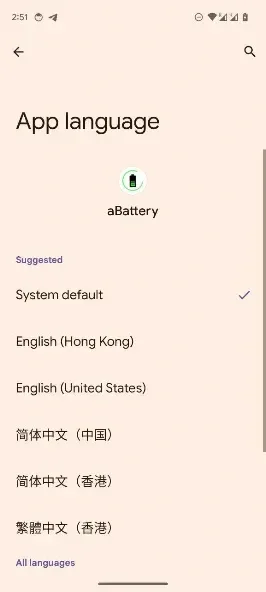
If you prefer another language, open settings in aBattery and select the language that is most comfortable for you.
Based on what you see, adjust habits like charging ranges and heat exposure to support better long term battery condition.
User comments
It does its job, keep it on your phone for at least 2 months if you want a reliable reading. Allow it to run in the background and it'll tell you the average battery health.
Finally, a real battery app that shows the exact cycle count, temperature plus the charging capabilities of my charging brick and cable, and my Galaxy S24. I don't need to guess anymore. Yay!
Useful app, altough i dont know what is the problem but im checking on my S24U and with 550 charge cycles im still at 100%. i dont know if its possible, but charge cycles tell a lot too, so im fine with it.
Summarize
Battery Aid is a handy tool that helps you easily manage and control the use of your battery, extending its lifetime considerably. With this tool, you'll stop all those unnecessary processes that use up energy and that way you'll be able to scrape out a few extra minutes of battery power.








