
Maxthon Web Browser is a top-tier browser that combines a sleek interface with a rich set of powerful features, giving users the freedom to access the websites that interest them. With Maxthon Web Browser, users can save various content and read it anytime in the browser. Thanks to the built-in note-taking tool, you can easily read, edit, and organize your saved items even when offline. Additionally, the app offers Incognito Mode and cross-device synchronization, ensuring a seamless transition of your browsing progress across different devices.
Click to load YouTube / 点击加载视频
YouTube ↗Highlights:
Data cleaning
Data cleaning enables automatic removal of browsing history and cookies upon exiting the browser.
Ad-blocking
Maxthon browser offers ad-blocking funtion in mobile versions, and optional extension in desktop.
Free VPN
Free VPN, provided by Bright Data, ensures secure browsing with robust anti-IP tracking features.
Incognito Mode
Incognito mode does not save any cookies or browsing history during your session, enabling easy private browsing.
Features:
BUILT-IN NOTE-TAKING TOOL- You can make notes easily while browsing the web. Collect and save any content you see on the web with one tap. Read, edit and organise your collection even offline.
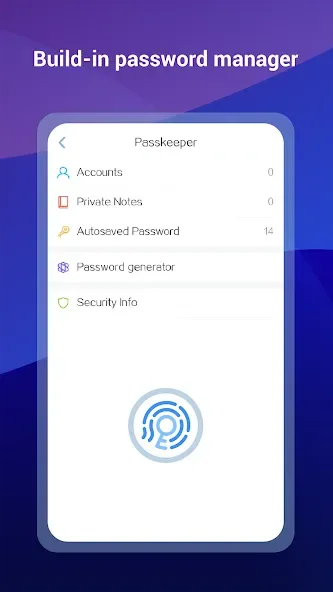
BUILT-IN PASSWORD MANAGER- It handles passwords for your, securely saves them and automatically fills them in next time you visit the site. Employing multiple encryption technologies, your passwords will never be safer.
NIGHT MODE- Are you a night owl? It’s time to say time to sore eyes. Read more comfortably in the dark with Maxthon now.
INCOGNITO MODE- Turn on Incognito mode in Maxthon and browse the mobile web without a trace.
SYNC ACROSS DEVICES- Access tabs, bookmarks & history from other devices, Pick up where you left off on your other devices and read offline.
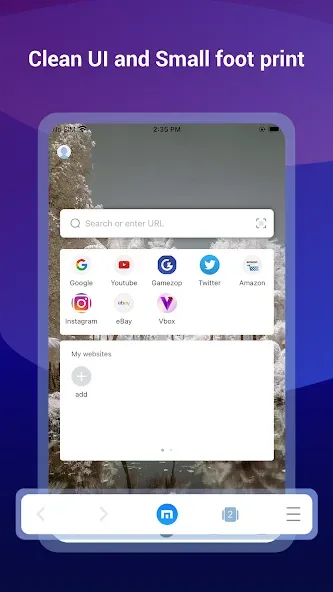
CUSTOMISABLE SPEED DIAL- Add your favourite websites, apps or even search result to speed dial, to visit them on the go with one touch.
SMART IMAGE DISPLAY- Help you control your mobile data usage and save money for you.
EASY MULTI TABS MANAGEMENTS- You can open as many tabs as you like, and switch or close with only one touch.
Tips for Users:
Quick-access bookmarks.
Possibility to create gesture commands.
Download and upload files to and from the cloud safely.
Possibility to share contents by mail, Facebook, Twitter and other social networks.
Reading mode.
Private browsing.
Tab-browsing and plenty of add-ons.
Compatible with Flash videos.
Changelog:
Read mode: add text-to-speech, media center controls
Bottom address bar: add refresh & read mode buttons
New note filter: view notes/URLs separately
Fixed QR code right-click recognition issue
Fixed sync error on note reordering
Downloads no longer require notification permissions by default
Conclusion:
Like the desktop version, the app includes several shortcuts. You slide your finger across the screen making different shapes to trigger different actions, which speeds things up no end. More interesting options in Maxthon browser include tabbed browsing, a powerful download manager and different customizable options. Maxthon Web Browser is a powerful and easy to use browser, and thanks to this app, its users can now continue using it on their Android terminal.








