

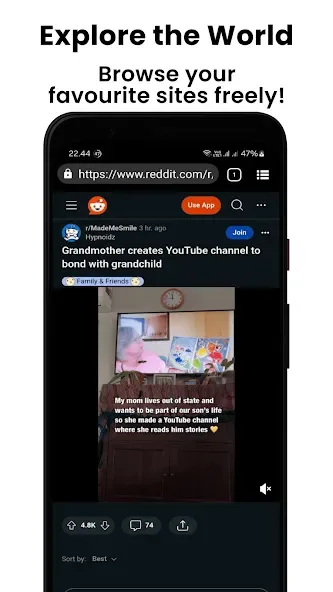
Private Proxy Browser Hub is a convenient and user-friendly browser tool. With minimal resource usage, it is ideal for entry-level devices and older models, catering to users who need quick access to restricted websites while maintaining privacy during their browsing sessions. In Private Proxy Browser Hub, users can either use the default proxy or configure their own proxy for greater control. Additionally, the app features an ad-blocking function that helps minimize distractions, allowing for a more immersive browsing experience.
Highlights:
Fast Browser
Browser Hub use the best proxy in order to make it really fast to browse the internet.
Lightweight Browser
As a secure browser vpn proxy, Browser Hub use less code and no boilerplate code.
Proxy Support
With Borwser Hub you can manage your own proxy either using your own proxy or the built in proxy.
Secure Browser
With proxy feature you can ensure that your communication is well encrypted. Browser Hub also can hide your ip too.
Ad Block
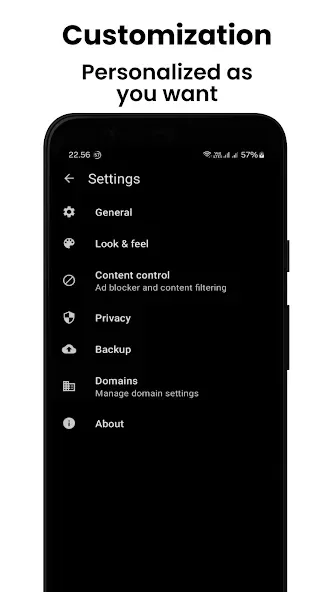
Private Proxy Browser Hub also comes with ad block support. You can use your own list or use the default.
Free
There is no hidden fees such as premium member or upgrade plans. Absolutely free browser vpn proxy.
Features:
Access blocked sites without a separate VPN
Private Proxy Browser Hub routes web requests through a proxy inside the browser, so you can open sites that may be restricted on your network. This works at the browser level and does not change system traffic. If a site still refuses connections, try adjusting proxy settings or choosing a different proxy endpoint.
Built-in and custom proxy options
You can use the default proxy or configure your own for more control. Add your proxy server details and, if required, credentials, then switch between options when needed. This flexibility helps you test different routes and pick the one that loads pages more reliably on your connection.
Fast and lightweight performance
Private Proxy Browser Hub keeps extra features to a minimum, which helps it start quickly and use less memory. Pages render with fewer interruptions, and older devices benefit from the reduced resource load. As a result, scrolling and basic tasks feel responsive even on low end hardware.
Private browsing within the app
The proxy can hide your IP from sites you visit, and the app states that communication is encrypted while in transit. Traffic outside the browser is not covered, so other apps on your device are unchanged. For sensitive activity, confirm the proxy provider’s policies and avoid logging into accounts on unfamiliar networks.
Ad blocker with custom lists
Private Proxy Browser Hub includes an ad blocker you can toggle on web pages. Use the default filter or import your own blocklists to reduce ads and known trackers. This applies to websites you visit; the app itself contains ads to remain free.
Tips for Users:
Open the app and allow it to finish initial setup. The default proxy and ad blocker controls are available in settings.
Go to Proxy settings, then choose the built-in proxy or add a custom one. Enter the server, port, and login details if needed.
Save your changes, return to the browser, and visit a previously blocked site. If it fails, pick another proxy or adjust settings.
Open Ad Block settings to enable the default filter. To import custom lists, paste a list URL or select a local file, then apply.
For speed issues, clear cache, reload, or switch to a nearer proxy. If pages break, toggle the ad blocker and refresh.
Final Words:
Private Proxy Browser Hub offers a proxy browser for accessing blocked sites and browsing the internet from an Android device without the need for an additional VPN. To get started quickly, download Private Proxy Browser Hub APK and follow the steps above to set your proxy and filters.








