

MAX Player is a powerful video player app. It supports all major video formats and delivers stunning high-definition playback, offering users an immersive viewing experience. With MAX Player, you can enjoy your favorite movies, music, and videos in breathtaking Full HD quality. The app also features a smart floating window and various playback modes, allowing you to easily multitask while watching. Packed with features like background playback, an equalizer, and video downloading, it comprehensively meets all your playback needs.
Highlights:
Clean interface optimized for big screens
Supports IPTV, VOD, TV Series & Catch-up
Favorite channels and search functionality
Scheduled EPG (TV Guide) updates
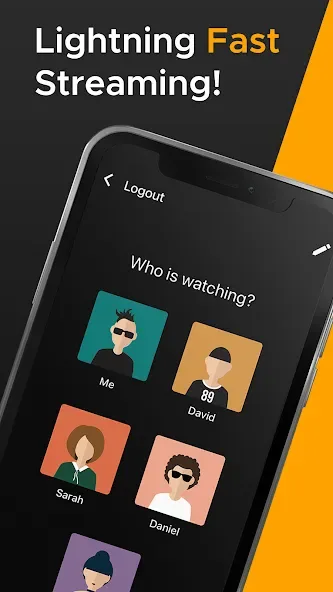
1 account supports up to 5 devices and 5 sub-users
Parental control and multi-language support
Works with M3U, Xtream Codes API & more
Features:
Live TV, VOD, Series, and Catch-up
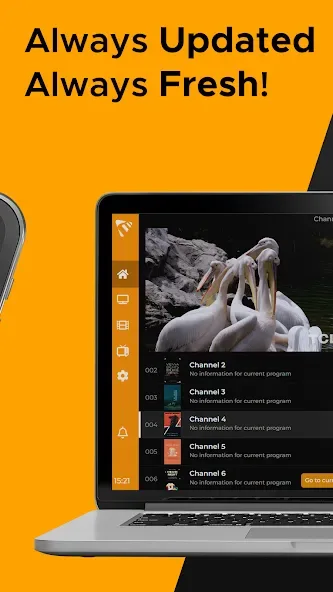
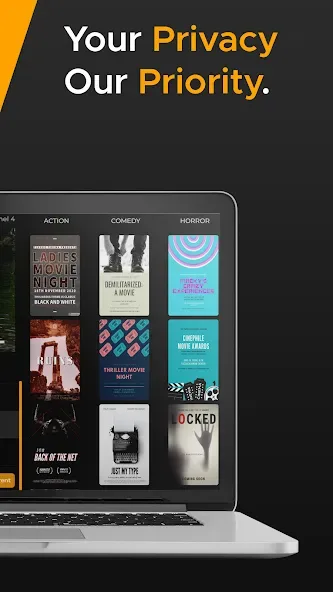
Max Player organizes your IPTV playlist into clear sections for Live TV, VOD, series, and catch up. Scheduled EPG updates provide current program information so you see what is on now and what comes next. This structure makes it easier to move between channels and on demand titles without switching apps.
TV optimized interface with Favorites and search
Max Player presents a clean layout that works well with remotes and touchscreens. You can mark channels or titles as Favorites for quick access. Additionally, fast search helps you find a channel or show by name without scrolling through long lists.
Cross device coverage
Max Player runs on Android TV, phones, and tablets, as well as Fire TV, Google TV, Apple TV, and Windows desktop. It also supports Samsung Tizen and LG webOS smart TVs. This broad coverage lets you keep the same viewing setup across living room TVs and personal devices.
Flexible account sharing and sub users
One account supports up to five devices and five sub users. You can create separate profiles so preferences and Favorites stay private for each viewer. For example, use the same account on a living room TV, a bedroom TV, a phone, a tablet, and a Windows PC while assigning profiles to different family members.
Playlist integration and compliance
Max Player supports M3U playlists and Xtream Codes API, so you can add content from your own provider. The app does not include streams or subscriptions, and it does not host any media. Users are responsible for adding valid credentials and following provider terms and regional laws.
Tips for Users:
Customize Your Viewing Experience: Utilize the video player's features such as equalizer, video cropping, and advanced decoder to personalize your viewing experience.
Multiplay Back Options: Take advantage of the auto rotation, aspect ratio, and screen lock features while watching videos to optimize your viewing experience.
Background Play Feature: Enjoy listening to music while watching videos with the background play feature, allowing you to multitask seamlessly on your device.
Changelog:
Localization Support
Layout changes
Autorotation and more...
Conclusion:
Download the MX Player APK and discover one of the best options available in the field of video players for Android. This app provides many features to help you watch your movies in the most comfortable way possible, but you can also enjoy an easy-to-use, comfortable, and very accessible interface. Thanks to the child lock, you can also let the little ones watch a movie without them being able to leave the app or cause any problems.








