
TweenCraft Cartoon Video Maker is a groundbreaking cartoon animation app. The app offers a wide variety of preset characters and backgrounds, and features simple animation tools, allowing users to express their personal style as they please. With TweenCraft Cartoon Video Maker, users can easily create captivating animations using ready-made character backgrounds and customizable virtual avatars. You can also enhance your videos by importing images, GIFs, and special effects, and share your masterpieces with the world.
Highlights:
Move character body parts with simple finger gestures.
Change facial expressions to match the moment.
Zoom and pan to frame each shot on your phone.
Adjust animation speed to suit the tone of the scene.
Features:
No Drawing or Animating: With the Tweencraft cartoon animation app, you don't need any drawing or animation skills to create your own animated videos. All you need is a story, idea, or joke.
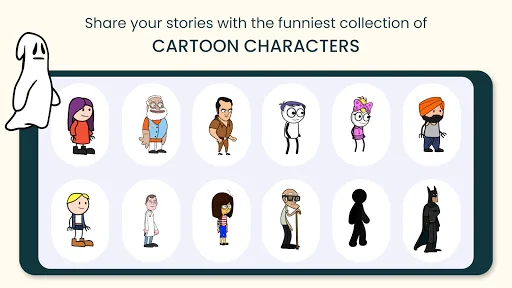
Premade Characters and Backgrounds: The app provides a wide range of characters and backgrounds that you can choose from to create your videos. Select any character or background that suits your storyline.
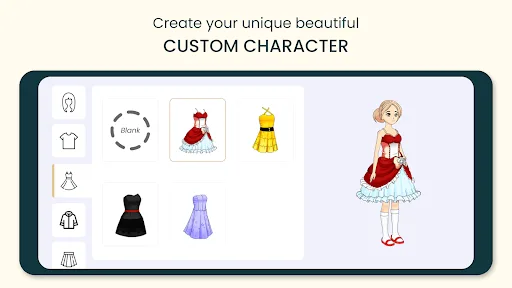
Customize Your Character: Personalize your avatar with a variety of items, including clothing, hairstyles, and jackets. Express yourself in any way you can imagine by creating a unique character.
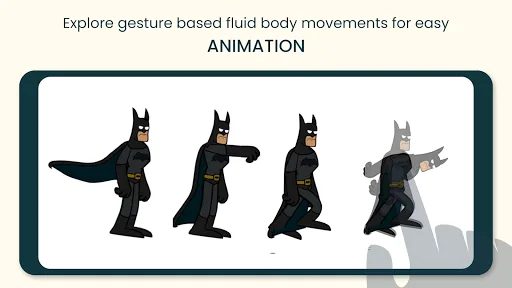
Easy Animation: Change or move the body parts of your characters, change their expressions, zoom in or out, pan the camera, adjust the speed, and more. All these animation features are easy to use with just a touch of your finger.
Record Your Dialogues: Use your own voice to record the dialogues for your characters. The app automatically turns your voice into a cartoony voice, and you can further customize the voice, pitch, and tempo.
Add Images and GIFs: Import your own images and GIFs to add additional visual elements to your videos. Enhance your storytelling by incorporating your own content.
Tips and Tricks:
Start with a Concept: Before diving into creating your cartoon video, have a clear concept or idea in mind. It could be a funny joke, an interesting story, or a simple message you want to convey.
Experiment with Customization: Take advantage of the customization options available and try out different combinations of clothing, hairstyles, and accessories to make your characters unique and visually appealing.
Practice Animation Techniques: Spend some time exploring the animation features of the app. Experiment with moving body parts, changing expressions, and adjusting the camera movements to bring your characters to life.
Utilize Visual and Audio Effects: Don't be afraid to explore the various visual and audio effects offered by the app. They can add a fun and engaging touch to your videos.
Engage with the Tweencraft Community: Share your videos on the public feed of the Tweencraft community and engage with other creative users. Receive feedback, gain inspiration, and collaborate with like-minded individuals.
Changelog:
Tapping a saved animation clip now replays it every time
Animation clips now play correctly when you play your story
Fixes for crashes when opening the character editor and when buying a subscription
General stability improvements
Final Words:
TweenCraft Cartoon Video Maker empowers users to express their creativity through dynamic cartoon animations, offering endless possibilities for entertainment and viral content creation across social media platforms.Download the app today and unleash your creativity!








