

The TQL Carrier Dashboard is a tool designed for carriers to manage their operations. It provides free access to TQL’s load board, allowing users to accept loads, submit quotes, and schedule appointments directly through the platform. It supports both automated and self-service dispatching, eliminating the need for phone calls. Users can upload documents to expedite payments and view real-time information on available capacity. The dashboard features filtering options and route preferences, as well as a built-in translation tool that supports multiple languages.
Features
Access to TQL’s free load board with 65,000+ available loads every week
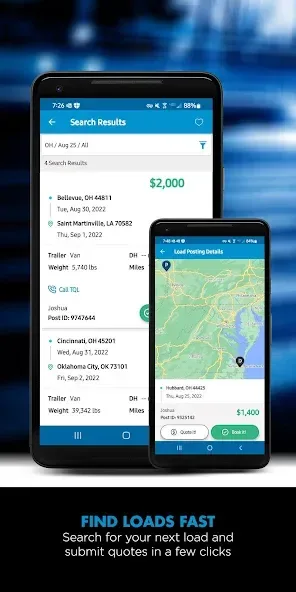
Unlimited load board searches and the ability to submit quotes on the loads you want
Instant load booking on select load postings with Book it Now
Submit quotes on the loads you want
Ability to dispatch yourself, no phone call required
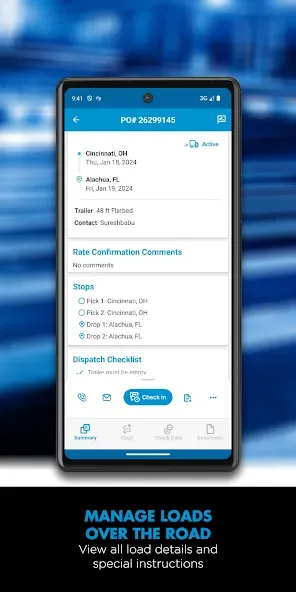
View booked shipment details, including addresses, directions, and load numbers
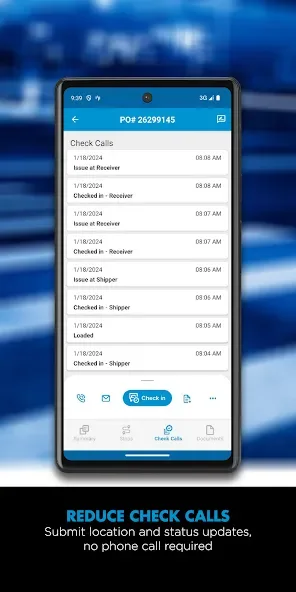
Reduced check calls by submitting location and status updates
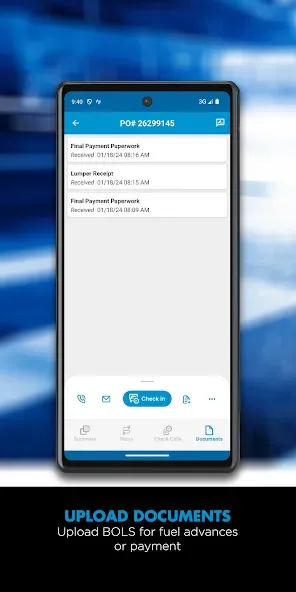
Faster payment processing with uploaded documents using your phone’s camera
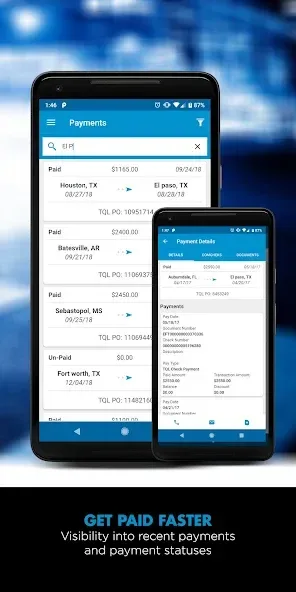
View payment history for completed loads
The option to post your truck and let the right load find you
Custom filters to set your load and lane search preferences
Conveniently find loads back home from your current location
Bilingual customer service
Update Log
A refreshed My Load Details experience with clearer, faster navigation.
Key actions like Check-In, load details, and documents are now easier to find.
Fewer taps to complete tasks and manage loads more efficiently.
Drop Trailer Check-In & Inspection Photo Upload
You can now check in your drop trailer digitally and upload inspection photos right in the app.
Quick, easy, and keeps you and your truck on the move!
FAQS
Is there a mobile app for the TQL Carrier Dashboard?
Yes, there is a mobile app available for both Android and iOS devices that allows carriers to manage loads and track shipments on-the-go.
What features are included in the TQL Carrier Dashboard?
Features include load tracking, shipment status updates, document uploads, freight invoicing, and communication tools with TQL representatives.
Do I need to pay to use the TQL Carrier Dashboard?
No, the TQL Carrier Dashboard is a free tool provided to all customers who partner with Total Quality Logistics.
Can I update my information on the TQL Carrier Dashboard?
Yes, carriers can update their profile information anytime through their dashboard account settings.
User comments
I used to haul almost exclusively for TQL and loved the company. I could not get the system to work so they told me to uninstall and reinstall. Now I cannot get it to reinstall. Which will not let me view what loads they have and now I hardly ever haul for them. The update is totally useless. By the time I can find one of their loads, I have somebody else asking for the truck. They got the update to work so now it's fine!
I highly recommend using the app because its a smooth experience and you can book loads fairly quick. Also,tracking is available thru the app to make it more transparent. Sometime the app doesnt always track 100% but that reduces check calls and so forth.
I'm Hiram Oliver and I approve this carrier tracking app. I wasn't paid. But they outa pay me! Lol. There's no issues with it. The app does what it's designed to do. Honestly, I don't know what to want more out of being tracked in real life my every move in this truck. But, hey. 2026!
Summarize
The TQL Carrier Dashboard is a free Android application designed for trucking companies to manage truckload freight efficiently. It provides a comprehensive platform for users to schedule, manage, and track shipments seamlessly. Key features include the ability to search for loads, compare rates across TQL-approved carriers, and book shipments directly through the app, ensuring that users can lock in rates and payments before hauling.








