
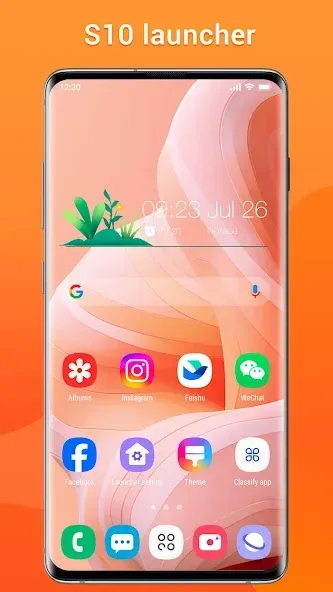
Super S10 Launcher, Galaxy S10 is a theme application designed specifically for Android devices. It offers a wide array of stunning themes and personalization options, along with practical tools and various widgets, allowing users to create a truly personalized user experience. With Super S10 Launcher, Galaxy S10, users can perfectly replicate the look and feel of flagship models, giving their phones the same visual style and operational experience as the originals. Additionally, the app provides a range of useful features, including custom sorting, a convenient sidebar tool, various gesture controls, and rounded screen corner effects.
Highlights:
Features and Functionality
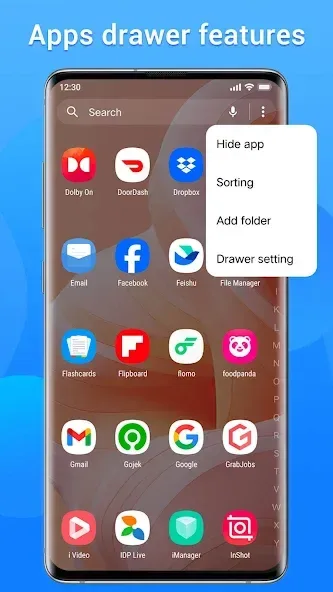
Super S10 Launcher incorporates a distinct Galaxy S10 theme, ensuring uniformity in app icons with its unique shape. It supports a variety of third-party icon packs, allowing for extensive customization options. The user can choose between horizontal or vertical app drawer styles and benefit from efficient app sorting by categories such as A-Z, most recent, or most used. The launcher includes practical tools found in the sidebar alongside various gesture actions like swipe and pinch, which facilitate smooth interaction with the device.
Customization and Privacy
Customization is a key element, with numerous options available for altering launcher grid size, icon size, colors, fonts, and more. Widgets complement this richness, offering choices like digital and analog clocks, weather displays, and photo frames. The Super S10 Launcher ensures user privacy with features allowing for the hiding and locking of apps and includes notification badges for calls, messages, and other apps. Rounded screen corners and multiple dock pages further enhance its visual appeal.
Additional Benefits
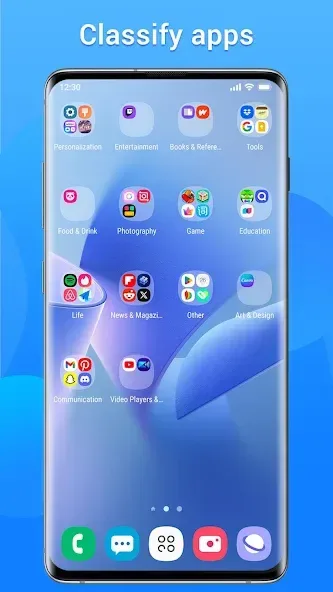
Users can effortlessly access apps using the T9 search feature and organize them in varied folder styles like standard, super, or private folders. The Super S10 Launcher not only replicates the Galaxy S10's aesthetic but also supports an auto-classification of apps into desktop folders, enriching the connectivity within the launcher. This app serves as a comprehensive tool for those seeking to personalize their Android experience with the modern touch of a Galaxy S10.
Features:
Unified icon shapes: Every application icon from third parties is wrapped in soft geometric frames, creating an extremely neat and professional home screen overall.
Corner rounding effect: A small but extremely expensive feature when it simulates the soft rounded corners of the infinity screen, helping the phone look much “sexier”.
Diverse theme store: If you are bored with the default interface, the massive built-in theme store is always ready to transform the style according to personal preferences at any time.
Smart app sorting: You can sort the app drawer by alphabetical order, frequency of use, or even installation time to access the fastest.
Advanced gesture control: The system fully supports various swipe up/down actions, pinching in/out, or two-finger gestures, helping the control of a large screen become easy with just one hand.
Privacy protection tools: I highly appreciate the ability to hide and lock sensitive applications right from the launcher, helping to protect personal data thoroughly without needing to install extra apps.
Pros & Cons:
Pros
Convincing Galaxy S10-inspired theme and icon treatment
Horizontal and vertical app drawers with flexible sorting
T9 search, gesture controls, and multiple dock pages
App hiding, locking, and private folders
Cons
Reported ads can interrupt app-drawer gestures
Not an official Samsung One UI launcher
Changelog:
Fixed two crash bugs
DEX optimized
Optimized the hidden app page
Optimized the app custom sorting page
Optimized the folder name display
Optimized the 3D wallpaper page
Conclusion:
Super S10 Launcher, Galaxy S10 offers a modern and powerful launcher experience with its Galaxy S10 style design. It caters to users who want to upgrade their old Galaxy phones or other Android devices to the latest Galaxy S10 look. With its vast customization options, handy tools, and widgets, it provides a user-friendly and personalized experience. Whether it is hiding apps for privacy, organizing apps with folders, or navigating easily with gestures, it offers a comprehensive package for users looking to enhance their smartphone experience. Download now and enjoy the benefits of Super S10 Launcher!








