
Universal TV Remote is a powerful yet user-friendly utility app. This application can completely replace traditional remote controls, is universal, and supports a variety of devices, such as air conditioners, projectors, TVs, set-top boxes, fans, amplifiers, etc. With its convenient interface, the app allows users to easily control all their devices, making it the ultimate remote control solution. Simply select the specific brand and model from the app's extensive database to effortlessly sync and control your equipment.
Highlights:
Search remote control by model: use electrical brand + model and search, find remote control quickly.
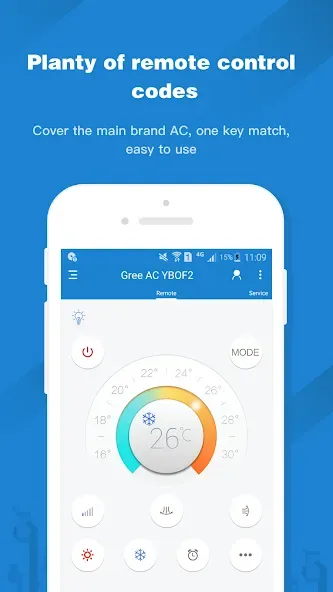
Huge remote control code library: database contains more than 300,000+ appliance remote controller, covering the global 8000+ appliance brand, supporting remote control air conditioning, TV, set-top box, projector, DVD, power amplifier, fan, SLR, switch / light bulb and dozens of household appliances. Software built-in 8W+ remote controller code library, and can control without the network.
DIY remote control: Remote control(Universal) supports DIY remote control function, using Remote control(Universal) accessory, you can learn the original remote control signal to the phone. DIY perfect remote codes so that people will pay for it.
Features:
Broad device and phone support
Universal TV Remote works on phones with an infrared blaster from brands like Samsung, Xiaomi, HUAWEI, OPPO, Lenovo, HTC, and TCL. You can control TVs, air conditioners, set-top boxes, projectors, DVD players, fans, SLRs, and lamps from your phone. If your phone lacks infrared, the app provides guidance for using a compatible remote accessory. During use, it may request location for local IR data, storage for saving remotes, microphone for voice control, camera for QR scanning, and device ID for managing product exchanges.
Model-based remote search
Search by brand and model to find a matching remote quickly. This helps you avoid lengthy trial and error and reach a working button layout in fewer steps.
Extensive offline IR codes
The app includes a local IR database and a crowdsourced database with hundreds of thousands of remote profiles across more than eight thousand brands. Many codes are stored on the device, so you can keep controlling appliances even when there is no network connection.
DIY learning for uncommon remotes
With the supported accessory, you can learn signals from an original remote and save them on your phone. This is useful for rare models or special buttons that are not covered by standard code sets.
Tips and Tricks:
First, connect your phone and Smart TV to the same Wi‑Fi. If you use a Non Smart TV, confirm that your phone has an IR blaster.
Next, open the app and allow any permissions needed to discover devices. Choose your TV brand so the app can scan and list available TVs.
Then, select your TV from the list and follow the on‑screen prompts to pair. Confirm any code or permission shown on the TV to complete the connection.
After pairing, test power, volume, and channel controls. For Non Smart TVs, point the phone at the TV’s IR sensor and try the recommended remote codes.
Finally, to cast or mirror, open the Cast or Mirror section in the app. Pick photos, videos, or music to cast, or choose screen mirroring and follow the prompts.
FAQs:
Is this app free to download?
Yes, Universal TV Remote is completely free to download and use, with no hidden charges.
Which TVs are supported by the app?
The app supports TVs from 2010 with Internet TV feature and later models with AllShare feature, as well as Blu-ray Disc Players released in 2011 with Smart Hub feature.
Do I need any external hardware for this app to work?
No, you do not need any external hardware for the app to function properly.
Conclusion:
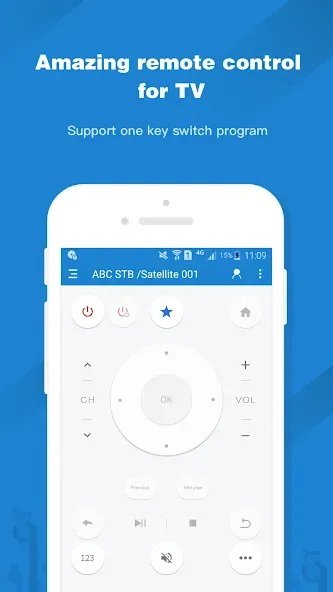
With Universal TV Remote, you can change channels, turn the volume up and down, pause, fast forward, select apps (on a Smart TV), and much more with ease. Depending on your TV model, in fact, you will see one version of the remote control or another. In addition, the app allows you to save a remote control in favorites. Universal TV Remote is a very useful app, so you never have to worry about losing your TV remote control again. Download the Universal TV Remote APK here.








