
Video Star Pro is a powerful video editing application. This application boasts a clean and intuitive interface design and offers a wealth of special effects and editing tools. Whether you are an experienced professional or a beginner, you can easily get started and unleash your creative talent. With Video Star Pro, you can transform raw footage into captivating works of art in just a few simple steps. Furthermore, the app includes a rich library of music, allowing you to add the perfect background track to your videos and elevate the overall audiovisual experience.
Highlgihts:
Editing tools are not restricted by a paywall
Includes trimming, correction controls, slow motion, and compression
Filters, frames, emojis, and stickers suit vlog creation
Supports several export resolution choices
Features:
Complete Editing Suite
Video Star Pro provides a robust video editing platform right at your fingertips. Cut, trim, and merge video clips effortlessly. Add text, apply filters, and experiment with a wide range of special effects to bring your vision to life. With Video Star, you have access to a professional-grade toolkit.
Engaging Effects and Transitions
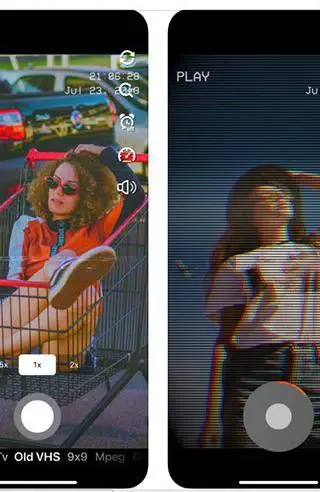
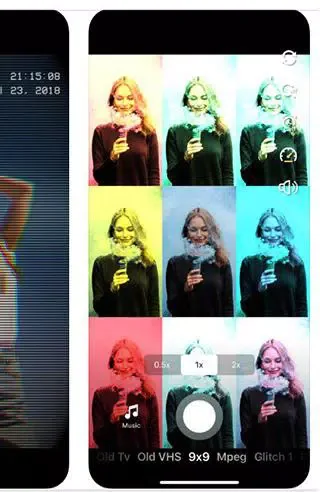
Take your videos to the next level with a variety of dynamic effects and smooth transitions. Video Star Pro offers an array of options to transform your footage into eye-catching masterpieces. From glitch effects to retro styles, you can create content that stands out and resonates with viewers.
Music and Sound Effects
Enhance your video's atmosphere with the perfect background music or sound effects from Video Star Pro's extensive library. Tailor the mood to match your video's theme, whether it's an upbeat vlog or a dramatic short film. Elevate your storytelling with the power of audio.
Share and Inspire
Once your creation is complete, share it directly from Video Star Pro to your favorite social media platforms. Inspire others with your unique videos, gain followers, and engage with a community of creators just like you. Video Star Pro makes it simple to share your work and grow your online presence.
Tips and Tricks:
Experiment with different effects
Don't be afraid to try out different effects and see what works best for your video. Mix and match filters, stickers, and animations to create a unique look that stands out.
Pay attention to music selection
Choosing the right music for your video can greatly enhance its impact. Consider the mood and tempo of the song, and how it complements the visuals you have created.
Utilize the editing tools
Take advantage of Video Star Pro's editing tools to trim, crop, and adjust the speed of your videos. These features can help you fine-tune your creations and make them more polished.
Conclusion:
With Video Star Pro, creating captivating videos has never been easier. With its wide range of effects, customizable settings, and seamless music integration, this app is a must-have for anyone looking to showcase their creativity. So why wait? Download Video Star Pro now and start unleashing your inner video editing skills!








