

Automatic Scroll is a text-scrolling tool designed for mobile devices, allowing users to go hands-free as the screen scrolls automatically, resulting in a more comfortable user experience. Users can customize the scrolling direction, speed range, and delay, creating an ideal environment for reading or working with text and boosting overall efficiency. The app also features a night mode, which adjusts screen brightness and scrolling speed based on the user's environment to help reduce eye strain. It automatically overlays other applications and text, enabling users to scroll through content freely without encountering any restrictions.
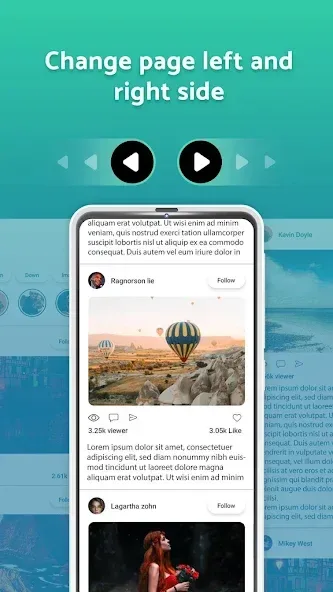
Features of Automatic Scroll:
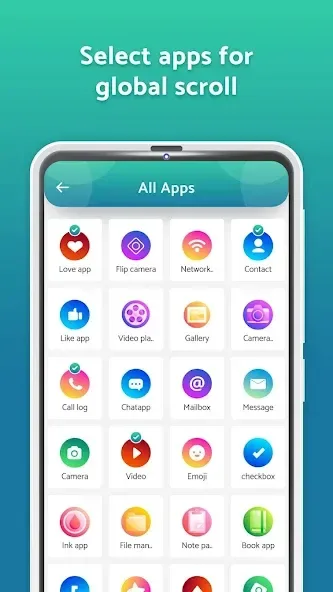
App-Specific Personalization: You can tailor the scrolling behavior for individual applications. Set a specific speed for your e-reader and a completely different one for your web browser or social feed.
Visual Comfort Options: Beyond movement, the app provides visual enhancements to ensure that your eyes stay fresh and focused, even during those extended late-night reading sessions.
Floating Control Widget: A sleek, non-intrusive interface that stays on top of your apps, allowing you to start, stop, or adjust settings instantly without ever having to switch windows or interrupt your flow.
Ergonomic Health & Comfort: Long-term mobile use can lead to hand strain and repetitive stress injuries. Automatic Scroll acts as a vital accessibility tool, reducing physical fatigue and making your device usage much more ergonomic.
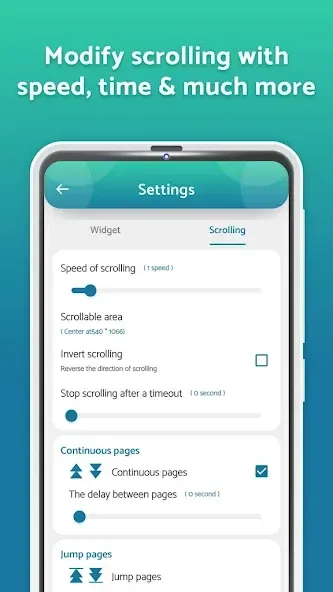
Functions of Automatic Scroll:
Complete textual content shipment scrolling is Supported with custom controls;
The modes of scrolling can be vertical or horizontal;
Enables instant vertical and horizontal content scrolling to the bottom or top;
Scrolling can automatically be set to start when a selected app is opened;
Control scroll settings per app with options for speed, direction, and delay;
Scrolling settings can be modified by the notifications panel;
Scroll settings for reversal, direction, page size, timeout, and color.
User Reviews of Automatic Scroll:
I really like the idea of this app that you will not essert effort to scroll up and down to any site and as for manhwa/manga lover like myself it really good. Also one of the best auto scrolling app that I have downloaded so far. I have just one bit of problem/concert. I can't have a full view of the manhwa that I read in chrome when using the app, but when I scroll it manually I get the full view that I wanted. What I say is the tab or ribbon like, that hides when you continuously scrolling.
It functions very well, I like that it's very reliable especially when I want to read while doing some stuffs or my hand getting tired for scrolling to long. Overall best auto scroll app for reading. And I love that it has Less ADS. ADJUSTABLE. USABLE all the time.
great app. seems to work great on pixel. $15 A WEEK !!?? THAT IS AN OUTRAGEOUS PRICE. I would gladly pay $50 for this app. but $60 a month!!? I wouldn't pay that much if the app gave me a back rub everyday... please let me know if I'm mistaken, but I'm reading $15 a week subscription to disable ads. not unless it also cures my baldness.
This is the best auto scrolling app in this platform. I tried other apps but most of them are half baked copies of this app. One app has a timer feature that goes from 1 to 100 seconds, it can't operate infinitely unlike this app. Another app has the delay scrolling time but it is hard to precisely input the values.
Summary:
Automatic Scroll will bring you a greatly helpful program with highlights. You do not have to utilize your hands to scroll physically any longer. Bringing you an unused and extremely interesting experience.








