
Force LTE Only is a powerful network control tool. It allows users to easily switch between 5G, 4G, and 3G networks, ensuring you remain connected to the specific network of your choice. With Force LTE Only, you can select and lock onto your preferred network, eliminating the risk of automatic network switching and putting an end to frustrating signal fluctuations. If you have a 5G data allowance but would incur extra charges by using a 4G network, this app is the perfect solution. By setting your network to "LTE Only," you can avoid unnecessary costs and make the most of your 5G data.
Highlights:
Stop automatic switching: The application will stop automatically switching between 4G/3G/2G networks and maintain a stable connection.
Lock preferred network: The system locks your preferred network and maintains the connection exactly where you want without interruption.
Perfect for users: The application is perfect for users with specific data plans that need stable, reliable network performance throughout the day.
Lock to 4G: Users can lock to 4G when you get free LTE data transmission, effectively avoiding unnecessary 3G usage fees.
Optimize your plan: The system helps optimize your mobile plan by using the most cost-effective mobile networks available.
Prevent unexpected bills: The application will prevent unexpected bills from automatic network switching that can cost you an unnecessary amount of money.
Features:
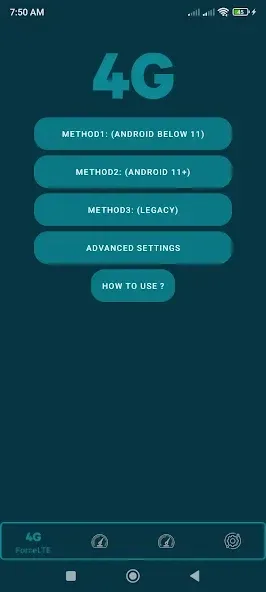
The app can hold a phone on 3G, 4G, or 5G rather than letting Android change networks automatically. It presents three access methods for different Android generations, including a Legacy option for older devices. This suits users with reliable LTE or 5G coverage who care more about consistent mobile data than automatic fallback.
Device compatibility is the first catch. The developer acknowledges that some phone brands block forced network switching, so the app cannot guarantee support across all Android hardware.
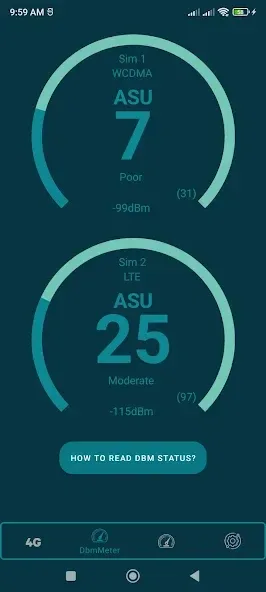
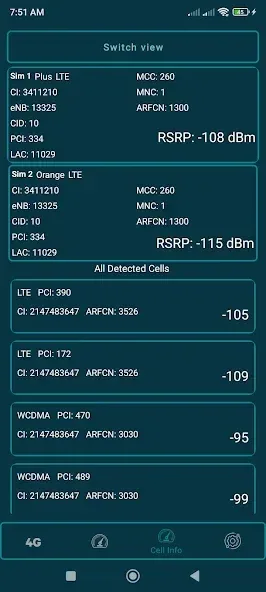
Beyond network locking, separate tabs provide technical information about nearby Wi-Fi networks, including IP and MAC addresses, frequencies, and channels. The mobile data area can also show the estimated distance to nearby telecommunications towers. These extras are worthwhile for diagnosing connection problems, though they are secondary to the locking tool.
Tips and Tricks:
This application provides a simple interface that enables users to select their preferred network type. It caters to those who may want to avoid unexpected charges associated with using 3G or lower network types. The app focuses on providing a reliable connection by allowing users to lock their devices onto the LTE network, minimizing interruptions caused by automatic switching.
It is important to note that the ability to force LTE may vary based on the specific brand of the device. Some phone manufacturers may restrict the option to change network settings, impacting the app's functionality. Users are encouraged to understand that the app's performance is dependent on their device's compatibility. Therefore, individuals should not rate the app negatively if it does not work on their particular phone model, as this limitation is beyond the control of the app developers.
Force LTE Only is designed to work with Android 11 and newer versions, as well as devices equipped with 5G capabilities. This makes it a suitable choice for users looking to optimize their connectivity on modern devices. The app's focus on LTE connectivity can be especially beneficial in areas where 4G networks are more reliable than older technologies.
Changelog:
- Updated support for newer Android versions
- Improved signal, cell and Wi-Fi information screens
- Improved charts
- Fixed stability issues and improved overall performance
Conclusion:
In conclusion, Force LTE Only supports users in managing their mobile network connections effectively. With its straightforward interface, the app allows users to prioritize LTE connectivity, providing a reliable alternative to automatic switching between different network types. The focus on user control and flexibility makes it a valuable tool for individuals seeking to optimize their mobile data experience.








