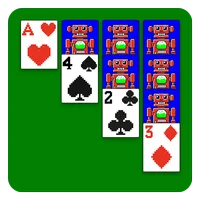
Welcome to Solitaire Retro, the ultimate pixel art version of the classic card game! With our dedication to delivering the best gaming experience and design, you'll be completely immersed in this timeless game. Join the thousands of players already addicted to our comprehensive and fun-packed version of solitaire. Choose from different game modes, such as standard or Vegas, 1 or 3 card draw, portrait or landscape mode, and even play left or right-handed. Enjoy complete functionality with customizable cards and boards, full statistics, automatic game saving, and unlimited move cancellation. Experience an optimal playing experience with easy card movement, automatic turn-ending, and intelligent help. If you encounter any issues, please don't hesitate to contact us.
Features:
Pixel Art Design
The app features a unique pixel art design that gives the classic solitaire game a fresh and nostalgic look. It makes the gaming experience visually appealing and different from other solitaire apps, transporting you back in time while you enjoy the game.
Multiple Game Modes
There are various game modes available, such as the standard or Vegas mode, with options for 1 or 3 - card draw. You can also choose between portrait or landscape mode and play either left or right - handed. This diversity caters to different preferences and playing styles.
Customization Options
You can customize your cards and boards to your liking. This personal touch allows you to create a unique gaming environment, making each game session feel special and tailored to your own taste.
Comprehensive Statistics
Full statistics are provided, giving you insights into your gameplay. You can track your progress, see your win - loss ratio, and analyze your performance over time to improve your skills.
Flexible Gameplay Features
Games are automatically saved, and you can cancel moves as many times as you want. There's also intelligent help available. These features make the game more convenient and less frustrating, allowing you to play at your own pace.
Smooth Playing Experience
Playing and moving cards is easy, as you can simply touch a card to move it automatically. The game also automatically ends your turn on solitaire, ensuring a seamless and enjoyable gaming process.
Tips for Users:
Start with Standard Solitaire: If you're new to the game, start with the standard solitaire mode. It's a great way to familiarize yourself with the rules and mechanics before trying out the more advanced Vegas mode.
Experiment with Different Card Draws: Play around with the different card draw options. The 1 card draw provides a more challenging gameplay experience, while the 3 card draw offers more opportunities for strategic moves.
Customize Your Game: Don't forget to personalize your cards and boards! Choose a design that speaks to your style and enhances your gaming experience.
Functions:
Solvable Deals: Select the solvable deal option from the New Game window to play solvable deals. An algorithm will work for you to find a solvable game of your specified game type so an online connection is not needed for this feature to work.
Card Animations: You can choose different card animations from the Settings window. This includes stars, points and card placement animations.
Swipe Gestures: Swipe on an empty area to perform an action. Press and hold on an empty area to see the allowed swipe gesture area and the actions you can perform. Check out the How To Play window for a visual tutorial.
Controls Bar (Bottom Bar): Tap on an empty area or hold the bottom bar and swipe it down to hide the bottom controls bar. Swipe up or tap on empty area to show the bottom bar again.
Themes: You can select the deck, card back and background of a theme separately so you can mix and match elements of different themes. Unlock themes with the coins you earn by playing deals in Solitaire.
Conclusion:
Explore the world of Solitaire Retro, a pixel-art version of the popular classic card game. With a range of game modes, customization options, and full functionality, this app promises an optimal playing experience. Enjoy the convenience of automatic game saves, unlimited move cancellations, and intelligent help when needed. Whether you're a casual player or a solitaire enthusiast, Solitaire Retro is sure to provide endless hours of addictive fun. Join thousands of players already hooked and download Solitaire Retro now!