

JTInstagram is a modified version of Instagram. It boasts beautiful visuals and introduces several exclusive features, allowing users to download high-resolution photos and videos. With JTInstagram, you can enjoy an ad-free Instagram experience, enabling faster content browsing and reducing lag during extended use. You can easily stay connected and engaged with the world around you. The app offers a wealth of features, including photo viewing and zooming, automatic language translation, and multiple account support.
Highlights:
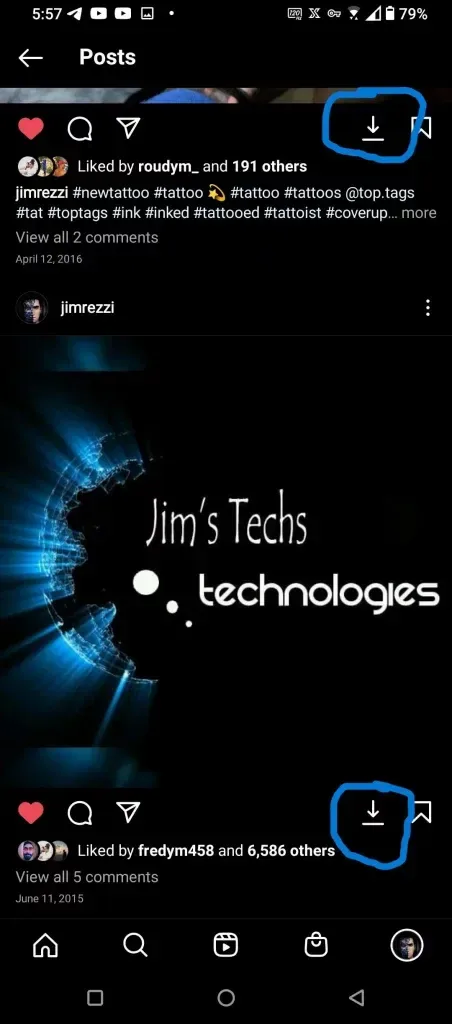
It enables you to download images and videos from Instagram and save them to your smartphone.
It enables you to hide stories and live broadcasts to people of your choice.
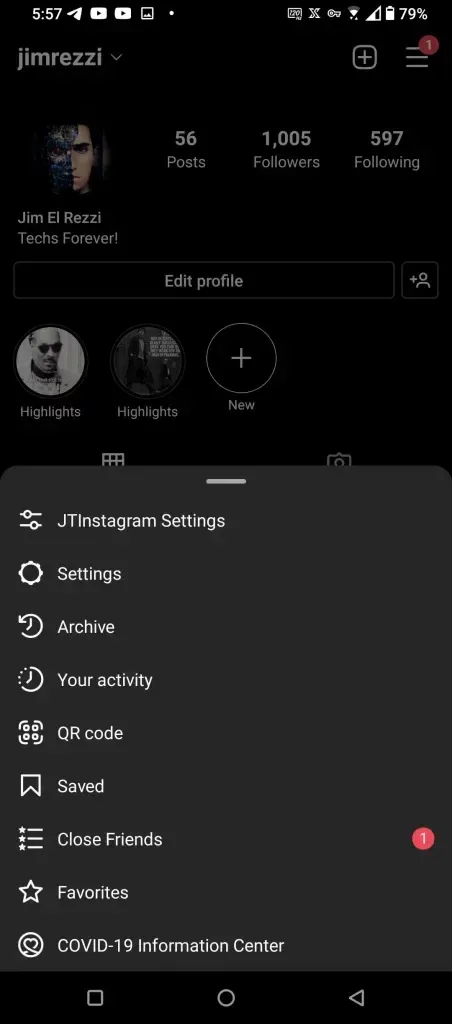
It includes an interesting ghost mode that lets users hide all their activity on the social network. For example, other users will not see that you have seen their stories, nor will your messages appear as read, and it also hides the "writing" message from DMs.
You can configure the option to reply to messages to everyone, only to people you know, or disable all replies.
You can enable or disable the Share option. If disabled, other users will not be able to share your content on their profiles.
Does not display ads (if disabled in the privacy menu).
The user can create an archive of their stories that will be saved for one month.
It lets you improve the quality of images, IGTV videos, reels, and stories.
Features:
Download pictures and videos: this allows you to download images and videos and save them onto your device, after that it also allows you to delete the original application and save on space using it as the main platform for accessing your IG account
Close Friends List: you can create your list of close friends from out of your follower list, and choose to share your story with them alone.
Hide Stories from List: this allows you to hide all photos and videos that you would like to post on your stories from specific people of your choosing, and this includes live videos.
Allow Message Replies: you can choose to allow, message replies to either everyone, or people you know, or disable replies entirely.
Save Story to Archive: Save live to archive – Your live videos can be saved to your archives for 30 days of which, only you can see them.
Sharing: When you turn this off, other people would not be able to add your feed posts to their stories. By all means, this also applies to sharing photos and videos from your story as messages because you can toggle this feature on and off as you, please.
No Advertisements: get an ad-free platform that allows you to view the important stuff on your feed alone.
Tips for Users:
Explore Different Topics: This app offers a wide range of news and information on various topics. Take advantage of this feature by exploring different topics and staying informed on your areas of interest.
Connect and Interact: Use this app to connect and interact with others. Share your images and status, create chat groups, and send messages to your friends and family. Take the opportunity to engage in conversations and build connections.
Utilize Unique Features: Take advantage of the unique features offered by this app, such as the ability to zoom in and out on photos, translate languages automatically, and use multiple accounts at the same time. These features enhance the user experience and make this app stand out from other social media platforms.
FAQs:
What is JTInstagram and how does it work?
JTInstagram is a modified Android Instagram client that keeps the original interface but adds tools like media download buttons, ghost mode, and extra privacy controls.
Can JTInstagram download photos and videos from posts and reels?
Yes, it includes a built-in download button under posts, reels, and videos so files can be saved directly to the device storage.
Is JTInstagram APK safe to use with my Instagram account?
It is a third-party mod, so safety depends on the source file and usage. There is a possible account risk because it is not an official client.
Who should use JTInstagram APK?
Android users who want offline media saving, stricter privacy behavior, and more control over stories and messages will find it most useful.
Conclusion:
This app fits Android users who want extra control over downloads, visibility, and messaging behavior. It is most useful for people who regularly save posts, track trends, or prefer quieter social activity without read markers and typing indicators. Beginners who only need basic posting and chatting usually do fine with the standard app.








