

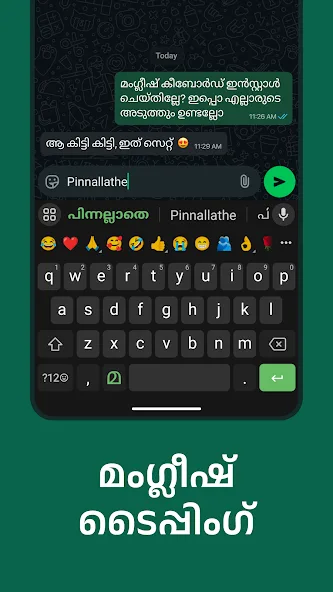
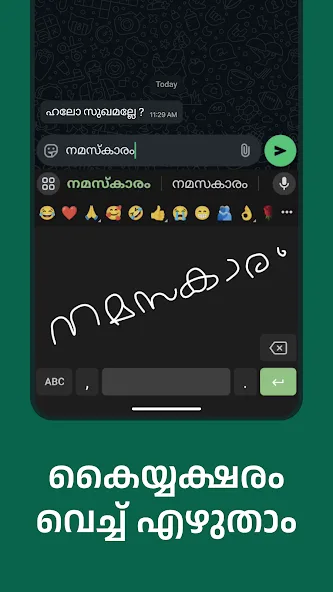
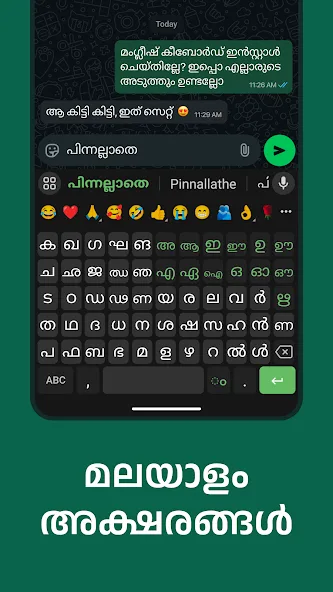
Manglish Keyboard is a mobile input method extension application designed specifically for Malayalam. It supports real-time transcription of Malayalam from English letters, significantly improving efficiency for local language input, chatting, collaboration, and social networking. It also features a language switch key for quick switching between English and Malayalam, meeting the needs of multilingual input. Furthermore, Manglish Keyboard supports customizable settings such as key sound effects, vibration feedback, and the display of number and emoji rows, enhancing the user experience.
Click to load YouTube / 点击加载视频
YouTube ↗How to use:
1.Open Manglish Keyboard from your apps after installing
- Enable and choose Manglish as your keyboard
- Customize settings and choose any of the amazing themes
- Start typing Malayalam everywhere
- Spice up your conversations by using Malayalam photo comments from our curated movie dialogue
Function:
When typing English, tap the മ button on the left side of space key to get English suggestions. Tap it again to go back to Malayalam mode.
Tap on Stickers and find interesting stickers from your existing chats and also discover new ones
Use the Clipboard to easily paste frequent messages.
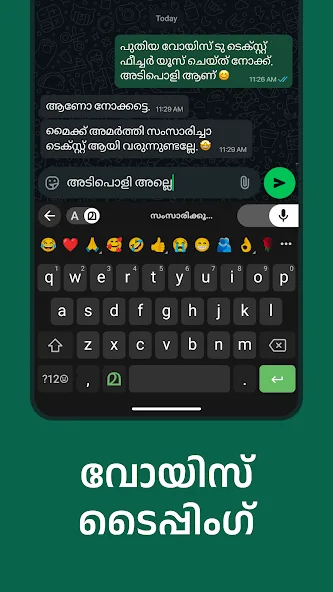
App Search & Suggestions appear automatically, when you search inside supported apps. Easily find the apps on your phone and also discover new apps & websites relevant for you.
Features:
Easily type manglish from english.
50+ Colorful themes.
Provide 1500+ cool emojis.
Lots of sticker and GIFs and you can also download from online.
Type manglish from english keyboard. type word and press on space to convert into manglish language.
Highlights:
BigMojis
Get Emoji suggestions based on your typed text.
Send BigMojis as stickers from the emoji panel by long pressing and make conversations more fun.
Have fun sharing BigMojis with a hilarious sound effect.
Cartoon Head
Create your own stickers with the cartoon bobble head function with your selfie or friend’s photo.
Send stickers in Malayalam having your own sticker head over chats.
Share Malayalam or Manglish texts with stickers and GIFs with this Keyboard.
Download other popular stickers pack, GIFs pack and add your bobble head and have fun
Beautiful and Customized Themes
Select from the library of beautiful themes.
Personalize your own theme with your photos.
Explore and enjoy Live Themes
Get Live IPL Scores and Updates on Your Keyboard with IPL themes
Latest and Stylish Fonts
Send text in various stylish and latest fonts to make conversations more fun.
Use the latest and stylish font text in emails or other social media platforms.
Create beautiful text with stylish fonts for various other purposes.
With more than 30 cool fonts — You can also make your text bold, italic, underline, or strikethrough
Personalized Content with Malayalam(ലയാളം) / Manglish Keyboard
Hilarious, fun stickers & GIFs
Create your unique bobblehead caricature with your own selfies or friends and families.
Type in your own beloved Malayalam language and get stickers and gifs
Make a theme with your personalized photo or choose amongst many default refreshing themes available.
Type your message and press the GIF button to get exact same GIF
Style your Malayalam text messages with many tons of different stylish fonts.
User reviews
this app is very good for using we can change keyboard background. mic available 3languages emogie row in malayalam typing is very good in this app. we can double tap the arrow and all the letters while come as capital letter when we type in the app top of the keyboard install this app adds we can take premium is very low budget plan also available if we have Play Store discount coupon we can get the discount also this app is very user friendly i recommended this app ads not disturbing typing.
i love it. better than any app. very easy to type malayalam. so many suggestionsare available .. Everything is here in this app. Switching is very easy. voice typing saves time. mic is super. Everything is super
When I try to confirm a word I type in this app, the first word that comes up for confirmation is some other word that I didn't type. Why is this happening? This needs to be fixed anyway








