

Cash App is a multi-functional mobile payment and financial services platform. It not only supports instant transfers and receipts but also integrates savings, investment, cashback on purchases, and cryptocurrency trading, making it a one-stop solution. The software uses two-factor authentication and offers a one-click card locking function, enhancing account security and preventing card loss or fraudulent use. Furthermore, all user transaction records are synchronized in real time, allowing parents to monitor their children's account spending.
Click to load YouTube / 点击加载视频
YouTube ↗How to use:
Getting started is straightforward and takes only a few minutes. After you download Cash App, basic setup creates your $Cashtag and connects your funding sources. The steps below outline a simple flow from sign up to making your first payment.
Open the app, enter your email or phone number, and create your profile. Choose a $Cashtag that friends can use to find you, then add basic security like a passcode.
Next, link a bank account or a debit card to add and withdraw money. You can also add cash at select retail locations if available in your area.
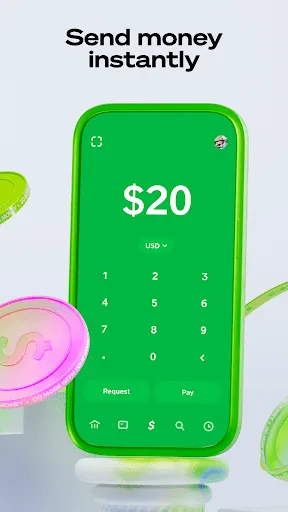
To pay someone, tap Pay, enter an amount, and select a recipient by $Cashtag, phone, email, or scan a QR code. Add a note if you want, then confirm with Security Lock before sending.
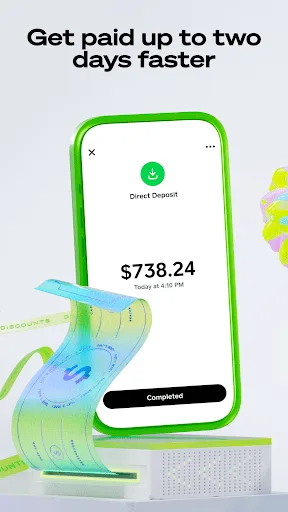
To get paid early, go to direct deposit settings and locate your routing and account numbers. Share them with your employer or benefits provider to start depositing into Cash App.
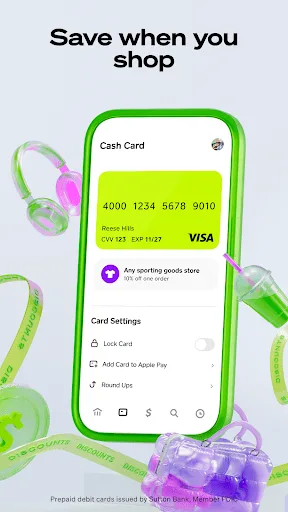
If you want a debit card, order the Cash App Card from the Card tab and follow the prompts to activate it. After that, add Boosts for weekly cash back and turn on purchase alerts.
Features:
Earn Referral Money:
Refer Cash App to your friends and family and earn $15 instantly once your friend sign-up into the app. The referer and one who used the referral will both get money from the cash app for signup.
Instant Money Transaction:
The transaction in Cash App is instant. If you send money by other methods, such as bank transfers, it might take 2 hours to 2 days maximum, but the cash app has now solved this problem. You can also request money from your friends and family through Cash App.
Safe Money Transaction:
The money transaction in Cashapp Apk is safe and secure. The app has its own lock and OTP system to safeguard your account. You have to enter a code or OTP every time you send money to someone else.
Scan To Pay:
To pay someone through normal banking methods, we have to fill in lots of details like Swift Code, IFSC Code, Account Number, Bank name and much more, which is hectic. Now you can scan the QR code to pay. You can also use Cashapp’s Unique ID to send money.
Link Bank Accounts:
Users can receive money without adding a bank account, but to pay someone, you must link your bank account to Cashapp Apk.
Discounts with Cashapp:
You can find a lot of discount options on the popular brand, which is available only for cash app users. You can either purchase their product online or use the cash app to pay directly in the nearby shop.
Buy and Sell Bitcoins:
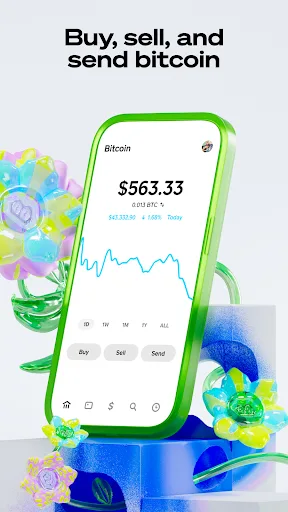
Cash App allows users to buy and sell bitcoin easily. Currently, only bitcoin is available, but they will add more cryptocurrencies to Cash App in the future.
Pros and Cons:
Pros
Simple money transfers
Built-in investing options
Intuitive user interface
Cash Card integration
Cons
Basic crypto features
Limited budgeting tools
Weak customer support
FAQs:
What is Cash App?
Cash App is a mobile payment service developed by Square, Inc. that allows users to send and receive money, make purchases, and invest in stocks and Bitcoin.
Is Cash App free to use?
Cash App is free to download and use for sending and receiving money. However, there are fees for instant transfers, certain cash outs, and purchasing Bitcoin.
How do I create a Cash App account?
To create an account, download the Cash App from the App Store or Google Play, enter your mobile phone number or email address, and follow the prompts to set up your account.
Can I use Cash App internationally?
Cash App is currently only available in the United States and the UK. International transactions are not supported.
How do I send money using Cash App?
To send money, open the app, enter the amount you want to send, tap 'Pay', enter the recipient's cash tag or phone number, add a note if desired, and tap 'Pay' again.
What should I do if I encounter issues with my Cash App payment?
If you experience issues, check the payment status in your activity feed. If needed, you can contact Cash App support via the app or website for further assistance.
Is my money safe on Cash App?
Cash App employs encryption and security features to protect your data and transactions. However, it's important to keep your account secure by using strong passwords and enabling two-factor authentication.
Can I get a Cash Card with Cash App?
Yes, you can order a Cash Card, which is a customizable debit card linked to your Cash App account that allows you to spend your balance anywhere that accepts Visa.
How does investing work on Cash App?
Cash App allows users to buy stocks directly from their app with no commission fees. Users can start investing with as little as $1.
What is Bitcoin on Cash App?
Cash App allows users to buy, sell, and store Bitcoin. You can buy Bitcoin using your Cash App balance or linked bank account.
Summary:
With an easy-to-use interface, Cash App is friendly to users in personal financial transactions. Security is guaranteed by measures such as PIN codes, fingerprinting, and data encryption. This application has become necessary in daily financial management, especially in the context of increasingly developing financial technology.








