
iCircuit Electronics Simulator is an electronic simulation tool. Here, you can realistically simulate real-world circuits like a Rubik's Cube, adding various devices including signal generators, electronics, diodes, and more. This allows you to understand whether certain combinations or device setups will successfully power on the circuit without physically touching it. Similar to a CAD program, you can add elements, set their properties, and read and adjust circuit data at any time, providing a convenient and quick way to understand numerical changes. Furthermore, the user-friendly interface makes it easy for even beginners to learn, and you can export icons to share with others at any time.
Contents
- Signal generators, voltage sources, current sources, and controlled sources
- Resistors, capacitors, inductors, and
- Manual SPST/SPDT switches, pushbuttons, and relays
- Diodes, transistors (BJ and MOSFETs)
- Speakers, microphones, buzzers, DC motors, and LEDs
- ADCs and DACs
- Logic gates: AND, OR, NAND, NOR, XOR
- JK and D flip-flops
- 37 7400 series digital accessories
- 7-segment digital display and driver
Features
The iCircuit electronic simulator enables real-time analog and digital simulations with adjustable parameters.
A virtual oscilloscope and multimeter for dynamic signal measurements.
An interactive schematic editor supporting drag-and-drop components and wiring.
SPICE-inspired component behavior for learning and basic prototyping.
Save, load, and share circuit files for labs and course assignments.
Highlights
Usage is the same as any CAD program: add elements, connect them together, and set their properties.
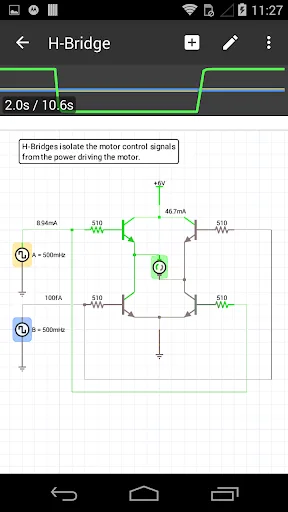
Unlike other CAD programs, iCircuit is always in simulation mode. It's like operating a real circuit. You don't need to stop to take measurements or spend a lot of time configuring reports. Instead, you can simply operate the circuit as usual, with it powered on!
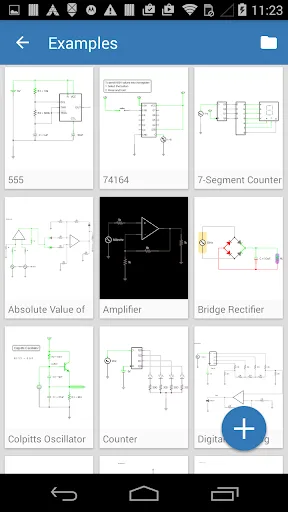
You can build circuits using over 30 components. The application includes a wide range of components, from simple resistors, switches, and MOSFETs to digital gates.
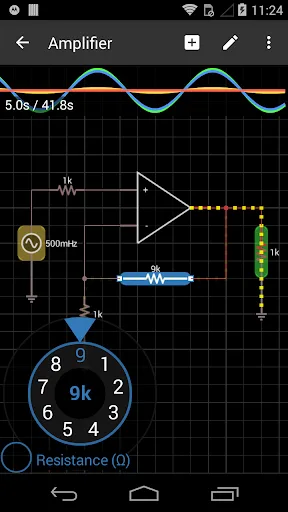
The application has a built-in multimeter for probing circuits and instantly reading voltage and current. If you want to see how a value changes over time, you can add the value to the built-in oscilloscope. The oscilloscope can track multiple signals simultaneously over time and features a touch interface for controlling the total time displayed and stacked/non-stacked modes, making it easy to compare signals.
Advantages and Disadvantages
Advantages: User-friendly interface, suitable for beginners and professionals.
Comprehensive component library for various circuit designs.
Real-time simulation helps visualize circuit behavior instantly.
Easy to export graphs and share designs with others.
Simultaneous support for analog and digital circuits enhances versatility.
It performs well on mobile devices, making it convenient to use anytime, anywhere.
Disadvantages: Compared to more professional circuit simulation software, its advanced features are relatively limited.
Some users have reported occasional errors or crashes when performing complex simulations
Conclusion
Whether you are an electronics enthusiast exploring the world of circuits or a professional engineer seeking a virtual prototyping tool, ICircuit offers an engaging and educational experience. With its comprehensive component library, interactive simulation capabilities, and powerful analysis tools, ICircuit allows you to delve deeper into the world of circuits and unlock endless possibilities in your pursuit of electronic knowledge and innovation.








