

DNS Speed Test is an application for testing the speed of DNS servers. Here you can obtain the name, primary server, secondary server, and download speed of each server, and use this information to find the fastest download speed, ensuring a smooth web browsing experience. The application benchmarks the speed of all major DNS providers and provides real-time performance graphs of response time. In addition, it offers an intuitive Material Design interface for a user-friendly experience.
Using
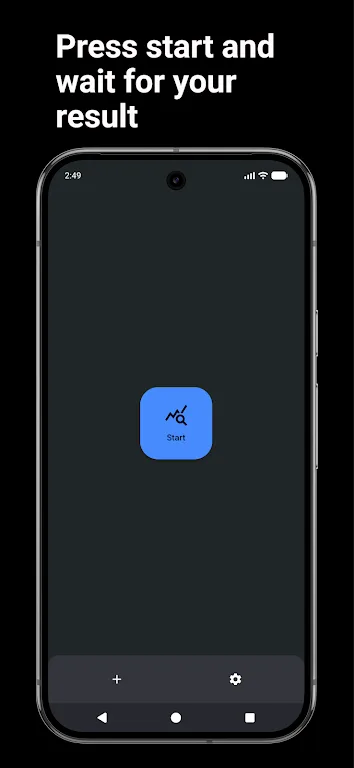
DNS Speed Test is very simple. Just start the test to see a list of all available DNS servers in your location.
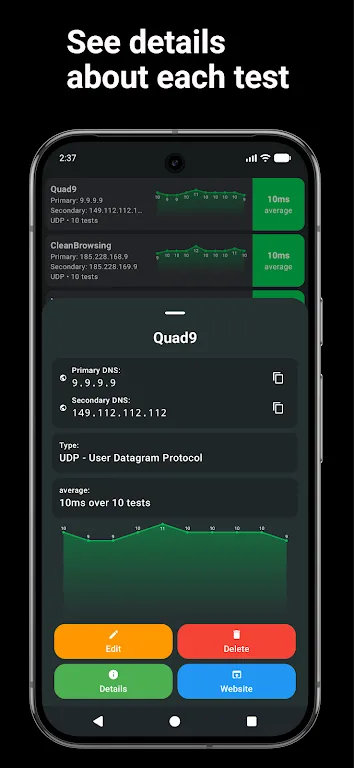
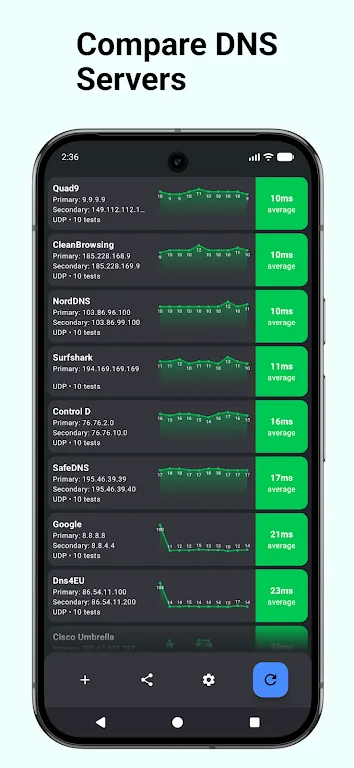
For each server, you can see its name, primary server, secondary server, and download speed. Based on this information, you can choose the most suitable server for you, resulting in faster loading speeds and a better browsing experience.
Features
Benchmark the speed of all major DNS providers
Add and test your own custom DNS servers
Display real-time performance graphs of response time
Reliability score based on continuous testing
Intuitive Material Design interface
Highlights
Easy to add servers: With this application, you can easily and simply add any server you want, without any difficulty or limitations. Therefore, you can use it comfortably and without restrictions.
Flexible Performance Views: This app also offers flexible view modes. Each mode provides a different experience, helping you quickly find the view mode that best suits your needs.
Line Graph Stability: This app also offers highly attractive line graphs. These graphs help you view data more quickly and easily, providing an extremely convenient user experience that leaves you feeling completely satisfied and without any complaints.
FAQs
Are you having problems installing DNS Speed Test?
The installation of the DNS Speed Test software may fail due to insufficient device storage space, an unstable network connection, or incompatibility with your Android device. To avoid this, please ensure your phone meets the minimum configuration requirements before starting the installation.
What is the total file size of DNS Speed Test?
DNS Speed Test requires approximately 14.72 MB (15,438,112 bytes) of storage space, including the base file size, and may vary slightly depending on your device or other data downloaded during gameplay.
How can I determine if DNS speed test software is safe to download?
Downloading DNS speed test software from our website is safe because we only host original files with verified digital signatures from trusted developers, ensuring its authenticity and security.
Conclusion
Use DNS servers to test your connection and find the best connection. Customize test details for the most accurate reports. Download the DNS Speed Test APK to establish fast connections, protect your privacy, and prevent cyberattacks from malicious attackers.








