

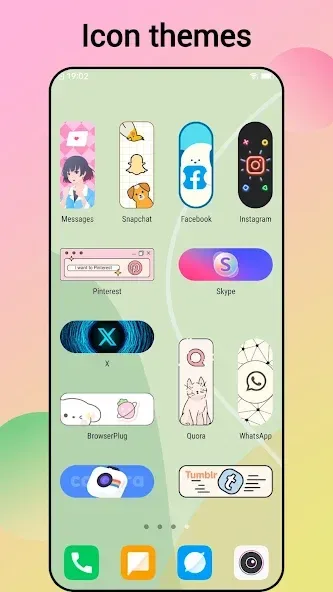
Cool Mi Launcher is a theme application that transforms your phone's interface to resemble the MIUI 12, giving it a Xiaomi or Redmi phone feel. Users can swipe left and right to switch between and open the app drawer. It also supports custom widgets and effects. The app includes over 500 cool themes and over 1000 wallpapers, along with almost all icon packs available on the market. It offers video wallpapers and live wallpapers to enhance the user experience. It also hides some apps for privacy protection. Rounded corners create a fresh look. Unread notifications are displayed in the notification bar so users don't miss messages.
Function
Organize your apps with ease
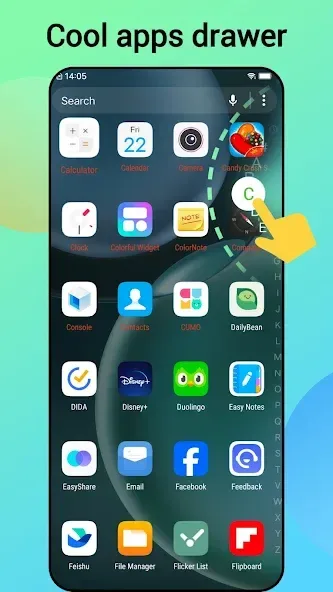
In Cool Mi Launcher, you have all your apps on different pages that you can swipe laterally. You can also access the app drawer by swiping upwards. There, you'll find the most recent apps at the top and the rest of the apps sorted alphabetically below. You can also filter your apps by category.
Customize your interface with widgets and effects
As with any Android launcher, you can use widgets and adjust their size to fit your screen. You can change the size of the grid, either 4x6 or 5x6, and also edit the transition effects.
Choose the theme you prefer
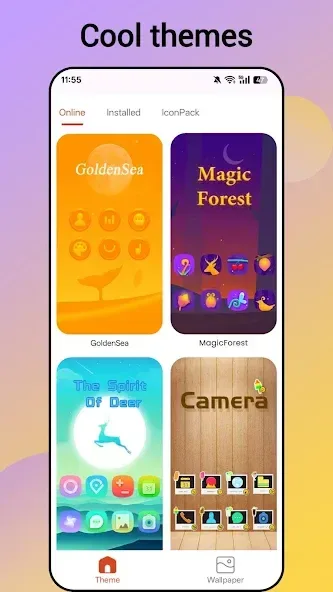
The launcher also lets you choose between a light and dark theme. By default, the system color will be applied, but you can change this later. From the launcher, you can also change the wallpaper.
Features
Compatible with all Android 4.1+ devices, instantly giving your phone a fresh new look
Offers 500+ cool themes and 1000+ beautiful wallpapers to choose from
Supports almost all icon packs available on the Play Store
Includes gestures such as swipe up/down, pinch in/out, and two-finger gestures
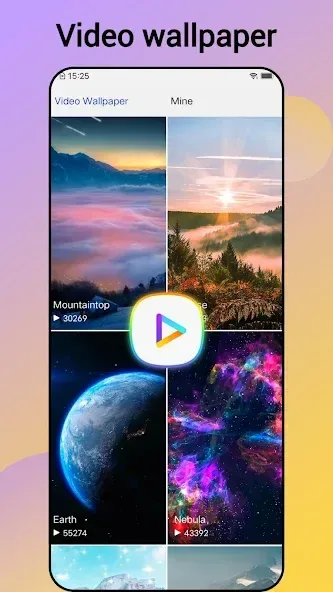
Provides Video Wallpaper and Live Wallpaper for a captivating experience
Allows you to hide apps and lock hidden apps for enhanced privacy
Enables individual app icon customization for personalization
Offers the MIUI 12 folder style and supports folders in the drawer
Round Corner feature for a modern full-screen phone appearance
Includes useful tools like battery percentage, app manager, storage usage/free status, and more
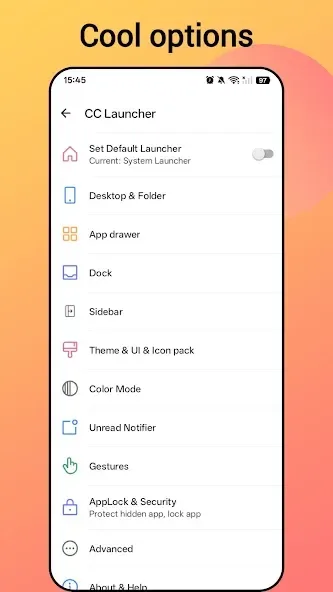
Offers 3 color modes: light launcher mode, dark launcher mode, and automatic mode
Choose from 4 drawer styles: horizontal, vertical, category, or list drawer
5 app sorting methods available: A-Z, latest installed first, earliest installed first, mostly used, and customized
Displays Unread Notifier on the launcher desktop icon to ensure you never miss important messages
Offers numerous options like dock background, folder color, and folder style customization
Allows you to adjust icon size and launcher grid size for a personalized experience
Provides a variety of launcher desktop transition effects to choose from
Supports multiple dock pages to organize your apps
Features T9 search in the launcher desktop for quick app access
Ability to change fonts for further customization
Version Log
From version ALPHA-4.26.0.4345-01211601:
- Fixed the problem that the layout of recent tasks is disordered after switching between horizontal and vertical screens;
- Fixed the FC of dragging and dropping in quick succession in edit mode;
- Fixed the occasional FC of adding quick application shortcuts;
- Fixed the problem of fast cutting failure;
- Fixed the occasional dual-opening application icon display error problem;
- Fixed the fc caused when dual-opening applications;
- Fixed the occasional layered icon display incorrectly
User comments
Everything about this app is great, the only problem I've encountered was when I make a clock widget, it turns into a random giant app icon after a short while, what I like most from this launcher is the app drawer, it's super super clean and visually appealing to the eye. There should also be an option to disable the "please rate the app" popup as it sometimes get annoying, ads are also not a problem since they don't exist.
It's just completely amazing! Mostly with all the endless possibilities of personal customisation. I am totally into customising my phone with every option that's available to me & this launcher has so many options. And options I didn't even know that we're able to change. The only downside is the add but everyday it gives you the option to watch a 30 sec video & all adds disappear for 24hrs. Give it a go, it's free to download. You will not be disppionted! 10/10 to the Devs - you hit the mark
Very nice app, but you should show less adds here otherwise a very good you can also apply themes but most of them are premium so if you want to use themes then you have to get premium one and they should also add a search bar in the top of the themes app so people could find which type of themes they want .......That's all you should fix
Summarize
Cool Mi Launcher is a stylish launcher that emulates the MIUI 12 interface, giving your phone the look and feel of the latest XiaoMi and Redmi MIUI phones. In addition to the familiar MI launcher features, it also offers a variety of valuable features.








