

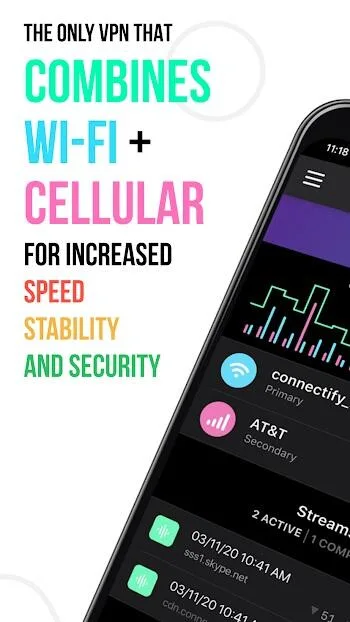
Speedify VPN is a VPN application for Android devices. It offers a wealth of features, seamlessly linking a user's cellular and Wi-Fi connections to ensure uninterrupted and smooth internet access. With Speedify VPN, users can consolidate multiple network connections into a single super-connector, enhancing their browsing experience. It improves live streaming, enhances video call quality, boosts gaming performance, and provides a reliable web browsing experience. Furthermore, thanks to the Pair & Share feature, you can easily share your cellular connection with multiple Speedify users on the same Wi-Fi network.
Click to load YouTube / 点击加载视频
YouTube ↗Highlights:
In theory, Speedify prioritizes live streaming apps and tools, such as Twitch, YouTube, and Facebook, so you can maintain more stable connections. This category also includes the most common video conference tools, such as Zoom, Skype, and Google Meet, so it's also very useful in a work environment. Even the video calls you make via WhatsApp or Telegram benefit from this technology.
One of the most interesting features offered by Speedify is the Livestreaming Test, which allows you to check the viability of your connection at any time when streaming video. The app offers all the information you need for good results, such as the optimal resolution and frames per second. This way, you can check the quality of your streaming in advance.
Of course, apart from streaming, Speedify offers all the usual features you would expect from a good VPN tool. You can connect from more than a dozen countries that span five different continents. In addition, within each country, you'll also find several cities, so you'll always have tons of options to choose from. Moreover, almost all the servers are completely free of charge.
Features:
Channel bonding across Wi‑Fi, cellular, Ethernet, Starlink, and satellite
Speedify can use several internet sources at the same time. It sends your traffic across those links in parallel to improve speed and stability. If one path slows, the others keep your session moving.
Streaming Quality of Service for calls and live video
Speedify recognizes audio and video traffic and gives it priority. This reduces buffering, lag, and dropped frames during meetings and livestreams. Other apps continue to work without disrupting your call quality.
Automatic failover while you move
When you leave a Wi‑Fi area or a connection degrades, Speedify shifts traffic to a better link. Your sessions stay active so you can keep a call or upload running on a train, in a car, or at a conference. You do not need to toggle settings during the switch.
Pair & Share for pooled data
You can connect nearby Speedify devices and share their connections. This creates a larger hotspot that helps when streaming or working on the go. Teams in the field can combine bandwidth to support uploads and monitoring.
Hardware accelerated VPN with privacy focus
Speedify uses hardware accelerated encryption to secure your traffic with low overhead. A global server network helps you connect to nearby locations for lower latency. The service follows a strict no logs approach to protect your activity.
Tips and Tricks:
The primary function of Speedify revolves around its unique channel bonding technology. This feature enables users to utilize multiple internet connections simultaneously, such as Wi-Fi, cellular data, and even Ethernet. By aggregating these connections, Speedify optimizes performance, reducing interruptions that often occur when devices switch between different networks. This capability is essential for maintaining a smooth online experience, especially when users are on the move or in locations with unstable internet.
One of the notable advantages of using Speedify is its ability to automatically prioritize active audio and video streams. As network conditions change, the app dynamically adjusts the connection to ensure that important data remains uninterrupted. This feature is particularly beneficial for users who engage in live streaming or video conferencing, where consistent quality is crucial for effective communication and viewer engagement.
FAQs:
What makes the app different from other VPNs?
It combines multiple internet connections into one for better speed and stability.
Is the app safe to use?
Yes, it uses secure encryption and follows a strict no-logs policy to protect your privacy.
Can I use the app for streaming?
It enhances streaming by reducing buffering and improving quality.
Does it support mobile data and Wi-Fi bonding?
Yes, it supports bonding between mobile data, Wi-Fi, and other connections like Starlink.
Conclusion:
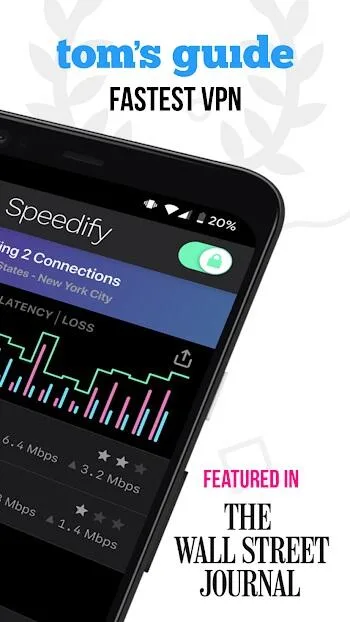
Overall, Speedify VPN stands out as a versatile tool for improving online experiences. By combining multiple connections, prioritizing important data streams, and offering robust security, the app addresses many of the common challenges users face while navigating the internet. Whether for work, play, or staying connected with others, Speedify provides a reliable solution for maintaining a strong internet presence in various environments.








