

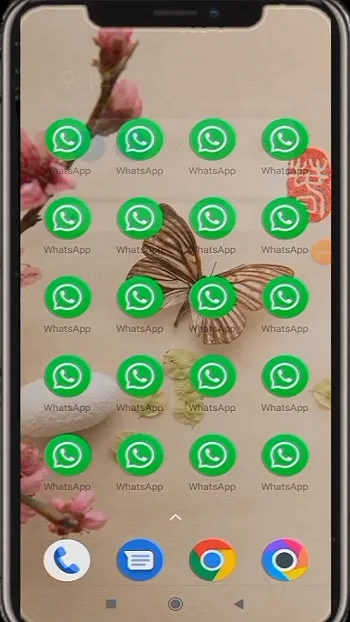
Nuga Cloner is a powerful utility app featuring a clean, user-friendly interface that allows you to quickly get started, create and install multiple copies of existing apps, and enjoy a more convenient user experience. With Nuga Cloner, you can use multiple accounts simultaneously on social media platforms or customize apps to suit your personal preferences. Additionally, the app offers extended features—such as password protection, stealth mode, and virtual location—enabling you to create a unique and personalized experience for each cloned app.
Customization options:
Change the app name and icon
Adjust display size, language and font
Convert apps to floating windows and control rotation
Limit data use to WiFi only
Remove or change permissions
Features:
Cloning Apps: Nuga Cloner allows you to create and install multiple copies of your existing apps, running in parallel and independently from the original apps.
Modding Options: The app offers a variety of modding options to tweak the new app copy, such as changing the app name and icon, removing permissions, or converting the app into a floating window app.
Premium Features: The premium version includes advanced features like cloning WhatsApp, Messenger, and Gmail, creating multiple app clones, and changing display, privacy, storage, launching, networking, notification, and automation options.
Incompatibilities: Not all apps can be cloned; certain features that rely on the app certificate may not work properly in the cloned version. Some apps like Google services, Snapchat, Viber, and more cannot be cloned.
FAQs:
What is Nuga Cloner?
Nuga Cloner is an Android app that lets users duplicate apps like WhatsApp or Instagram so they can run multiple accounts on one device.
How does Nuga Cloner handle privacy?
Each cloned app has its own permission settings, so you can decide what data it can or can’t access — no shared info between originals and clones.
Is rooting required to use Nuga Cloner?
Nope, you get full cloning features and privacy controls without needing to root your phone, which means your device stays safe and under warranty.
Does Nuga Cloner support backups?
Absolutely. You can set up regular and incremental backups for your cloned apps to make sure your data is always recoverable.
Changelog:
Improved 'Randomize build props' option
Tag devices for easier identification
Customize device sorting
Cloning option 'Show device tag'
Bugs fixes
Final Words:
Overall, Nuga Cloner isn’t about flashy features — it’s about doing the everyday stuff smarter. It’s a solid pick for anyone who wants to streamline their phone usage without rooting, overcomplicating, or compromising privacy. From casual users to busy professionals, it quietly levels up how your apps work — and how you work with them.








