

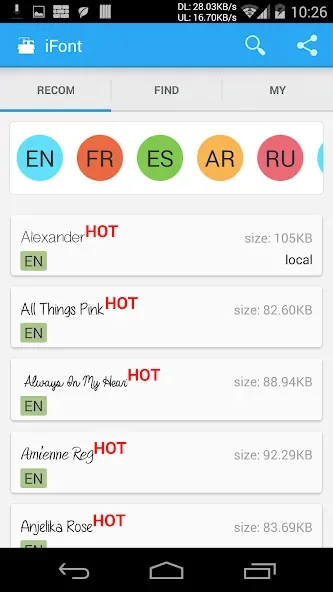
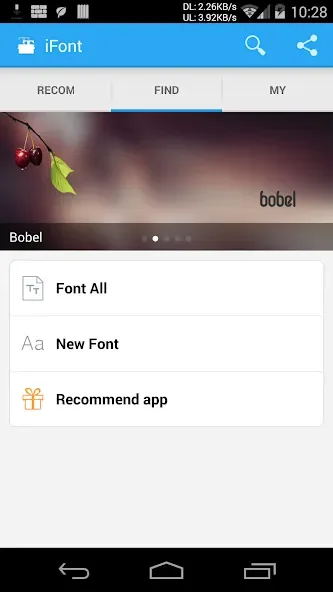
iFont is an excellent font and theme application. It offers a vast selection of fonts and supports a wide range of devices, allowing users to move beyond monotonous default fonts and create a personalized, creative user experience. With iFont, you can easily change the fonts on your device in just a few simple steps. Beyond simply changing font styles, you can also adjust the font size to suit your personal preferences. Its clean, intuitive interface streamlines the process, making font customization effortless.
Click to load YouTube / 点击加载视频
YouTube ↗Features:
Beautiful, handpicked fonts: The fonts that the application brings to you are all carefully selected, so that you can own the most beautiful, perfect fonts for your phone.
Easy font change: The application also allows you to change fonts easily; you just need to choose the font you like and then install it to be able to change. No need to do too many operations or use a cumbersome third-party application.
Seamless phone integration: The application is also extremely easy to install, as soon as you download it, the application will immediately integrate seamlessly with your phone so you can quickly use the application without any difficulties or obstacles.
Unique, exclusive fonts: The fonts provided to you are also extremely diverse and rich. Each font will have its own beauty and uniqueness with a variety of different themes, from italics to characters, giving you countless attractive and interesting experiences.
Tips and Tricks:
Experiment with different fonts: Don't be afraid to try out new fonts and see which one suits your device and preferences best.
Create a cohesive look: Match your font choice with your phone's theme and wallpaper for a polished and put-together appearance.
Backup your fonts: Make use of the automatic backup feature to ensure you always have a copy of your original font in case you want to switch back.
Share your font choices: Impress your friends by showing off your customized device and sharing tips and tricks for font customization.
Stay updated: Keep an eye out for new fonts and features added to the app to constantly refresh and enhance your device's look.
FAQs:
Is iFont free?
iFont is free to download, and importing and installing your own font files (.ttf, .otf, .ttc, .zip) is free. An optional Premium subscription unlocks unlimited downloads from the built-in font library.
Which apps can use fonts installed with iFont?
Any app that supports the system font picker, including Pages, Keynote, Numbers, GoodNotes, LumaFusion, Linearity Curve, and Microsoft Word.
Is installing fonts with iFont safe? Do I need to jailbreak?
iFont is safe and no jailbreak is required.
Main functions:
1.Support Samsung, XiaoMi (MIUI), Meizu,HuaWei(Emotion UI)phone perfect replacement font
2.Support Htc, Sony, Motolora phone replacement font(Need Root)
3.Support to modify the font size, support for custom fonts
4.Easy to operate,eliminate the tedious steps.
5.Automatic backup fonts easily restore the factory font
6.Change font size,make size from small to big.
Final Words:
It's important to note that depending on which device model you have, you might not be able to change the font. If you have a Samsung, XiaoMi (MIUI), Meizu, or Huawei, you can change the font without trouble. On the other hand, if your Android is an HTC, Sony, or Motorola, you'll need to root it first (there are several applications to do this on Uptodown). iFont is a powerful customization app. It lets you change one of the most important elements on your device, its font.








