

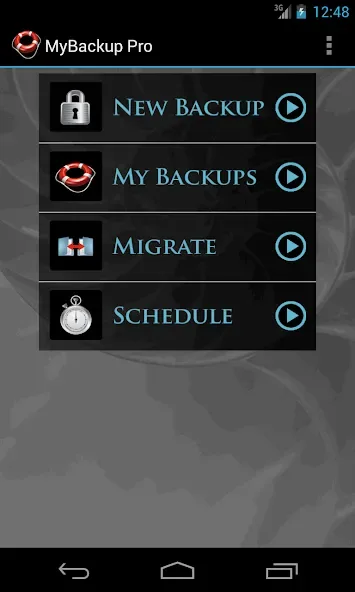
My Backup is a data protection tool designed specifically for Android devices. Tailored for users who wish to safeguard their digital lives, the app supports various data types and is compatible with a wide range of device configurations. With My Backup, users can use its powerful features to back up data from their devices to local storage or SD cards, and can also use OTG USB storage devices for backup and restore. Additionally, the app offers cloud backup and automatic backup capabilities; users can configure multiple automated backup tasks to ensure their data remains up-to-date without the need for manual intervention.
Highlights:
Simple interface: The application’s simple and intuitive interface will quickly get you used to it. And it allows to use immediately without encountering any difficulties.
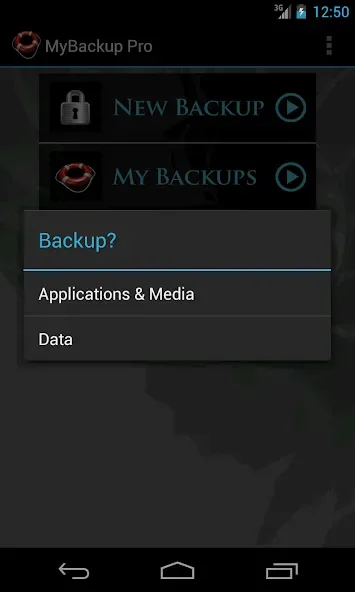
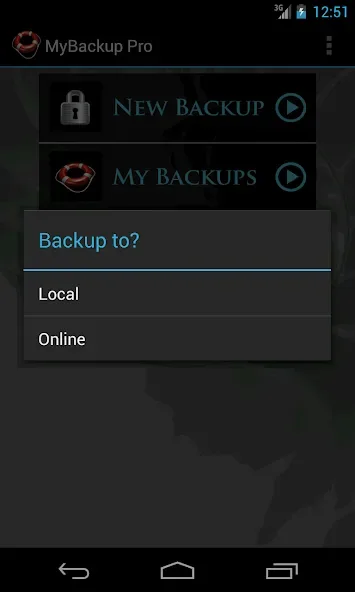
Step-by-step wizards: You will be guided step by step by the application in detail during the process of backing up data on your phone. The instructions are extremely detailed and easy to understand, helping you easily master it.
No technical knowledge: You do not need to be a professional in backup to use this application. It is extremely easy to use, you will easily use it as soon as you start using it.
Features:
Innovative Backups: Privacy is the utmost importance. Every backup is done with a super secure encryption. Rest easy!
Choice of Storage: Your data, your choice. We support secure storage in the cloud or on your SD card. It’s your data, do what you want!
Set and Forget Scheduling: Our intelligent scheduling allows you to automate backups, so your latest files are protected even when you forget to do it manually!
End to End Coverage: My Backup has you covered for files, contacts, SMS messages, settings and more.
Backup Checks: An app that does all the work to ensure your backup is good… what more could you want!?
Tips for Users:
Encrypted backups: The application will secure and protect your information by optimally encrypting your information during the backup process, keeping your information always secure to avoid being hacked.
Automated scheduling: You can also set the backup time for the data you want. Setting a backup schedule in advance is quite convenient and saves you time. You don’t need to back up when the day comes when you need to back up that data.
Backup integrity checks: The application will automatically check all functions before backing up, preventing the backup process from being interrupted and canceled. In addition, after the backup is complete, the application will notify you and confirm that the backup was successful.
Changelog:
v4.9.0
-Fixed SMS restore issues on some phones
v4.8.8
-Fixed hidden backup button bug on some phones
-Misc fixes
v4.8.6
-Target SDK 35
-Misc fixes
v4.8.4
-Fixed Android 12+ issues
Final Words:
Please note that the backing up and restoring of application data and settings is contingent upon having a rooted device or application integration. My Backup stands as a highly recommended solution for Android backup, having garnered positive endorsements from prominent technology platforms, emphasizing its reliability and effectiveness in protecting user data.








