

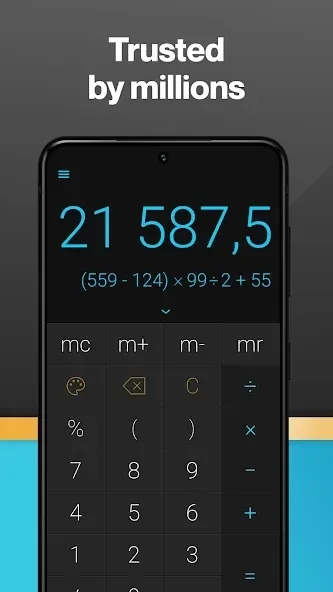
CALCU Stylish Calculator is a powerful calculator app. This application boasts powerful features, supports international standard number formats, and offers complex functions ranging from basic arithmetic to unit conversion, allowing users to customize settings according to their country or region's customs. With CALCU Stylish Calculator, users can perform daily calculations with ease and precision, as well as conveniently save and recall important results. Whether you are a student, engineer, or scientist, the app’s high-performance scientific calculator features help you handle complex numerical operations effortlessly.
Highlights:
Advanced Operations: With this calculator, you can use it to solve advanced calculations without any difficulty, giving you accurate results in just a few seconds without making you wait long.
Complex Problem Solving: The application will help you solve all complex calculation problems, no matter what unit of calculation the problem is in. You will not need to scratch your head to calculate manually. The application will quickly do it for you.
Sleek Design: The application brings you an extremely stylish and modern design. This design is completely different from conventional calculators, giving you more enjoyment while using.
Smooth Experience: You will also own a calculator that can calculate quickly and smoothly. Whether the calculation is long or short, the application will quickly calculate and give you the result in just a few seconds, without making you wait too long, giving you the most convenient application.
Features:
Basic calculator: Perform fundamental math operations such as addition, subtraction, multiplication, and division with precision.
Calculator with History: Keep track of all your calculations with ease. Quickly access and review previous calculations.
Calculation Notes: Attach context-rich notes to your calculations for enhanced clarity and understanding.
Calculator with Memory: Save and retrieve previous calculations effortlessly, ideal for handling extended or complex problems.
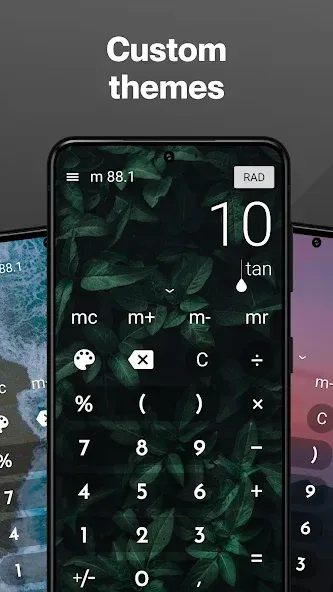
Customizable Themes: Personalize your calculator with various themes to suit your style, from classic designs to vibrant and unique looks.
User-Friendly Interface: Enjoy a sleek, intuitive design for a smooth and efficient user experience.
Who is this app for?
Students using a scientific calculator for math and calculus
Professionals who need a reliable advanced calculator
Engineers and scientists solving complex problems
Anyone looking for a powerful yet simple calculator for everyday use
Changelog:
App performance has been improved.
Minor issues reported by users were fixed.
Please send us your feedback!
Conclusion:
CALCU Stylish Calculator offers a comprehensive set of features for users looking for a reliable and easy-to-use calculator. With support for international numeric formats, various calculation functions, memory features, scientific calculator, and unit converter, this app is suitable for a wide range of users. Whether you need to calculate tips, convert units, or perform complex scientific calculations, CALCU Stylish Calculator APP has you covered.








