

ArduinoDroid is a comprehensive tool app featuring a powerful yet well-designed interface. Its dual-zone layout allows users to easily build and test a wide range of Arduino projects. With ArduinoDroid, users can monitor development boards directly from their Android devices, simplifying the entire project workflow. Additionally, the app includes a sketch editor and various libraries to ensure seamless integration and convenient collaboration, making it an invaluable tool for everyone from beginners to experts.
Highlights:
USB upload: stable for core Arduino boards with internal uploader
Wi‑Fi over the air: supported on ESP8266 and ESP32 families
Fallback: Avrdude used for certain boards and cases
Help: visit troubleshooting for step by step fixes
Features:
Onboarding
ArduinoDroid simplifies the onboarding process, ensuring a smooth start for users new to Arduino programming.
Sketch Editing
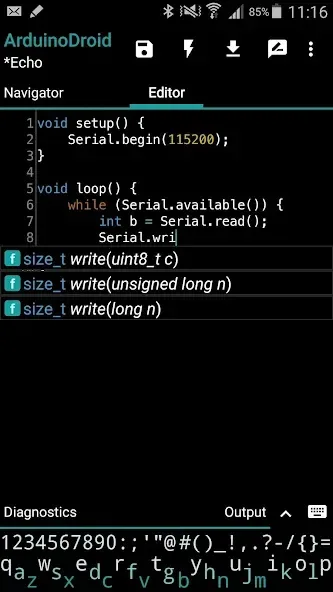
Intuitively open and edit Arduino, ESP8266, and ESP32 sketch files with the support of libraries and examples.
Code Enhancement
Simplify programming with features such as syntax highlighting, code completion, and theme support.
Real-time Diagnostics
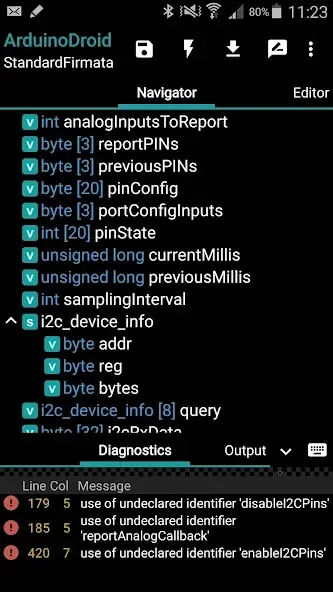
Receive instant feedback on warnings and errors during programming, ensuring a seamless and error-free process.
File Navigation
Utilize the built-in file navigator for easy navigation through files and sketches, improving overall project management.
Integrated Keyboard
Access a compact built-in keyboard for seamless code entry on the go, ensuring a smooth coding experience.
Sketch Compilation & Upload
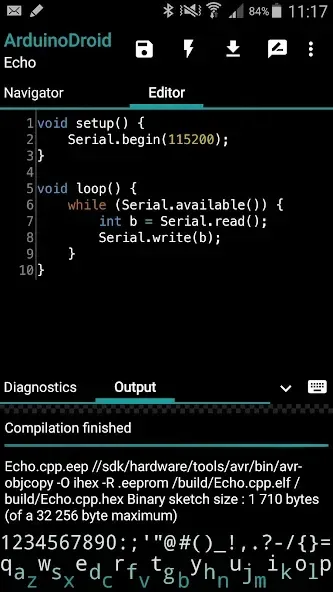
Upload sketches via USB or WiFi, supporting various Arduino boards, and facilitating convenient project deployment.
Pros & Cons:
Pros
Convenient
Works without internet connection
Sketch compilation doesn’t require a rooted device
File navigator
Cons
Can’t be installed on an SD card
Requires 500 MB of free space
Changelog:
Added: Arduino Uno R4 WiFi support
Added: emojies support
Fixed: ESP with raw literals preprocessing issue
Fixed: ESP32C3/C6 compilation issues
Fixed: Google Drive access (now requesting user consent)
Fixed: minor issues
Final Words:
With ArduinoDroid, you can open and edit Arduino sketches. The app has test sketches and libraries included and shows you syntax errors in the code. It also features real-time diagnostics to help you correct and optimize your code. If you like, you can upload your own sketches from a USB stick, Dropbox, or Google Drive, as the app has support for these services. Don't wait any longer and download the APK of ArduinoDroid here.








