

Opera Mini browser beta is an excellent mobile browser app. It offers a wealth of features and tools designed to enhance the online experience, ensuring users can access their favorite websites smoothly and efficiently. With Opera Mini browser beta, users can further enhance their browsing experience and enjoy safe and fast internet access by mastering usage skills and making full use of various functions. Additionally, the app provides extensive customization options, allowing users to adjust settings according to their personal preferences to optimize their browsing experience.
Click to load YouTube / 点击加载视频
YouTube ↗Highlights:
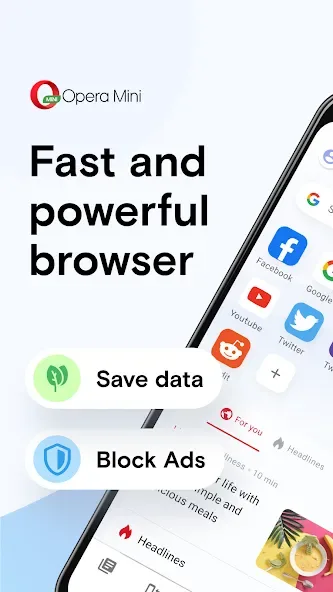
Data Saving: Save up to 90% of your phone data while browsing the web.
Fast Browsing: Enjoy fast and reliable web connections with compression algorithms.
Secure Web Experience: Benefit from industry-leading security features for safe browsing.
Built-in Ad-Block: Say goodbye to annoying ads with a native ad blocker.
Smart Download Tool: Easily find and download videos and music in the background.
Personalization Options: Customize your browser with personalized feeds, layout, and wallpapers.
Features:
Early access to upcoming changes
Opera Mini browser beta lets you try new improvements before they arrive in the stable app. You can explore interface updates and performance tweaks while they are still in development. This gives you a chance to see what is coming next and to share input that can influence the final release.
Data savings on slow or limited connections
Compression helps reduce how much data is used when loading pages. This can make browsing feel faster when your signal is weak or you are using a limited plan. You can browse news, social sites, and search results while keeping data consumption lower than a standard browser might use.
Fast, lightweight design
Opera Mini browser beta emphasizes a clean look that puts content first. Menus and controls are easy to reach, so you can open tabs, enter addresses, and manage settings with minimal steps. The simple layout helps the app stay responsive even on older phones and tablets.
Free on Android phones and tablets
You can install and use Opera Mini browser beta at no charge. The app is suited for a wide range of Android devices, from compact phones to larger tablets. Whether you browse for a few minutes or for longer sessions, you can jump in without any subscription or purchase.
Community feedback and a path to stability
Your feedback plays a key role in how the app evolves. The beta program encourages you to share comments through Opera’s forums so developers can investigate issues and prioritize improvements. If you prefer a non‑beta setup, a link is available to move to the stable Opera Mini, making it easy to switch to a more reliable build.
Tips and Tricks:
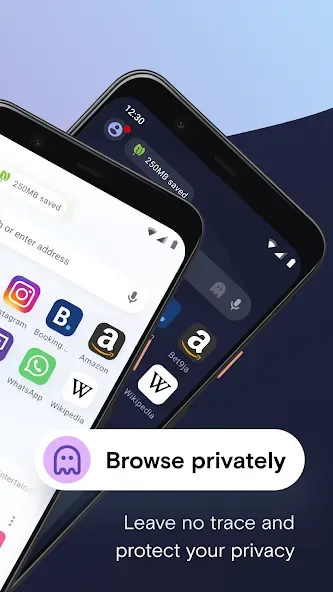
Use private tabs: If you don't want certain website visits to be saved in your browsing history, you can use private tabs to browse incognito.
Multi-task with tabs: It allows you to open multiple pages simultaneously using tabs, making it easier to switch between different websites.
Smarter downloads: Download files in the background while using Opera Mini and prioritize larger downloads for when you are connected to Wi-Fi.
Changelog:
New: Page translation
New: Custom action button in address bar
Status saver
Various stability and performance fixes
Conclusion:
Opera Mini browser beta is a top-quality browsing application that offers fast and safe internet access on all devices. With multiple outstanding features and strict data protection, users can enjoy a smooth browsing experience without any interruptions. Download Opera Mini browser beta now for a fast and secure internet browsing experience.








