

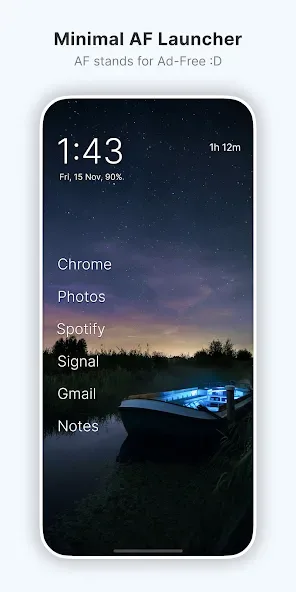
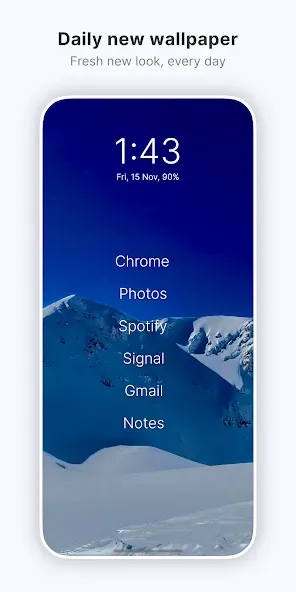
Olauncher. Minimal AF Launcher is an ultra-minimalist launcher designed for simplicity. The app provides a clean home screen experience, free of icons, ads, or other distractions, allowing users to focus on what really matters and control their screen time. With Olauncher. Minimal AF Launcher, users can freely adjust font size, hide infrequently used apps, and customize gesture operations to create a personalized user experience. Additionally, the app features daily wallpaper updates, ensuring a smooth and enjoyable user experience.
Click to load YouTube / 点击加载视频
YouTube ↗How to Uses:
Swipe up to see all the apps and quick search
Swipe down for notification drawer
Long press home apps to change them
Important: Long press on empty space to open settings
Once you open the settings, you'll see all the available options.
So basically, swipe and long press anywhere and you'll be fine.
Features:
Minimalist homescreen: A clean homescreen experience with no icons, ads or any distraction. It helps you reduce your screen time and increase productivity.
Customizations: Resize text, rename apps, hide unused apps, show or hide the status bar, app text alignments, etc.
Gestures: Double tap to lock screen. Swipe left or right to open apps. Swipe down for notifications.
Wallpaper: A beautiful new wallpaper, daily. No one said that a minimalist launcher has to be boring.
Privacy: No data collection. FOSS Android launcher. Open source under GPLv3 license.
Launcher features: Dark & light themes, dual apps support, work profile support, auto app launch.
Benefits:
Simplicity: Olauncher provides a very minimalistic design, reducing distractions and focusing on essential apps.
Fast Performance: The lightweight nature of the app allows for faster load times and a smoother experience.
Ideal for Minimalists: Designed specifically for those who embrace minimalism, making it easy to declutter digital spaces.
Open Source: Being open source means that users can contribute to its development or modify it for personal use.
Changelog:
New: Option for bold font
New: Disabled animations for e-ink displays
Improved PWA shortcut handling
Fixed theme change issue on adaptive refresh rate displays
Added missing translations to all languages
Added Korean translation
Final Verdict:
On the other hand, Olauncher lets you create gestural shortcuts, so you don't have to search through all the apps to find what you need, instead simply swiping to open the camera or the phone, for example. Olauncher is a launcher that takes the concept of minimalism to the extreme, and in addition to being simple to set up, it's also really beautiful.








