

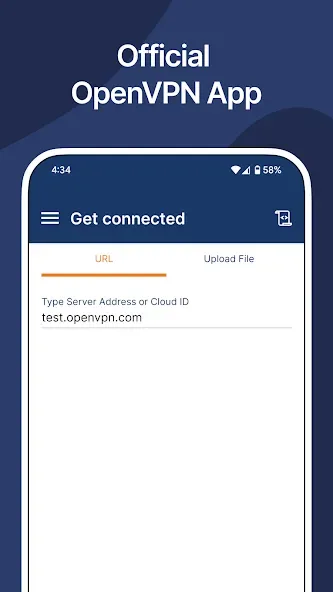
OpenVPN Client is a VPN client application designed specifically for Android users. It offers granular access control and supports multiple authentication methods, allowing administrators to define user permissions and access scopes for specific users. With OpenVPN Client, users can establish encrypted data transmission tunnels using the OpenVPN protocol to securely connect to a VPN server. Please note that the application itself does not provide VPN services; instead, it connects to existing VPN servers.
Highlights:
OpenVPN Cloud: A cloud-based VPN service that offers a variety of features, including firewall-as-a-service (FWaaS), intrusion detection and prevention system (IDS/IPS), DNS-based content filtering, and zero-trust network access (ZTNA).
OpenVPN access server: A self-hosted VPN solution that provides granular access control and supports SAML, RADIUS, LDAP, and PAM for user authentication.
OpenVPN community edition: An open-source VPN server solution that is more customizable than OpenVPN Access Server but is also more complex to set up and manage.
Features:
Fast, secure VPN tunneling with OpenVPN protocol
Strong AES-256 encryption and TLS 1.3 support
MDM-friendly with a global configuration file
Device posture checks**
Import of connection profile with URL**
Android Always-on VPN support
Captive Wi-Fi portal detection
Web authentication for SAML SSO support
HTTP proxy configuration
Seamless split-tunneling and auto-reconnect
Works over Wi-Fi, LTE/4G, 5G, and all mobile networks
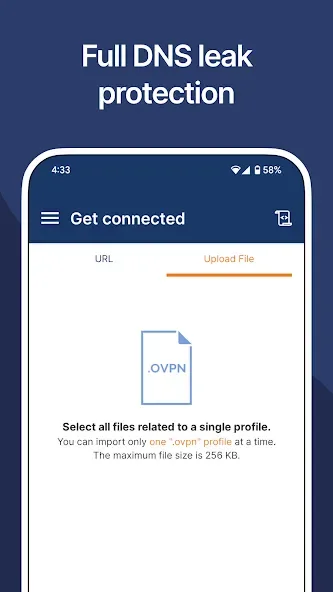
Easy setup & import of .ovpn profiles
Kill switch for fail-safe protection
IPv6 and DNS leak protection
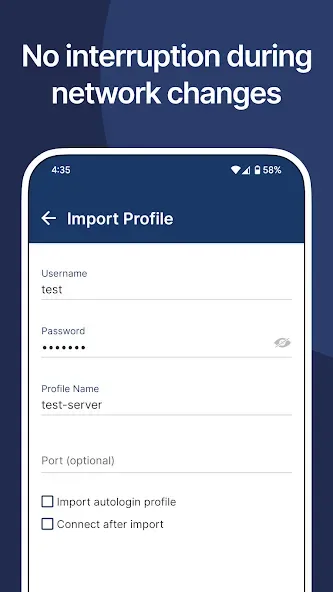
Support for certificate, username/password, external certificate, and MFA authentication
Tips for Users:
Supporting a wide range of certificate formats, such as pem, der, and pkcs12, the app supports extensive encryption standards and facilitates a smooth user experience. It also boasts IPv6 support, the ability to work with HTTP/SOCKS proxies, and the option to customize HTTP headers.
One of the standout features is fingerprint authentication, ensuring an extra layer of security for devices running at least Android 6.0. The software provides a convenient auto-connect feature on device boot-up and allows for app filtering on Android 5.0 and higher, giving users fine-tuned control over which applications can access the VPN connection.
Voluntary donations are accepted to support ongoing development efforts, and users have the option to join the community for access to beta versions and the latest news.
Pros & Cons:
Pros
Easy to use
Wide range of features
Strong security
Supports a variety of VPN services
Open-source (Community Edition)
Cons
Occasional connection issues
Some features may be confusing for non-technical users
Conclusion:
Should any challenges arise, such as compatibility concerns with newer versions of the protocol, backward compatibility settings and responsive email support are readily available to help resolve any issues. Please note that certain advanced features, like Tasker/Locale integration and widget support, are only available in the full version. However, the free version still provides a comprehensive set of tools to ensure secure and efficient VPN connectivity for your mobile device.








