
Multi Space enables users to log into and manage multiple accounts for various apps and games on a single device, keeping them all online simultaneously to boost productivity in both work and gaming. Highly compatible, the software can be installed and run on the vast majority of mobile devices. It is designed to minimize battery and storage consumption, and it does not collect any user game data or personal information, ensuring a secure and worry-free experience. With Multi Space, users can effectively strike a balance between their professional, personal, and social lives.
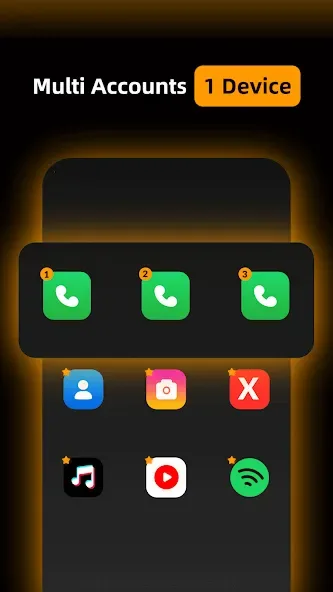
Features of Multi Space:
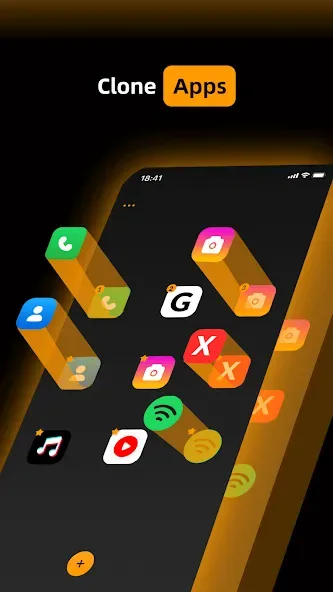
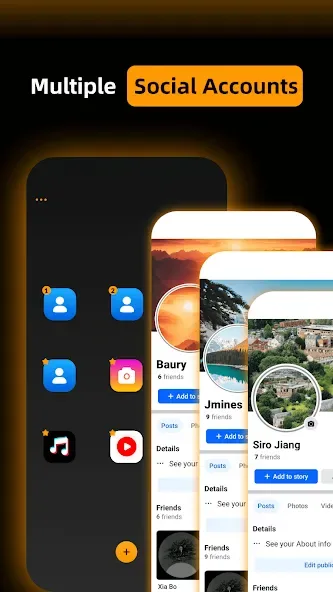
Separate profiles without repeated logins: The app duplicates supported software such as WhatsApp, Facebook, or TikTok, then keeps each clone’s login details, settings, and data separate. Opening a secondary account means tapping its entry in Multi Space rather than changing credentials in the original app. That makes it particularly useful for freelancers, social media managers, and players maintaining multiple game profiles.The interface keeps the process approachable and doesn’t demand advanced configuration. Cloned apps run independently, helping prevent personal and professional activity from becoming tangled.
Cloning comes with resource costs: Each additional instance consumes storage, while running several accounts can increase memory and battery use. The effect depends on the device, so older or less capable phones may struggle sooner than recent hardware. Compatibility is another reservation: security controls or system limitations can stop certain apps from working fully inside a cloned environment.
When Multi Space makes sense: For anyone regularly juggling separate accounts, Multi Space removes a tedious layer of credential swapping through a clear, centralized setup. Its value drops if the desired app resists cloning or the phone is already short on resources. Within those limits, it is a practical account organizer rather than a guaranteed fix for every Android app.
User Reviews of Multi Space:
Hello MultiSpace Support, I am facing an issue while using WhatsApp cloning in MultiSpace. Whenever I open the cloned WhatsApp, it only shows a black screen and does not proceed any further. I have already waited for around 15 minutes, but the screen remains completely black and the cloned WhatsApp never opens. Please help me resolve this issue as soon as possible. I would appreciate it if you could provide a solution or let me know if there is any setting I need to change.
it's a very good app and recommendable to use buh the problem it's that it usually waste time to open any app you clone there pls try and work on that.
Great app, easy to use and doesn't need unnecessary updates though it do bring ads sometimes but it is very normal compared to the previous apps I've used to clone. it works perfectly for differently for different apps cloning without any issues.
Running very fast as you need . Best clone app ever .it is the best app i recommend to use this app and enjoy.
My parent took away my computer, so I couldn't transfer my stuff in a game to my other account, but then I remembered this app and this is the only reason I can now transfer my stuff to other accounts on Roblox using my mobile device. Thank You alot.
FAQs of Multi Space:
Is Multi Space available on multiple platforms?
Yes, Multi Space is available for download on Windows, macOS, iOS, and Android devices.
Does Multi Space support collaboration features?
Yes, Multi Space offers collaboration features that allow users to share files and communicate with others within the virtual workspace.
How secure is Multi Space in terms of data protection?
Multi Space prioritizes data protection and security measures to ensure that user information and files are safeguarded within the virtual workspaces.
Can I access my virtual workspaces from different devices?
Yes, users can access their virtual workspaces from different devices by logging into their Multi Space account.
Final words:
Multi Space provides a convenient solution for managing multiple app accounts within a single interface. Multi Space is most useful for users balancing different profiles across social, work, or gaming activities. While performance and compatibility vary depending on device and app behavior, it remains a practical option for reducing account-switching friction and keeping activities organized in one place.








